For content owners, accessibility managers, and localization leads, the terms transcription, captions, and subtitles often get blurred. Yet they serve different business needs.
Choosing the right service is about more than just cost. It also impacts compliance, accessibility, SEO, and audience engagement.
Here’s the quick cheat sheet:
- Transcription is, simply put, Speech → Text. Audio is often typed out for use in podcasts, interviews, or SEO.
- Captions are Time-coded transcripts with speaker IDs and non-speech cues, for accessibility (e.g., d/Deaf, hard-of-hearing).
- Subtitles, on the other hand, are translated dialogue, allowing audiences in other languages to follow along.
Why does it matter? Because different laws, accessibility standards, and use cases dictate which one you’ll need. For example, WCAG 2.2 and U.S. broadcast law require captions, not just transcripts. Meanwhile, international marketing teams rely on subtitles to scale training, ads, or product demos.
What is Transcription, and When is it Enough?
Transcription is the process of converting spoken audio into written text, usually delivered in formats like TXT, DOCX, or CSV.
Unlike captions or subtitles, a transcript is not time-synced to audio or video by default. It’s simply a text record of everything that was said.
How Transcription Works
Professional transcription goes beyond simply typing out words. It’s a structured workflow designed to capture accuracy, clarity, and context.
A professional transcription workflow often includes:
- Audio-to-text conversion: Human transcribers or AI speech recognition tools listen to the recording and capture speech verbatim.
- Editing for accuracy: A human editor cleans the text, correcting misheard words, filler speech (“uh,” “you know”), and domain-specific terms.
- Formatting: Depending on the use case, transcripts may include:
- Verbatim (everything spoken, including filler words).
- Clean read (edited for readability, removing repetitions and false starts).
- Timestamped transcripts (optional markers, for example, every 30–60 seconds).
- File handoff: Delivered in text-based formats that can be archived, searched, or repurposed.
When Transcription Alone Is Sufficient
Transcription is best when text documentation is the main requirement, not accessibility or on-screen readability.
Common use cases include:
- Podcasts and interviews:
Publishing a transcript alongside audio increases SEO visibility (search engines can’t index audio directly). It also makes long-form interviews scannable for readers.
- Legal proceedings:
Courts, arbitration hearings, and depositions require a word-for-word written record of testimony. In these cases, transcripts act as an official reference document for review and evidence.
- Knowledge bases and training materials:
Businesses often transcribe internal training sessions, webinars, or workshops. A transcript allows employees to skim content or search for key terms, without watching hours of video.
- Audio-only accessibility:
If content is distributed as audio-only (e.g., podcasts, audiobooks, recorded calls), a transcript ensures accessibility for deaf or hard-of-hearing audiences without requiring captions.
What Transcription Does Not Provide
It’s important to be clear about what transcription does not include:
- No time synchronization: transcripts don’t align text with exact moments in audio or video.
- No speaker identification by default: unless requested, transcripts may not include “Speaker 1 / Speaker 2” labels.
- No non-speech cues: background sounds, music, or laughter are not captured unless specifically annotated.
Enhanced Transcription Options
Vendors sometimes offer value-added transcription services, such as:
- Timestamps (every sentence or 30-second interval).
- Speaker labels for interviews, focus groups, or multi-person calls.
- Exportable formats like CSV (for analytics) or JSON (for integration into CMS/LMS platforms).
- Machine-assisted transcription (ASR) combined with human post-editing for speed and lower cost.
Transcription is the right choice when you simply need the spoken word captured in text without the extra layers of timing or accessibility. It’s best suited for straightforward use cases where accuracy and convenience matter most.
Transcription is the right choice when you:
- We need text records for documentation, discovery, or SEO purposes.
- Do not require video playback alignment or accessibility compliance is required.
- Want a searchable, shareable text file to archive or repurpose content.
For compliance, accessibility, or multilingual audiences, you’ll need to upgrade to captions or subtitles. But for audio-driven documentation, transcription is fast, cost-effective, and sufficient.
What are Captions, and How Are They Different from Transcripts?
Captions are synchronized, on-screen text that represents both spoken dialogue and meaningful non-speech sounds in a video.
Unlike transcripts, which are plain text records, captions are time-coded to match the precise moment speech or sounds occur.
This makes them essential for accessibility, legal compliance, and video-based learning.
Key Features of Captions
- Time-coded synchronization
Captions are aligned frame by frame with the video, so viewers read exactly as words are spoken or sounds occur. - Speaker identification
Captions clarify who is speaking, using IDs like:

Non-speech audio cues
Captions include contextual sounds that matter to comprehension, e.g.:

- File formats for video integration
Standard caption files include .srt (SubRip), .vtt (WebVTT), and sometimes .dfxp or .stl for broadcast. These files can be uploaded to video platforms like YouTube, Vimeo, or LMS systems. - Closed vs. Open Captions
- Closed captions (CC): The viewer can turn them on/off, which is mainly standard for YouTube, streaming, and LMS platforms.
- Open captions (OC): Burned into the video and always visible, used when player support is limited or accessibility must be guaranteed.
Legal and Accessibility Context
Captions are not just “nice to have”; in many cases, they are legally required:
- United States
- The FCC (Federal Communications Commission) mandates captions for broadcast TV.
- The ADA (Americans with Disabilities Act) extends caption requirements to online video used in public-facing services, workplaces, and education.
- The CVAA (21st Century Communications and Video Accessibility Act) enforces captions for digital video distributed online if it previously aired on TV.
- EU & UK
- Accessibility laws reference WCAG 2.2 guidelines, which require captions for all prerecorded video content used publicly.
- The European Accessibility Act (EAA) enforces captioning across sectors such as e-learning, corporate communications, and e-commerce by 2025.
- Global trend
Many countries are adopting captioning requirements as part of digital accessibility standards, making captions a global compliance expectation.
Captions vs. Transcripts: The Core Difference
At their core, both serve to capture spoken content, but they differ in purpose and detail.
Here’s a table summarizing them:
| Transcripts | Captions |
| Speech converted to plain text | Transcript + timing, speaker IDs, and audio cues |
| Best for documentation, research, SEO | Best for accessibility and video playback |
| Standalone text files | Synced to video for on-screen display |
What are Subtitles, and When Do You Need Them Instead of Captions?
Subtitles are translations of spoken dialogue into another language, created for viewers who can hear the original audio but do not understand it.
Unlike captions, which include non-speech sounds and speaker identification for accessibility, subtitles focus strictly on conveying the meaning of spoken words.
Key Characteristics of Subtitles
- Dialogue translation only:
Subtitles render what is spoken into the target language but exclude audio cues such as [applause] or [phone ringing].
- Optimized for readability:
Professional subtitlers follow best practices:
- ≈35 characters per line (CPL) for screen fit.
- 12–15 characters per second (CPS) for comfortable reading.
- Max 2 lines per subtitle block, aligned with natural pauses in speech.
- On-screen adaptation:
Subtitles often require localization of UI labels, product text, graphics, and cultural references to make the full video understandable to the target audience.
- File formats:
Delivered in video-friendly formats like .srt, .vtt, or burn-in subtitles for platforms that don’t support caption toggling.
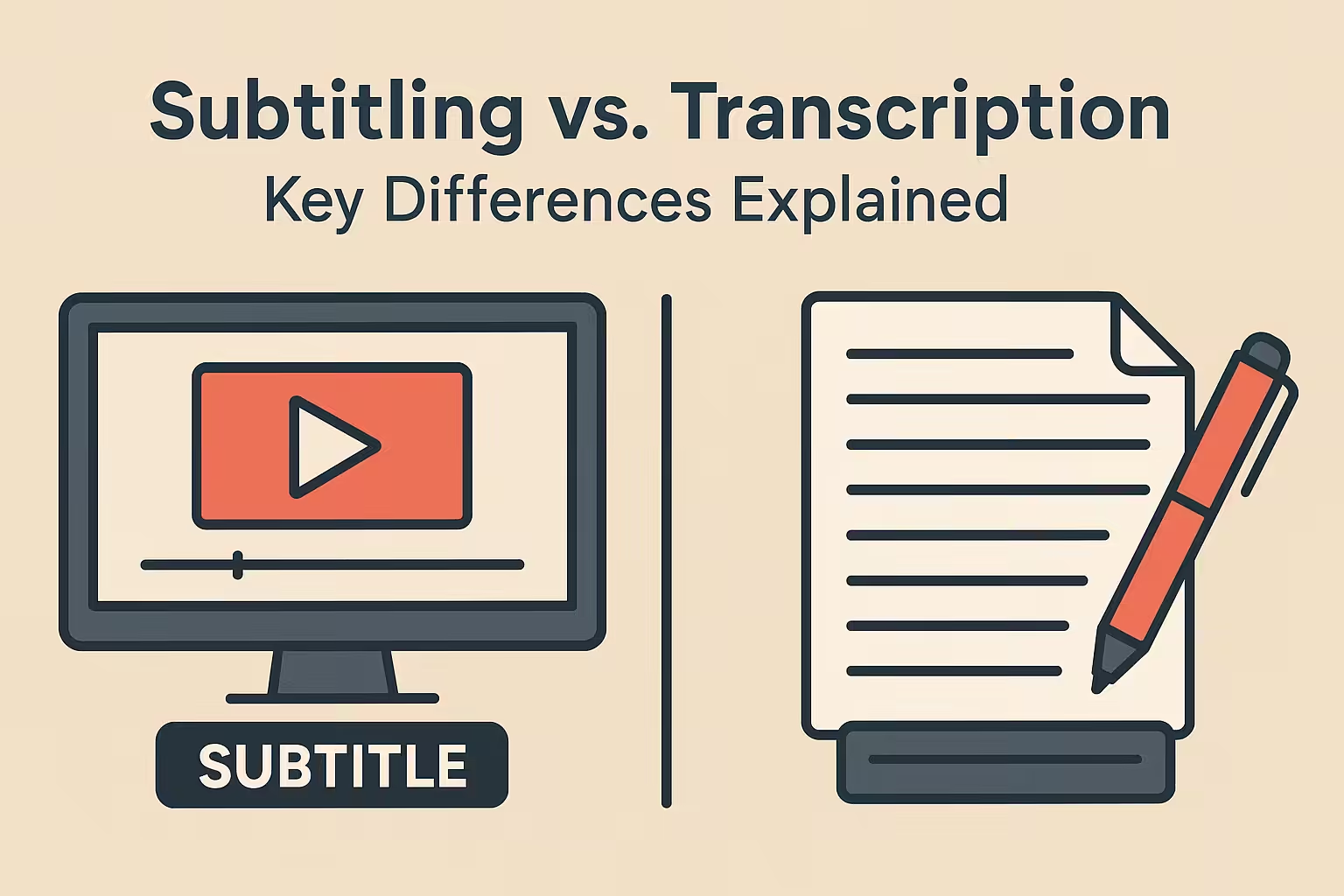
Subtitling vs. Transcription: A Practical Comparison
When choosing between subtitling and transcription, it’s essential to understand that they serve different purposes.
Transcription captures spoken audio as plain text, while subtitling delivers synchronized, video-ready text that may also include translations.
The right choice depends on your use case, whether you need searchable records, accessibility compliance, or multilingual video reach.
Here’s a table highlighting the features of transcriptions, captions, and subtitles:
| Feature | Transcription | Captions | Subtitles |
| Input | Audio/video | Video | Video |
| Output | Text file (TXT/DOCX) | Time-coded text | Time-coded translated text |
| Time-sync? | No | Yes | Yes |
| Non-speech cues? | No | Yes | No |
| Formats | TXT, DOCX, CSV | SRT, VTT | SRT, VTT |
| Goal | Reference, SEO, archives | Accessibility & compliance | Multilingual accessibility |
| Legal drivers | Rare | Often mandatory (WCAG, FCC) | Optional (business-driven) |
| Best for | Podcasts, legal docs | Training, compliance videos | Global marketing/training |
Quality & Compliance: What Buyers Should Require
For organizations investing in transcription, captioning, or subtitling services, quality and compliance are not negotiable.
Poorly managed workflows can result in legal exposure, accessibility violations, or reputational damage.
A strong vendor must demonstrate not just linguistic expertise, but also structured QA, compliance with accessibility standards, and enterprise-grade data security.
Core Quality Standards Buyers Should Expect
- Accuracy thresholds:
Professional providers should commit to a 95–99% word accuracy rate, depending on the service type.
For captions and subtitles, this also includes correct time-coding, segmentation, and character-per-line (CPL) rules.
- Two-linguist review (LQA):
Best practice is the TEP model (Translation → Editing → Proofreading), or at a minimum, a second-linguist Linguistic Quality Assurance (LQA) pass to ensure style, terminology, and timing accuracy.
- Glossaries & style guides:
Establishing a client-approved glossary of domain terms and a style guide ensures consistency across training modules, legal transcripts, and marketing videos. This avoids drift when scaling across multiple projects or languages.
- Accessibility compliance (WCAG 2.2):
Captions must include speaker IDs and non-speech cues, such as [music playing] and [laughter], to comply with accessibility regulations, including the ADA (U.S.), FCC captioning mandates, and EU Accessibility Act requirements.
- Secure workflows:
For sensitive recordings, e.g., corporate training, investor calls, and medical webinars.
Ensure your vendor provides:
- Encrypted file transfer & storage (at rest and in transit).
- Secure portals for upload/download.
- NDAs for all linguists.
- Audit trails and least-privilege access policies.
- Certifications & frameworks:
Ensure that the vendor aligns with ISO 17100 (translation quality standards) and that GDPR/SOC2-style security documentation is available. Even if formal certificates are “on request,” alignment shows process maturity.
Why Circle Translations Fits Procurement Standards
At Circle Translations, we embed these best practices into every workflow:
- ISO-aligned quality assurance models (MQM/DQF error typologies).
- B2B-ready NDAs and GDPR-compliant data handling.
- Native linguists across 120+ languages, with industry specialization (legal, finance, healthcare, technical).
- 24/7 project management support to guarantee SLAs for urgent projects.
- Transparent delivery of QC reports, revision logs, and glossary updates for auditability.
For procurement teams, this means you can standardize subtitling, transcription, and captioning at scale without sacrificing compliance, accessibility, or security.
Speed, Effort, and Cost Drivers
Pricing varies by service because the work involved is different:
- Transcription: Cheapest; depends on audio clarity and speaker count.
- Captions: Higher cost due to timecoding and cue management.
- Subtitles: Highest cost; includes translation, adaptation, and QA.
Additional cost drivers:
- Number of languages.
- Accent complexity.
- Rush SLAs (same-day vs. multi-day).
- File engineering (burn-in, graphic overlays).
Workflow Examples: Choosing the Right Path Quickly
Different content types call for different workflows. By matching the format with the right service, you can save costs, meet compliance needs, and maximize audience reach.
Here’s what it could look like:
- Audio-only content: Transcription → optional translation for SEO/archives.
- Training video: Captions (EN) for accessibility + Subtitles (DE/JA/ES) for international rollout.
- Product demo: Subtitles (multi-language) + localized graphics + DTP burn-in for branding consistency.
Formats & Handoffs Buyers Should Request
The right file format depends on how you plan to use the content. Clear deliverables upfront save time in production and prevent rework later.
- Transcripts: TXT, DOCX, CSV (with optional timestamps).
- Captions: SRT, VTT (time-coded, with non-speech cues).
- Subtitles: SRT, VTT (localized, style-checked, reading rate validated).
Common Pitfalls & How to Avoid Them
Even the most carefully planned subtitling or transcription projects can fail if key details are overlooked.
Here are the most common pitfalls buyers encounter, and how to avoid them with simple process safeguards:
- Translating untranslatable UI text
- Problem: User interface elements (e.g., “Submit”, “Back”, function names) may already exist in localized builds or must remain in English for legal/brand reasons.
- Fix: Use a client-approved glossary with “do not translate” entries for product names, tickers, or UI literals.
- Skipping on-screen text localization
- Problem: Graphics, charts, and embedded text often get missed, leaving viewers confused or breaking compliance.
- Fix: Request a DTP (desktop publishing) handoff so all on-screen text and embedded visuals are localized consistently.
- Ignoring SDH cues (music, sound effects, background noises)
- Problem: Captions without cues like [laughter], [door closing], or [music fades] fail accessibility checks and exclude Deaf/hard-of-hearing audiences.
- Fix: Ensure SDH-compliant captioning aligned to WCAG 2.2 standards, with speaker IDs and non-speech elements included.
- Bad line breaks, overflow, or truncation
- Problem: Overly long lines or ignored reading-speed rules overwhelm viewers and break usability.
- Fix: Enforce CPS (12–15 characters per second) and CPL (≤35 characters per line) rules, with a style guide defining breakpoints and timing buffers (0.2–0.4s lead-in/out).
The Simple Solution: Pre-Flight Checks
To avoid these pitfalls, always request a pre-flight checklist from your vendor that covers:
- Audio specifications (quality, channels, accents).
- Reference scripts or prior translations.
- Glossaries & style guides for terminology control.
- Platform/file format requirements (.srt, .vtt, IDML, etc.).
Circle Translations includes this pre-flight review as standard, ensuring nothing gets missed before transcription, captioning, or subtitling begins.
RFP Checklist for Subtitling and Transcription Vendors
When shortlisting vendors, ask for:
- Experience in your vertical (media, legal, healthcare).
- Sample files with accuracy benchmarks.
- LQA model (MQM/DQF)
- Accessibility know-how (WCAG, ADA, FCC).
- Security posture (NDA, encrypted portals).
- Toolchain support (CMS, TMS, connectors).
- SLA guarantees (delivery tiers).
- References and case studies.
Circle Translations provides end-to-end services with dedicated PMs, 24/7 support, and revisions included across all tiers.
Conclusion: Which One Do You Need?
- Choose Transcription → when you need a clean text version of your audio for SEO, legal documentation, or training resources.
- Choose Captions → when accessibility and compliance matter, ensuring your content is inclusive and WCAG 2.2–ready.
- Choose Subtitles → when your goal is global expansion, making videos understandable to multilingual audiences.
With Circle Translations, you don’t have to choose alone. Our team delivers transcription, captions, and subtitles with 120+ language coverage, ISO-aligned QA, secure NDA workflows, and 24/7 project management. That means faster turnaround, consistent quality, and compliance you can rely on.
Frequently Asked Questions
Is a transcript the same as captions?
No, transcripts are plain text of spoken audio.
Captions are time‑coded to the video and include speaker IDs. Captions also add non‑speech cues (e.g., [music], [laughter]) for accessibility.
When do I need subtitles instead of captions?
Use subtitles when you need translation for viewers who cannot hear the audio. They render dialogue in another language without SDH cues. Use captions for the accessibility needs of d/Deaf and hard‑of‑hearing users.
Are captions legally required?
Often yes, depending on jurisdiction and distribution.
In the U.S., FCC/ADA rules and WCAG 2.2 require captions for many videos. EU/UK laws reference WCAG; enterprise training commonly expects captions.
What formats should I request?
Transcripts: TXT or DOCX for searchable text archives. Captions/Subtitles: SRT or VTT with correct frame rate, offsets, and encoding. Request burn‑in only when the player doesn’t support sidecar files.
What affects turnaround and price most?
Audio quality, speaker count/overlap, accents, and domain complexity. Timecoding, QC/LQA depth, and DTP/burn‑in add effort. Rush SLAs and multi‑language expansion increase cost and schedule.
Do captions help SEO?
Yes, search engines can index captions and transcripts. Text improves keyword coverage and user engagement metrics. Better accessibility also correlates with longer watch time and lower bounce.