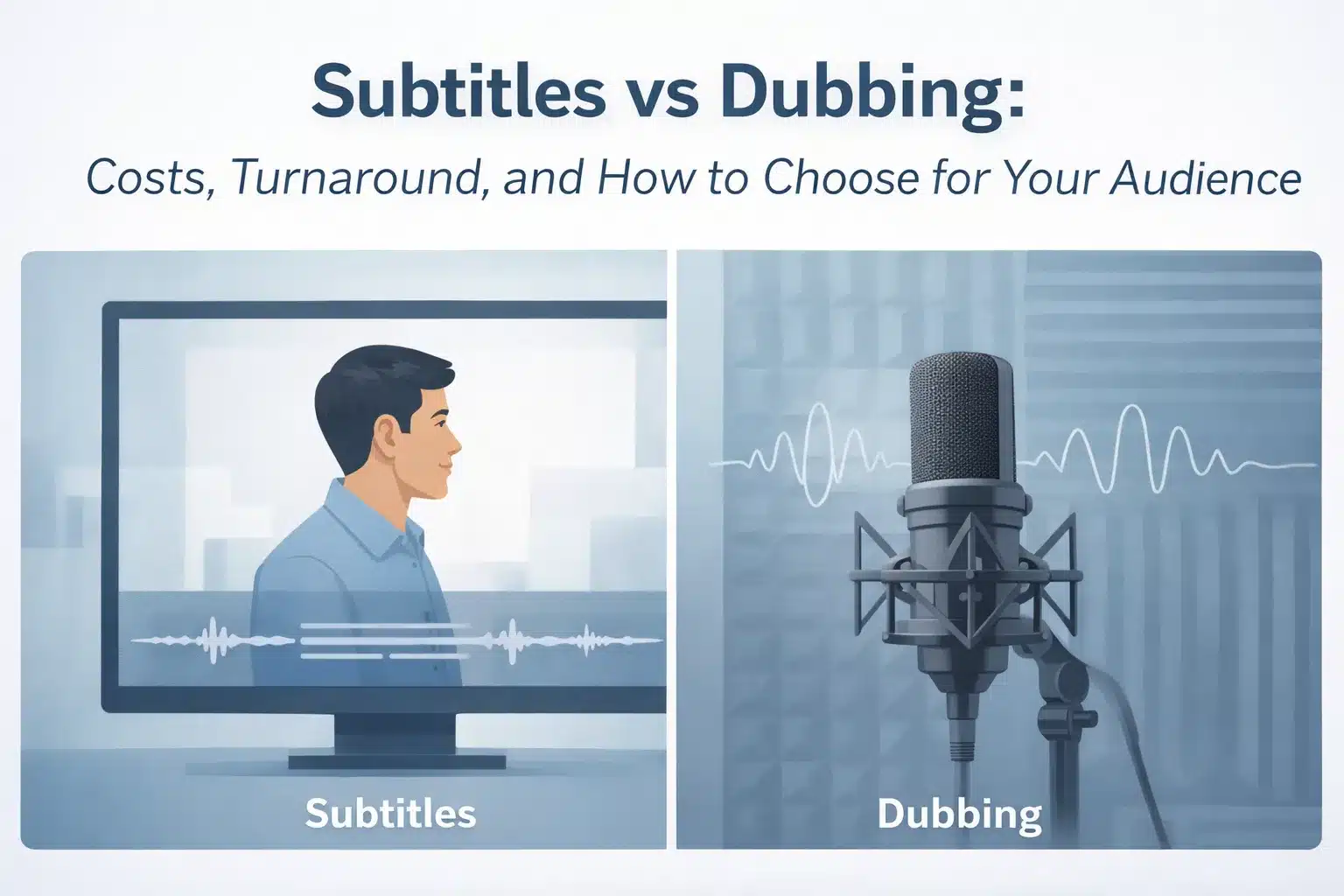
In our daily life we regularly see content with subtitles and dubbing. It is very common nowadays as the communication channels and social media keep us close. So to understand other countries’ content we need to have subtitles or dubbing options. When you’re localizing video content for global audiences, you face a fundamental choice: subtitles (on-screen text displaying translated dialogue) or dubbing (replacing the original spoken audio with translated voice recordings).
The decision isn’t about which method is “better”. It’s about matching the right approach to your audience preferences, budget constraints, timeline requirements, platform specifications, and content type.
Here you can see some recommendations for common scenarios:
Tight budget or fast deadline? Subtitles deliver quality localization quickly and cost-effectively, especially for informational content where reading doesn’t hurt engagement.
Premium viewing experience? Dubbing creates immersive experiences for entertainment, emotional storytelling, and audiences who prefer listening over reading.
Global reach with mixed needs? Hybrid approaches—dubbing for top markets, subtitles for others—maximize impact while managing budgets strategically.
What is the Difference Between Subtitles and Dubbing?
Subtitles add translated text on screen while keeping the original audio. Dubbing replaces the original spoken audio with translated voice recordings.
For example, with subtitles, you hear the original Spanish dialogue while reading English text. With dubbing, you hear an English voice actor speaking translated dialogue, timed to match the on-screen actor’s mouth movements.
Voice-over is the middle option, translated audio plays over the original dialogue (slightly lowered). This works for corporate training and eLearning where lip-sync isn’t critical.
| Method | What Changes | Typical Use |
| Subtitles | Text on screen, original audio | Product demos, training, social media |
| Voice-Over | Narration over original | Corporate training, eLearning |
| Dubbing | Complete audio replacement | Films, campaigns, kids content |
What is Subtitling?
There are actually 2 types of subtitle: open caption and closed captions.
Closed captions can be turned on or off by viewers (separate SRT/VTT files). Open captions are burned into the video and always visible. This type is mainly useful for social media where videos auto-play muted.
Captions include non-speech sounds like [door slams] or [music playing], helping deaf and hard-of-hearing audiences understand context beyond dialogue.
What is Dubbing? (Lip-Sync vs Voice-Over)
Lip-sync dubbing matches mouth movements for seamless viewing—used in films, TV series, and premium content. Requires careful script adaptation and skilled performance.
Voice-over doesn’t match lip movements precisely. Faster and cheaper, it works for eLearning, corporate training, and documentaries where perfect sync isn’t necessary.
Which is Better: Subtitles or Dubbing?
You can’t decide this easily. There’s no universal “better” choice. The right method depends on several factors that vary by project.
Key decision factors:
Audience language proficiency — viewers comfortable reading subtitles in their language vs those who struggle with reading while watching
Literacy and reading speed — children, older viewers, or audiences with reading difficulties often prefer dubbed audio
Viewing environment — mobile viewers find subtitle text hard to read; social media videos are often watched muted (subtitles win)
Accessibility needs — captions help deaf/hard-of-hearing audiences; dubbing helps those who can’t read easily
Brand tone — luxury brands and emotional content often choose dubbing for immersion; practical B2B content works with subtitles
Platform norms — YouTube audiences expect subtitles; Netflix viewers in dubbing-heavy markets expect audio localization
Message density — fast dialogue or technical content becomes hard to subtitle effectively
| Use Case | Best Choice | Why |
| B2B product demo | Subtitles | Viewers expect to focus, reading doesn’t hurt comprehension |
| Brand emotional campaign | Dubbing | Immersion and emotional connection matter more than cost |
| Fast-paced comedy | Dubbing | Subtitle reading can’t keep up with rapid dialogue timing |
| Training video (global rollout) | Subtitles or voice-over | Cost-effective for multiple languages, acceptable for corporate audiences |
| Kids’ content | Dubbing | Children can’t or won’t read subtitles while watching |
| Social media video | Subtitles (open captions) | Most viewers watch muted; text ensures message lands |
Audience Experience: Comprehension, Attention, and Preference
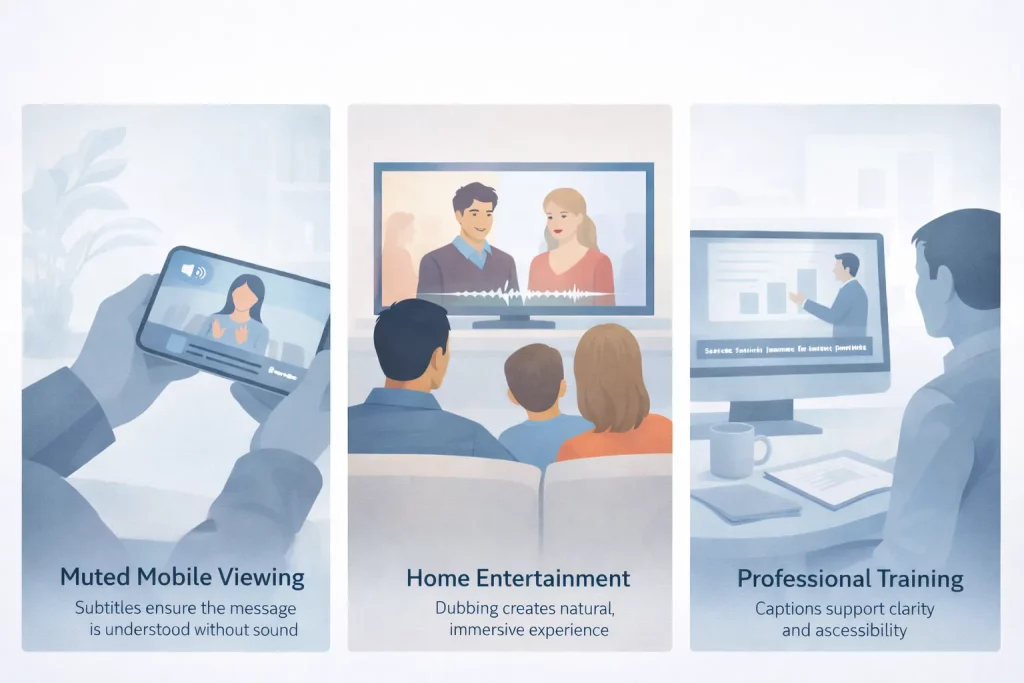
You can divide your audience experience in 3 ways:
When subtitles work well: Professional audiences watching instructional content, multilingual regions, social media (muted auto-play), content where visuals complement text.
When subtitles hurt engagement: Fast dialogue outpaces reading speed, mobile viewing with small text, children’s content, high-emotion moments where reading distracts from facial expressions.
Cultural preference matters: Germany, Spain, and Italy have strong dubbing cultures; Scandinavia and the Netherlands prefer subtitles. Research what your target audience expects.
Accessibility and Compliance: Captions vs Dubbing
Both methods support accessibility, but in different ways.
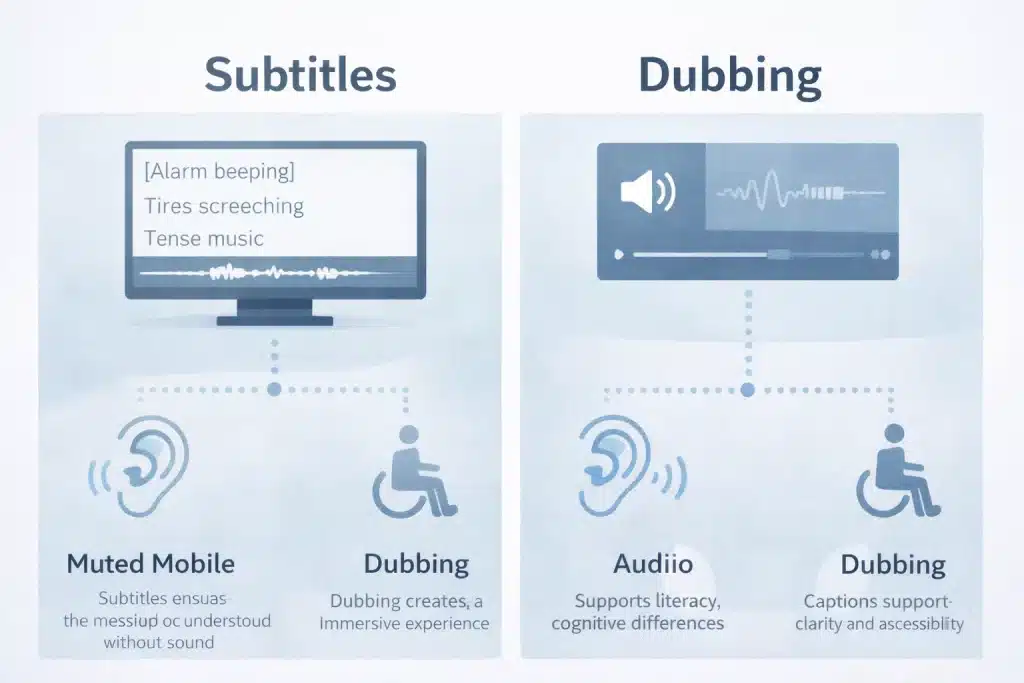
Captions (subtitles with sound descriptions) help deaf and hard-of-hearing audiences by providing text for dialogue plus descriptions of important sounds: [alarm beeping], [tires screeching], [tense music]. Many jurisdictions require captions for educational content, government communications, and broadcast media.
Dubbing helps viewers who struggle with reading—whether due to literacy levels, visual impairments, age, or cognitive differences. Dubbed audio lets them focus entirely on the visual story without text reading demands.
For comprehensive accessibility, consider providing both options where budget allows. Many streaming platforms support multiple audio tracks and subtitle files, letting viewers choose their preferred format.
Subtitles vs Dubbing Costs: What Typically Drives the Budget?
Dubbing costs more than subtitling due to voice talent, studio time, and audio production work.
Common cost drivers: Cost varies because of content length (minutes for dubbing, word count for subtitles), number of languages, turnaround time (rush costs more), technical complexity, voice talent rates (dubbing), studio and engineering (dubbing), lip-sync requirements (dubbing), quality assurance for both.
Why Subtitling is Usually More Cost-Effective
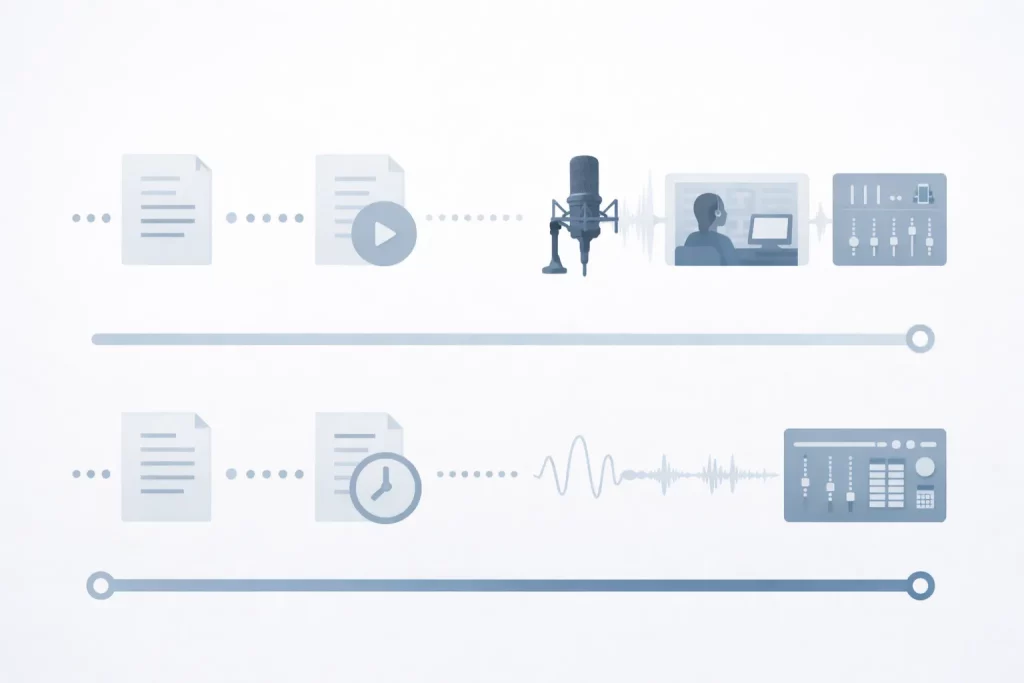
Subtitles follow a simpler workflow: transcription → translation → timing → QA. It’s text-based work that scales efficiently across many languages.
Additional subtitle costs: Multiple platform formats (SRT, VTT, TTML), complex timing for fast dialogue, SDH captions with sound descriptions, style guide development.
Why Dubbing Costs More (Voice Talent, Studio, Mixing, Lip Sync)
Dubbing requires: script adaptation → casting → studio recording → audio engineering → mixing → lip-sync QA. Each step needs specialized expertise and equipment. So the time and resources are much higher than the subtitles here.
Key cost factors: The costs are depending on voice actor fees, studio rental, direction and performance coaching, audio engineering and cleanup, mixing dialogue with music/effects, lip-sync adaptation work (when required).
Lip-sync adds time and cost because adapters must rewrite dialogue to match visible mouth movements while preserving meaning—a specialized skill requiring significant time.
Turnaround Time: How Long Do Subtitles vs Dubbing Take?
Typical timelines per language: Subtitles 3-7 days, voice-over 5-10 days, lip-sync dubbing 2-4 weeks.
What speeds things up: Final locked video, scripts provided, brand glossaries, clear speaker IDs, separated audio stems.
What slows things down: Video edits after work starts, unclear audio, multiple review rounds, rush timelines.
Fast-Track Subtitling: What You Need to Provide
- Final video file
- Script/transcript
- Speaker labels
- Brand glossary
- Platform specs (SRT, VTT, etc.)
- Target audience description
- On-screen text list
Fast-Track Dubbing: How to Avoid Rework
If you want to avoid rework or reduce the number of revision then you should follow the below steps properly.
Locked picture (no edits after dubbing starts)
Pronunciation guide
Character descriptions
Audio stems if available
Preferred voice types
On-screen text requiring translation
Locked pictures are critical, video changes force expensive re-recording.
Quality Factors That Affect Outcomes (and Rework Risk)
Subtitle Quality Checklist
Every work needs to be qualityful. No matter how hard the subtitle is if you follow the below checklist you can provide the best quality to your client.
✓ Reading speed: 17-21 characters per second maximum
✓ Line length: 42 characters max per line
✓ Natural line breaks
✓ Sync with shot changes
✓ Speaker identification
✓ Terminology consistency
✓ Proper punctuation
✓ Style guide compliance
Dubbing Quality Checklist
For dubbing the quality checklist is the must follow thing. Otherwise the content will lose it’s originality and sometimes there will be a high chance to face legal consequences. Below quality checklist you should follow:
✓ Voice match to character
✓ Emotional delivery
✓ Correct pronunciation
✓ Voice consistency throughout
✓ Lip sync accuracy (when required)
✓ Balanced audio levels
✓ Clean recordings (no background noise)
✓ Platform loudness standards
Platform Requirements:
Not every platform’s structure is the same. So whenever you take any work you have to ask your client for which platform this content will be. If you are not sure about it you might need lots of revision for your work and there is also high chances of platform policy violation.
Netflix/YouTube/eLearning/Corporate LMS
Platforms have different specs for formats, captions, loudness, and delivery.
Subtitle File Formats
SRT — universal, works on YouTube/Vimeo
VTT — web standard for HTML5 players, eLearning
TTML/DFXP — Netflix, Amazon Prime, broadcast
SCC — North American broadcast/TV
STL — European broadcast, DVD/Blu-ray
Dubbing Deliverables
Final mix — complete audio with dialogue, music, effects
Dialogue stem — isolated voice tracks
M&E track — music and effects only (for future language versions)
Individual takes — raw recordings
Timecode references — alignment documentation
Use Cases: When Subtitles Win vs When Dubbing Wins
Different content types naturally favor one approach over the other.
Subtitles Are Usually Best For…
B2B webinars and presentations — professional audiences comfortable reading while learning from slides and demos
Product demonstrations — viewers focus on visual product features; subtitles don’t compete with the demonstration
SaaS explainer videos — tech-savvy audiences expect subtitles; budget-friendly for multiple language launches
Training materials — global employee training where reading is acceptable and dubbing all languages would be prohibitively expensive
Tight budgets — when cost constraints limit options, subtitles deliver professional localization affordably
Short deadlines — urgent launches that can’t wait for dubbing production cycles
Multilingual rollouts — launching in 10+ languages simultaneously; subtitles scale better economically
Social media content — videos auto-playing muted need text to communicate; open captions ensure message delivery
Dubbing Is Usually Best For…
Brand campaigns — high-emotion storytelling where immersion and premium experience justify the investment
Entertainment content — films, series, and narrative content where viewers want to focus on cinematography, not read
Kids and family content — children can’t or won’t read subtitles; dubbing is practically required for young audiences
Audiences that dislike reading — markets where subtitled content is culturally less accepted
Premium viewing experiences — when your brand positioning emphasizes quality and production value
Markets with strong dubbing culture — Germany, Spain, Italy, France, Latin America often expect dubbed content
High-stakes launches — flagship products or campaigns where viewer engagement directly impacts revenue
Emotional connection priority — when voice performance, tone, and natural dialogue matter more than budget constraints
How to Choose A Simple Decision Framework for Teams
Use this 6-step process to make confident localization decisions:
Step 1: Define your audience — Who’s watching? What are their language skills, literacy levels, viewing habits, and cultural preferences? A teenage gaming audience has different needs than corporate executives.
Step 2: Define your platform — Where will this video live? YouTube, Netflix, LinkedIn, corporate LMS, internal SharePoint? Each platform has different technical requirements and viewer expectations.
Step 3: Define accessibility needs — Must you provide captions for deaf/hard-of-hearing viewers? Will dubbing help viewers who struggle with reading? Compliance requirements often decide this.
Step 4: Decide experience level — Is this a premium brand campaign deserving high production value, or practical training content where information delivery matters most?
Step 5: Confirm budget and timeline — How much can you invest? When do you need delivery? These constraints eliminate options that won’t work practically.
Step 6: Choose your workflow — Based on steps 1-5, select subtitles, voice-over, lip-sync dubbing, or a hybrid approach (dubbed audio in key markets, subtitles elsewhere).
Hybrid approaches work well: Many brands use dubbing for their top 3-5 priority markets and subtitles for the remaining languages. This balances premium experience in important markets with cost-effective global reach.
Get a Recommendation and Quote (Subtitles, Dubbing, or Hybrid)
Not sure which approach fits your project? Share these details and we’ll recommend the best option based on your specific needs:
- Video length and number of videos
- Target languages and priority markets
- Platform (YouTube, streaming service, LMS, website)
- Content type (marketing, training, entertainment, product demo)
- Timeline and deadline
- Budget range or constraints
- Audience description
Circle Translations provides both subtitling and dubbing services with transparent pricing and realistic timelines. We’ll suggest the best approach for your goals, not upsell you to more expensive options you don’t need. Our recommendation considers your audience experience, technical requirements, and practical constraints.
Whether you need fast, affordable subtitles for a global training rollout or premium dubbing for a flagship brand campaign, we’ll match the right localization method to your specific situation.
Frequently Asked Questions
Is Dubbing Better Than Subtitles?
It depends on audience preference, content type, and platform. Dubbing can feel more natural and immersive for entertainment and emotional content.
Why is Dubbing More Expensive Than Subtitles?
Dubbing involves voice talent casting and fees, professional studio recording time, voice direction, audio engineering, mixing, and (for lip-sync) detailed script adaptation and timing work. That’s why it is expensive.
Which is Faster: Subtitling or Dubbing?
Subtitling is faster because it has fewer sequential production stages. Typical subtitle turnaround is 3-7 days per language for standard projects. Dubbing can take 2-4 weeks due to casting, recording schedules, and audio post-production cycles.
Can I Do Both Subtitles and Dubbing?
Yes. Many brands use hybrid approaches: dubbing or voice-over in top priority markets (where audience size justifies the investment) and subtitles elsewhere to balance premium experience, global reach, and budget.
What Subtitle File Format Do I Need (SRT vs VTT vs TTML)?
SRT is the most common format for general use and works on YouTube, Vimeo, and most video players. VTT is the web standard for HTML5 video players and many eLearning platforms. TTML/DFXP is required for broadcast and streaming services like Netflix and Amazon Prime.
What is Voice-Over, and How is it Different From Dubbing?
Voice-over usually plays translated narration on top of the original audio (often slightly lowered) and doesn’t attempt to match lip movements. Dubbing typically replaces the original dialogue completely and can be lip-synced for natural-looking mouth movement alignment.
Do Subtitles Help With Accessibility?
Yes. Captions (subtitles that include sound descriptions like [door slams] or [music playing]) help deaf and hard-of-hearing audiences by providing text for both dialogue and important non-speech sounds.