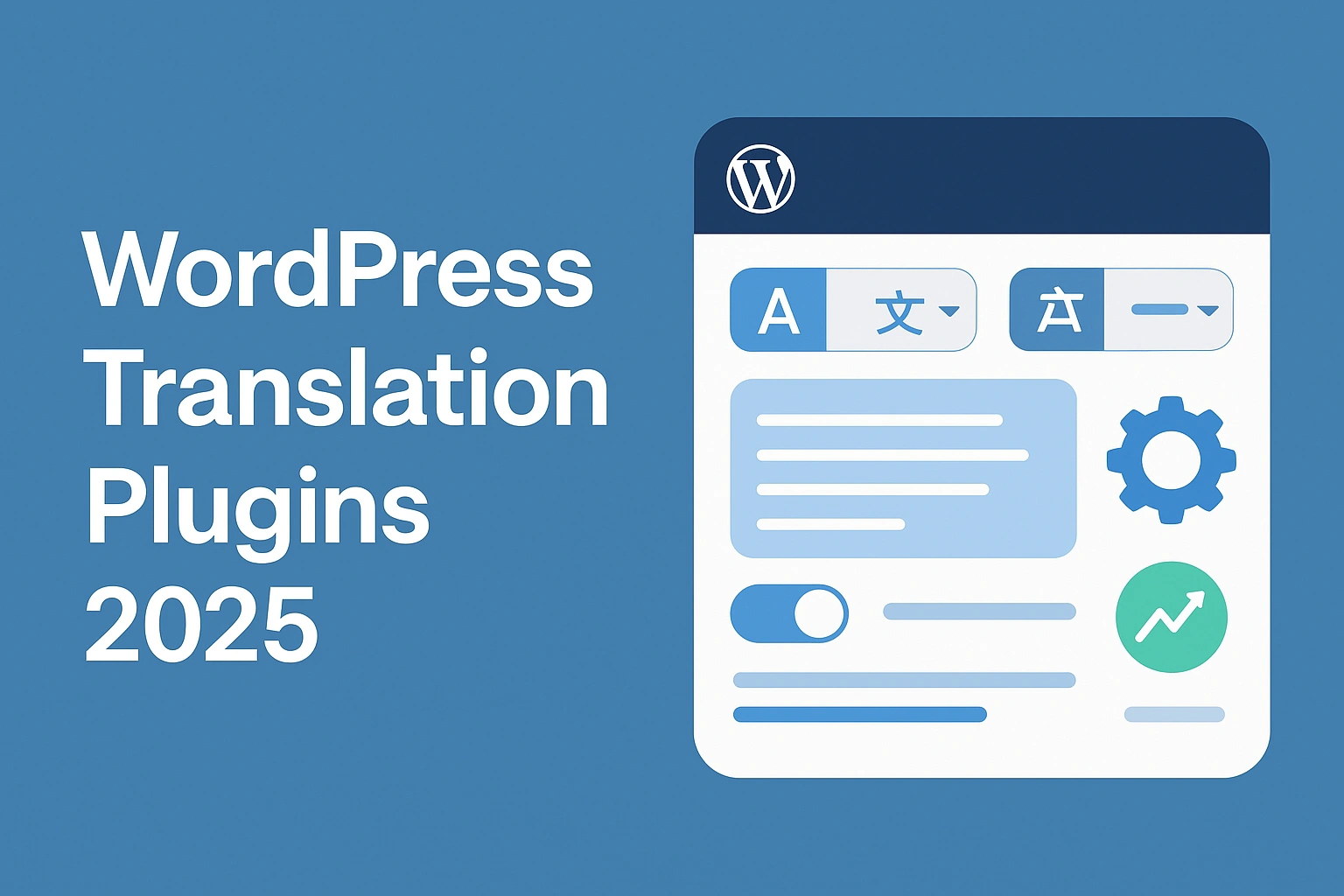
Selecting the best translation plugin for WordPress in 2025 is now a procurement-driven decision. Localization teams rely on WordPress plugins to scale across multilingual markets, improve international SEO, and streamline workflows across WooCommerce, Elementor, and custom theme ecosystems.
With Google tightening expectations for multilingual SEO, search indexation, and translated slug structures, WordPress users need tools that not only translate but also support SEO visibility, performance stability, editorial control, data security, and cost-effective scalability.
This guide compares the leading WordPress translation plugins, such as TranslatePress, WPML, Weglot, Polylang, MultilingualPress, and the Lokalise connector, based on objectively measurable criteria, to help you make informed decisions for your brand.
What Makes a “Best” WordPress Translation Plugin in 2025?
There’s no universal “best” plugin. Brands usually comb through different ones based on their project requirements. It depends on SEO goals, content volume, governance needs, and technical constraints.
Below are the core evaluation criteria used by enterprise buyers and WordPress localization teams:
- Multilingual SEO Capabilities:
Multilingual SEO capabilities matter most when selecting a WordPress translation plugin.
Translated slugs and permalinks, unique URLs per language, hreflang tag generation, language-specific XML sitemaps, canonicals, and indexability for each locale determine whether your multilingual content can rank.
A strong plugin should also support complete image alt translation, menu items, and taxonomy translation to ensure full SEO coverage across all site elements.
- Indexability & Crawlability:
Indexability and crawlability determine how well search engines recognize the translated website.
So teams must verify whether Google sees each translated page as unique, whether pages are server-rendered or rely on JS overlays, and whether the plugin integrates properly with SEO tools like Yoast and RankMath.
These factors directly influence how reliably search engines can index, rank, and interpret multilingual pages.
- Performance & Page Speed:
Performance and page speed are critical because render-blocking scripts, multisite vs subfolder performance differences, and the impact on TTFB, LCP, and CLS can materially affect user experience and SEO.
The plugin must also maintain strong compatibility with caching and CDN setups to ensure stable performance across languages and regions.
- Editing Workflow & Approval:
Editing workflow and approval processes define how efficiently teams can manage multilingual content.
Whether through a visual editor or a backend string editor. Modern translation workflows require MT support from DeepL or Google Translate, as well as human post-editing workflows and continuous localization support to sustain quality at scale.
- Content Coverage:
Content coverage must be comprehensive, including menus, widgets, dynamic Elementor content, custom fields such as ACF, CPTs, WooCommerce attributes, blog posts, product pages, and taxonomies.
A plugin with limited content coverage creates gaps that harm your brand consistency and multilingual SEO.
- Security & Data Handling:
Security and data handling are essential considerations, including where translations are stored. It’s essential to evaluate whether the data are self-hosted or cloud-hosted, as well as API access control, GDPR, and data residency compliance, and the vendor’s commitment to ongoing support and vulnerability patching. These determine whether the translation workflow meets enterprise security standards.
- Pricing Transparency & TCO:
Pricing transparency and total cost of ownership must be evaluated by examining license cost, MT API cost, linguist and MTPE cost, engineering hours required for setup and maintenance, and the projected 3-year maintenance total.
A clear understanding of TCO helps organizations choose a plugin that aligns with long-term budget and scalability requirements.
SEO & Indexing: Do Plugins Create Crawlable, Unique Pages?
Multilingual SEO and indexing determine your visibility on search engines. For translation plugins to be SEO-ready, they must generate unique, crawlable URLs, create correct hreflang mappings, translate slugs consistently, output language-specific XML sitemaps, and deliver server-rendered HTML instead of JavaScript-only layers.
Plugins vary widely in how effectively they support these requirements, which makes SEO features a core selection factor for any WordPress localization workflow.
Here’s a comparison table to cut through the noise:
| Plugin | Unique URLs | Translated Slugs | Hreflang | Server-Rendered | JS Overlay Risk |
| TranslatePress | Yes | Yes | Yes | Yes | Low |
| WPML | Yes | Yes | Yes | Yes | None |
| Weglot | Yes | Yes | Yes | Partially | Medium (JS layer with fallback) |
| Polylang | Yes | Yes | Yes | Yes | None |
| MultilingualPress | Yes | Yes | Yes | Yes | None |
| Lokalise Connector | Depends | Depends | Yes | Yes | None |
Performance & Page Speed: How Much Overhead Does Each Add?
Performance is a key metric when judging translation plugins. Issues, such as ender-blocking scripts, theme-level conflicts, and slower category pages, can disrupt your entire workflow. Multilingual plugins vary significantly in the load they introduce, so understanding their impact on TTFB, LCP, CLS, and caching/CDN behavior is crucial for procurement teams before selecting a long-term solution.
Here’s a performance comparison Snapshot:
| Plugin | Server Load | Front-End Scripts | WooCommerce Impact | Notes |
| TranslatePress | Low | Minimal | Stable | Good with caching |
| WPML | Medium–High | None | Heavy on large sites | Best for complex CMS |
| Weglot | Low | JS-based | Light | Depends on JS load |
| Polylang | Low | Minimal | Stable | Lightweight |
| MultilingualPress | Very Low | None | Enterprise grade | Best for large catalogs |
| Lokalise Connector | Low | None | Depends on the theme | TMS-led workflow |
Editing Workflows & Approval (Visual Editor vs TMS)
Editing workflows and approval structures vary widely between WordPress translation plugins, and choosing the right model directly translates to quality, team efficiency, and long-term scalability.
Some plugins use visual front-end editors that empower marketers, while others rely on backend string editors, cloud dashboards, or full TMS-led workflows designed for enterprise localization governance. Understanding how each plugin supports MT, human post-editing, terminology consistency, and collaboration is critical when selecting the best solution for your multilingual WordPress site.
Here’s a workflow comparison summarized into a chart:
| Plugin | Editing Type | MT Support | Governance | Best For |
| TranslatePress | Visual front-end | DeepL/Google | Limited | Marketers |
| WPML | Backend string editor | No native MT | Strong | Developers |
| Weglot | Cloud dashboard + overlay | Built-in MT | Strong | Fast deployment |
| Polylang | Backend | Depends | Moderate | WordPress-native users |
| MultilingualPress | Multisite | Optional | Enterprise | Large sites |
| Lokalise Connector | TMS-led | Full MTPE | Enterprise-grade | Localization teams |
Quick Shortlist: Pros & Cons by Use Case
Choosing the best WordPress translation plugin depends on your project, technicality, and workflow. A procurement-ready shortlist helps teams narrow the options quickly based on their requirements.
The following summaries highlight the real-world pros, cons, and best-fit scenarios so buyers can match each tool to their operational needs.
Plugin Cards:
TranslatePress:
| Pros | Cons | Best For |
| Live visual editorDeepL + Google integrationWooCommerce readyElementor compatible | Limited governanceRequires manual SEO setup | Marketing teamscontent-first sites |
WPML:
| Pros | Cons | Best For |
| Deep integration with plugins and legacy themesStrong string translationSEO-friendly | Heavy Can affect performanceMore technical to configure | Enterprise WP sites with large taxonomies |
Weglot:
| Pros | Cons | Best For |
| Easiest onboardingHosted translation layerStrong MT + dashboard | JS-layer indexation risksSubscription pricing by words | Teams needing instant deployment |
Polylang:
| Pros | Cons | Best For |
| SEO-friendlyLightweightFree tier | Manual translationLimited automation | Smaller informational sites |
MultilingualPress:
| Pros | Cons | Best For |
| Multisite architectureMinimal overheadExcellent scalability | Requires multisite setupNot ideal for beginners | Large, high-traffic sites |
Lokalise Connector:
| Pros | Cons | Best For |
| True TMS integrationGovernance, TM, glossariesGreat for product teams | Not a translation plugin by itself | SaaS and product teams with continuous localization needs |
E-commerce Focus: Which Plugin Works Best with WooCommerce?
WooCommerce requires full product string coverage, variation name translation, attribute and taxonomy translation, checkout and email template translation, and strong performance stability on large category pages.
A complete WooCommerce translation workflow must also include translating product attributes, shipping classes, checkout fields, and alt text for product images, while ensuring AJAX filters remain multilingual and all product category slugs are fully translated.
Among WordPress translation plugins, TranslatePress, WPML, and Weglot deliver the most reliable WooCommerce multilingual support because they handle dynamic product data, metadata, and frontend components consistently across languages.
Page Builders & Elementor: Any Gotchas?
When translating WordPress sites built with Elementor or other page builders, common issues include incomplete widget string coverage, missing dynamic content translation, and untranslated theme builder templates that break consistency across languages.
Multilingual SEO depends on localizing media, texts, and library assets correctly. Overlooking these can really hamper your plugin’s translation capabilities and lead to poor handling of widgets, templates, and dynamic elements of your website.
Security & Data Handling: Where Are Translations Stored?
Security and data handling vary by plugin, whether translations are stored in on-site databases, hosted layers such as Weglot, multisite architectures, or through TMS cloud connectors.
Each approach affects GDPR compliance, enterprise security, and data residency requirements. To avoid risk, teams should use a vendor security questionnaire to confirm storage, access control, and vulnerability patching practices.
Cost of Ownership: Plugin Fee + MT + Linguists + Maintenance

Cost of ownership extends far beyond licensing fees when it comes to WordPress translation plugins. Expenses include MT usage with Google or DeepL, linguists for MTPE, engineering hours for setup and fixes, CDN and caching requirements, and ongoing updates or compatibility work.
Procurement teams need to evaluate the full 3-year TCO to understand the true cost of multilingual expansion, which includes plugin licensing, MT API spending, linguist labor, and engineering maintenance.
Pilot Plan: Test on Staging Before Rollout
Running a pilot on a staging copy is essential. It reveals performance overhead, potential indexation failures, WooCommerce compatibility issues, gaps in Elementor dynamic content translation, and incorrect hreflang or sitemap behavior before going live.
A successful pilot should confirm that pages meet CLS and LCP targets, all translated pages index properly, LQA scores meet internal standards, and every slug and metadata field is fully localized.
This controlled test prevents costly errors and ensures the multilingual site performs correctly across SEO, UX, and ecommerce workflows.
Implementation Checklist (From Sitemap to Go-Live)
A smooth WordPress localization rollout starts by defining languages and market priorities, choosing the right plugin for SEO and workflow needs, and setting the site structure, such as subfolders, subdomains, or multisites.
Teams then create a glossary, configure MT, perform MTPE with linguists, and implement hreflang and multilingual sitemaps. After linguistic and technical QA, the site is deployed and monitored for SERP movement to confirm multilingual SEO performance.
When to Move From Plugin to TMS (Scale Threshold)
As multilingual operations grow, WordPress translation plugins may no longer provide the governance, automation, or collaboration features required for enterprise-scale localization.
A Translation Management System (TMS) becomes essential once teams need deeper workflow control, centralized terminology, and continuous updates across product, marketing, and development environments.
Move to a TMS when:
- You add 4+ languages and plugin-based workflows become difficult to manage.
- Content velocity increases, requiring faster releases and parallel updates.
- Engineering and marketing teams both need access to translation workflows.
- Glossary, term base, and workflow approvals are required for brand consistency.
- Product strings require continuous updates across apps, UI, and documentation.
Why Choose Circle Translations for WordPress Localization
Circle Translations provides end-to-end WordPress localization built for SEO, accuracy, and scale. Our team ensures every language version performs technically and converts effectively.
Here’s what sets us apart:
- Support for 120+ Languages
Circle Translations covers more than 120 languages with native linguists who understand regional terminology, search intent, and cultural nuance. This ensures every WordPress translation aligns with real user behavior and market expectations.
- Native Linguists + MTPE Workflows
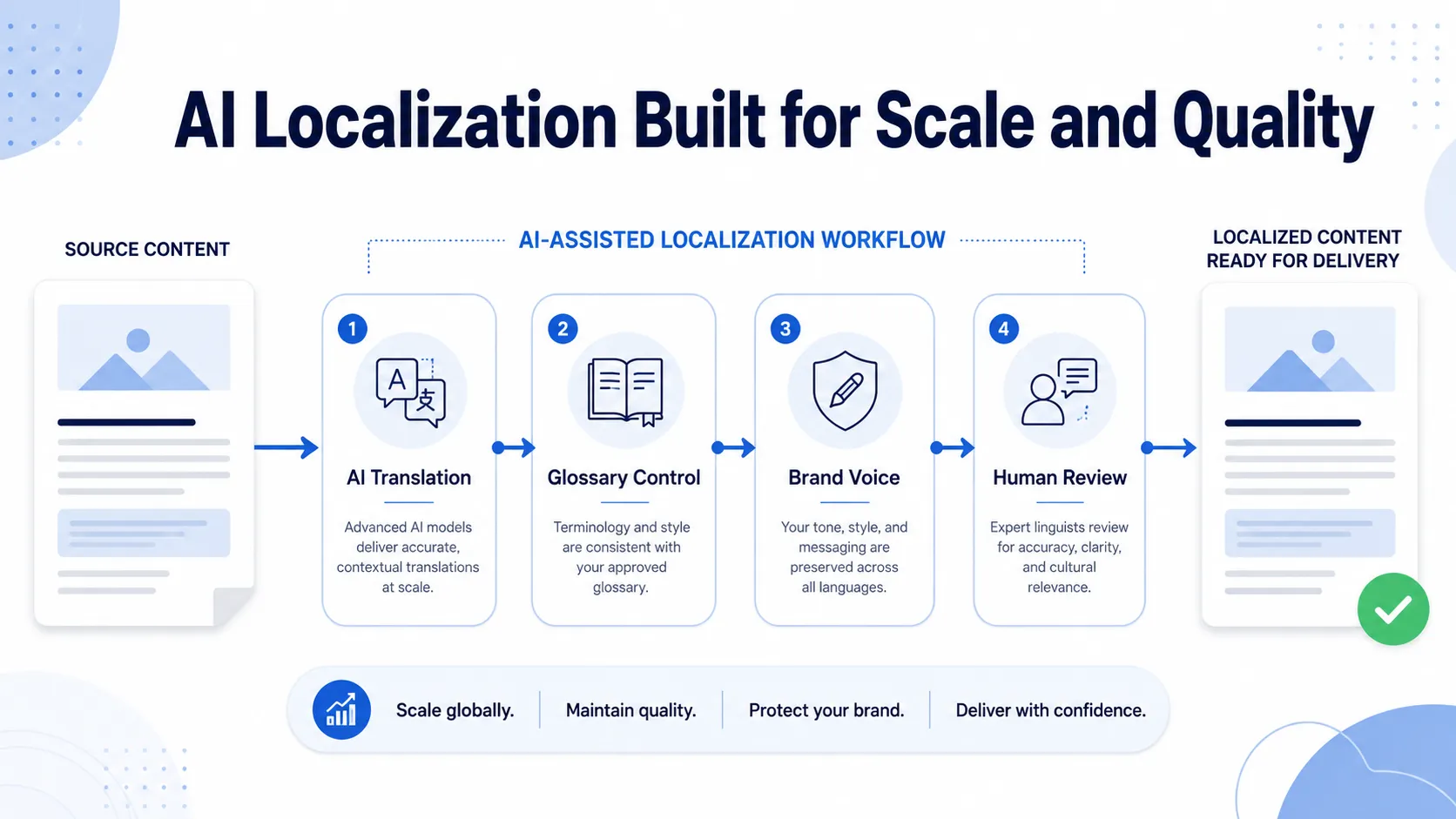
Our translators combine human expertise with DeepL/Google MT post-editing to deliver high-quality, SEO-aligned translations at scale. This hybrid workflow ensures accuracy without sacrificing efficiency.
- SEO-Driven WordPress Localization
We optimize every translated page for multilingual SEO, including slugs, metadata, schema, sitemaps, and hreflang. This helps your WordPress site earn visibility across all target markets instead of relying on raw machine translation.
- MQM/DQF-Based Quality Evaluation
Our LQA specialists use MQM and DQF frameworks to evaluate accuracy, fluency, terminology, and SEO compliance. This guarantees enterprise-grade quality for menus, widgets, taxonomies, product attributes, and custom fields.
- Plugin Selection & Configuration Support
We help you choose between TranslatePress, WPML, Polylang, Weglot, MultilingualPress, or a TMS connector based on your content architecture. This ensures your plugin stack is technically sound, scalable, and SEO-compatible.
- Technical SEO Audits & Indexation Checks
Circle Translations performs hreflang audits, sitemap validation, schema checks, and indexability tests across all language versions. This prevents duplicate-content issues, crawling errors, and multilingual SEO failures.
- Glossary, Terminology & Consistency Management
We build and maintain multilingual glossaries and term bases for consistent branding and product naming. This is especially critical for e-commerce, SaaS, regulated industries, and product-driven websites.
- Performance & Compatibility Testing
Our team tests plugin interactions with WooCommerce, Elementor, ACF, and theme builders to avoid broken strings, untranslated widgets, or performance drops. This ensures your site remains fast and stable across languages.
- Secure File Handling + NDA Protection
All content is handled through encrypted systems with NDA-backed uploads and strict confidentiality protocols. This is essential for websites containing sensitive product, financial, or customer-facing content.
- 24/7 Project Management
We provide around-the-clock PM support for urgent updates, global releases, and high-volume localization pipelines. Teams receive fast responses and proactive issue resolution across all time zones.
- Flexible Pricing for All Business Sizes
Our tiered pricing is designed for small businesses, mid-sized e-commerce stores, and enterprise organizations. You pay only for the languages, content types, and SEO depth you actually need.
- Free Mini Audit Included
Every project begins with a complimentary audit reviewing plugin fit, multilingual SEO structure, glossary readiness, and a sample LQA. This ensures your localization plan is aligned with your CMS architecture from day one.
Conclusion
Choosing the best WordPress translation plugin has a direct impact on your international growth, SEO visibility, and cost of ownership.
A poorly chosen plugin can slow down your site, break indexation, inflate translation costs, or limit your ability to scale into new markets. Make a procurement-ready, data-driven decision by comparing each plugin through the lens of multilingual SEO, WooCommerce compatibility, performance, governance, and long-term TCO.
With the right plugin and the right localization partner, you protect your global rankings, streamline translation workflows, and ensure your WordPress site is fully optimized for international customers.
FAQs
Which WordPress translation plugin is best overall?
There is no universal best; the right choice depends on your team and site structure. TranslatePress excels for visual editing and WooCommerce, WPML is best for complex ecosystems, Weglot offers fast deployment, and Polylang works well for lightweight SEO-focused multilingual sites. Procurement teams should map needs to the plugin’s strengths before selecting.
Which option is fastest for page load?
Performance varies, but historical tests show TranslatePress and Polylang performing lighter than WPML, while Weglot’s script-based model adds JS overhead that users should test in staging. The most reliable method is to benchmark all plugins using Lighthouse or WebPageTest on a clone of your production environment and compare real-world LCP, CLS, and TTFB scores.
What’s the best plugin for WooCommerce?
Most roundups highlight WPML, TranslatePress, and Weglot due to their product taxonomy coverage, checkout translation capabilities, and ability to handle dynamic SKU-based structures. However, the optimal choice depends on catalog size, theme complexity, and whether you use Elementor, custom fields, or third-party ecommerce extensions.
Do these plugins support Elementor and other builders?
Yes, but depth varies since Elementor uses dynamic widgets that require proper string scanning. TranslatePress and Weglot provide straightforward workflows for Elementor, while WPML and Polylang need additional configuration to cover widget strings and template-level content. Always run a full widget audit to confirm full coverage before launch.
What’s the cheapest way to translate a WordPress site?
Polylang’s free version and Google-powered solutions offer the lowest initial cost, but they often require manual translation, limited automation, and lack full SEO capabilities. Long-term cost increases with more languages, MTPE needs, and ongoing updates, making “free” options significantly more expensive over time.
When should we outgrow plugins and adopt a TMS?
Teams typically shift to a TMS like Lokalise when adding multiple languages, managing frequent releases, or requiring glossary control, review workflows, and CI/CD integration. At scale, plugins alone cannot support enterprise governance, which a TMS is built to deliver.
Is Weglot worth it compared to free options?
Weglot is praised for convenience and speed, but its pricing is based on word count and number of locales, which can increase significantly for large sites. Free or cheaper alternatives reduce upfront cost but require more manual work, weaker SEO support, and higher long-term maintenance, so the trade-off depends on your priorities.