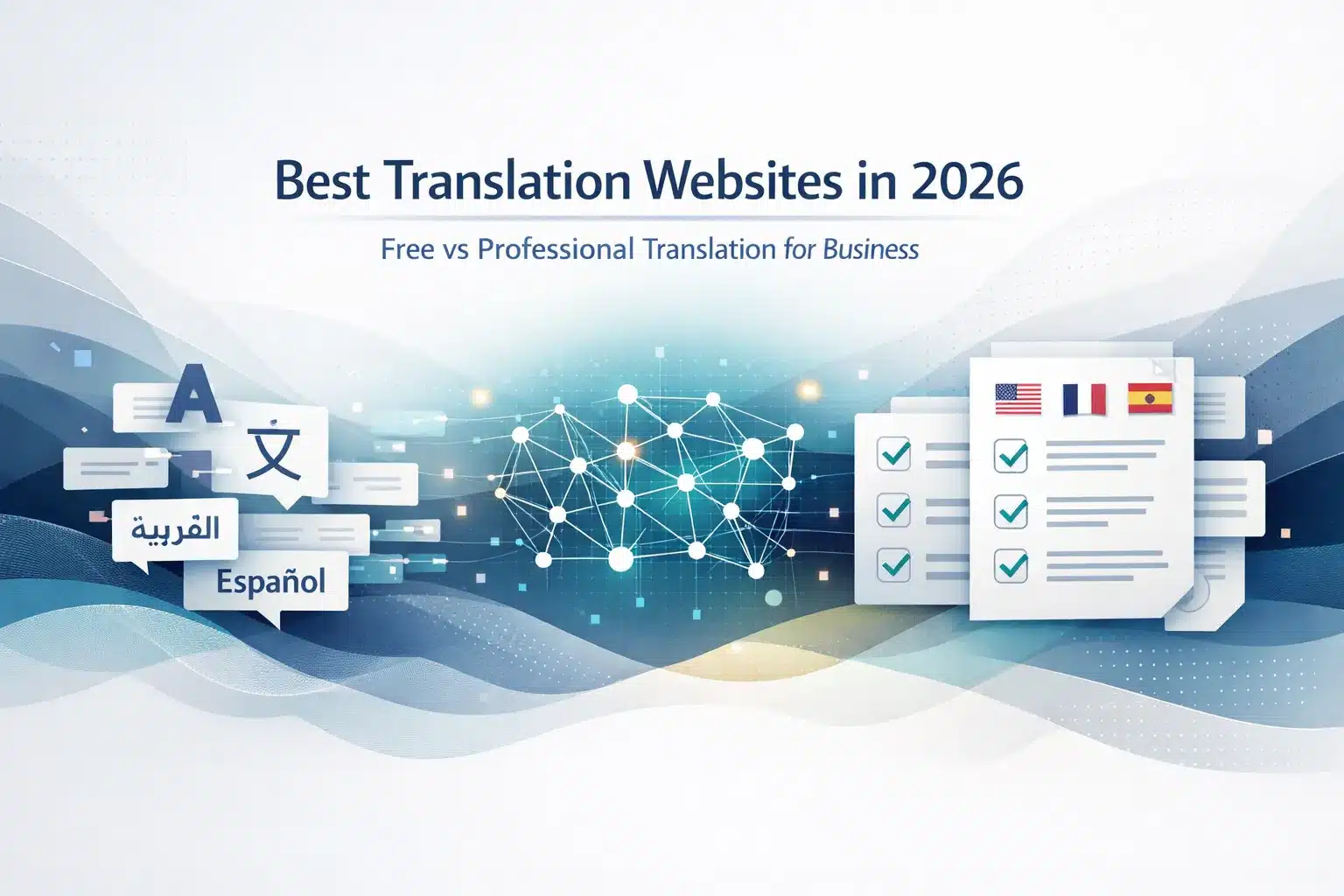
The best translation website depends on your use case. For quick personal reference, Google Translate and DeepL are the most accurate free options. For professional business content, client-facing documents, legal text, or anything brand-sensitive, free translation websites are not sufficient. They lack terminology control, human review, and confidentiality guarantees. For business use, the correct approach is professional translation or machine translation with post-editing (MTPE).
Free translation websites fall into two very different categories. The first includes consumer machine-translation tools such as Google Translate, DeepL, and Microsoft Translator. These tools are designed for speed, quick comprehension, and casual use. The second category includes professional translation services and platforms that combine machine translation, human linguists, terminology management, and quality assurance to produce publication-ready content.
For businesses, the real decision is not simply which translation website is best. The critical question is which type of translation solution fits the content being translated. Internal emails or quick reference material can often be handled by free tools. Client-facing documents, website content, legal contracts, marketing campaigns, and regulated material require human-reviewed translation workflows to avoid accuracy errors, brand damage, and compliance risks.
This guide compares the best translation websites available in 2026, explains how they differ, and shows where free translation tools work well and where professional translation becomes necessary.
What Are Translation Websites? Two Categories Every Business User Should Understand
Translation websites is a broad term covering two fundamentally different types of tools: free machine translation platforms and professional translation services or systems. Understanding the difference prevents businesses from applying a consumer-grade translation tool to content that requires professional-quality accuracy, terminology consistency, and confidentiality protection.
Philipp Koehn & Rebecca Knowles, 2017, explain that “machine translation still struggles with domain adaptation and terminology consistency,” highlighting why professional translation workflows remain necessary for accuracy.
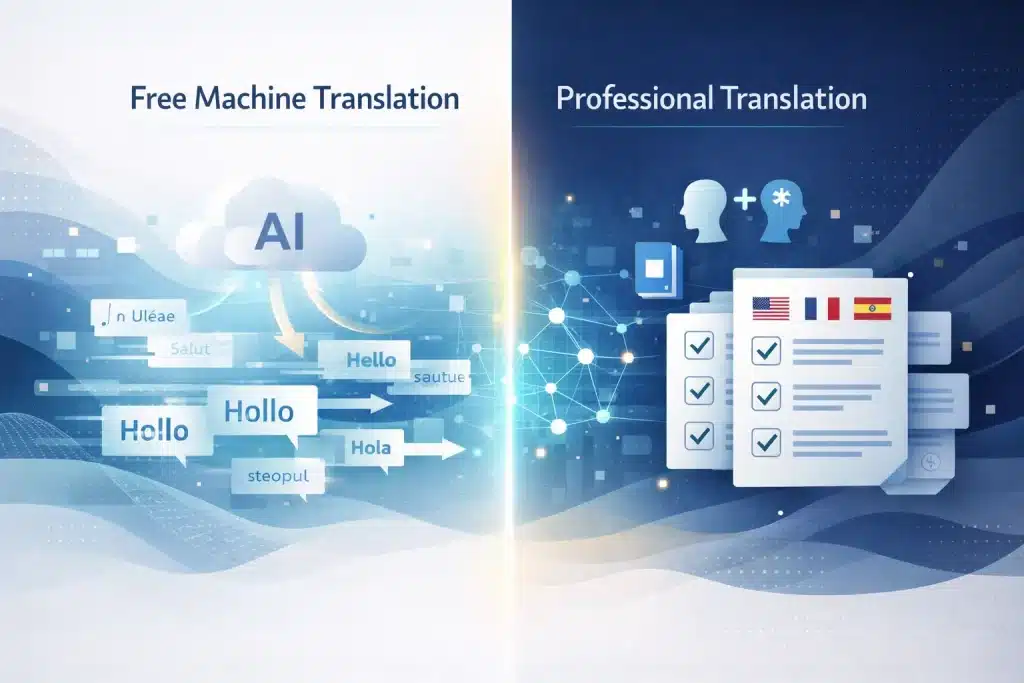
Free Online Translators: How They Work, What They’re Optimised For, and Their Accuracy Ceiling
Free online translators such as Google Translate, DeepL Translator, Microsoft Translator, and Yandex Translate are neural machine translation (NMT) systems accessible through a browser interface. Users paste text or upload files, and the system generates a translation almost instantly using transformer-based models trained on large multilingual datasets.
These tools are optimized for quick comprehension tasks: reading foreign-language articles, understanding signs or menus, or getting the general meaning of emails. Their training data is largely general web content, which means performance is strong for everyday language but weaker for specialised fields.
For clear general-language text in major European languages, accuracy typically reaches 90–95%. However, that still means 5–10% of words may be incorrect or awkward. In a 2,000-word document, that could mean around 200 errors, easily noticeable in client-facing material.
Professional Translation Websites: Human Review, Terminology Control, TMS Features, and B2B Compliance
Professional translation websites and platforms are designed for business content that requires reliability, consistency, and compliance.
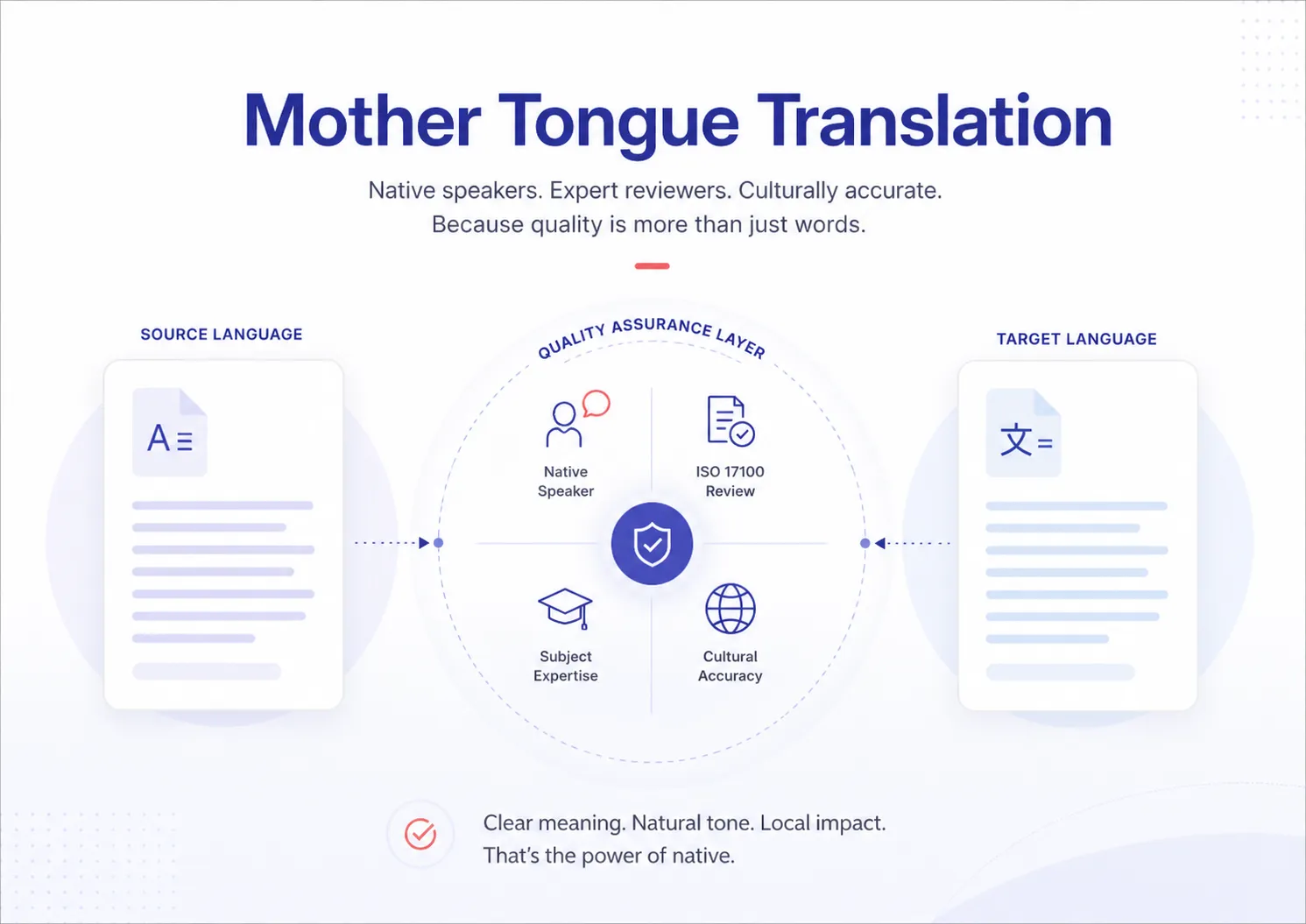
Unlike free MT tools, they include human review and quality control. Professional linguists translate or post-edit machine translation output, ensuring the final result is accurate and publication-ready. Terminology glossaries enforce consistent translation of brand names, product terms, and technical vocabulary across all content.
Professional systems also provide translation memory, which stores approved translations and reuses them in future projects, improving consistency and reducing costs.
Additional features include NDA-backed confidentiality, structured document handling (DOCX, PDF, PPTX, HTML, JSON), and compliance with ISO 17100 translation quality standards.
These platforms generally fall into three categories:
- Translation agencies providing human translation and MTPE services.
- Translation management systems (TMS) like Smartling or Lokalise that manage workflows and integrate MT engines.
- MT API + post-editing workflows, combining tools like DeepL or Google Cloud Translation with professional review.
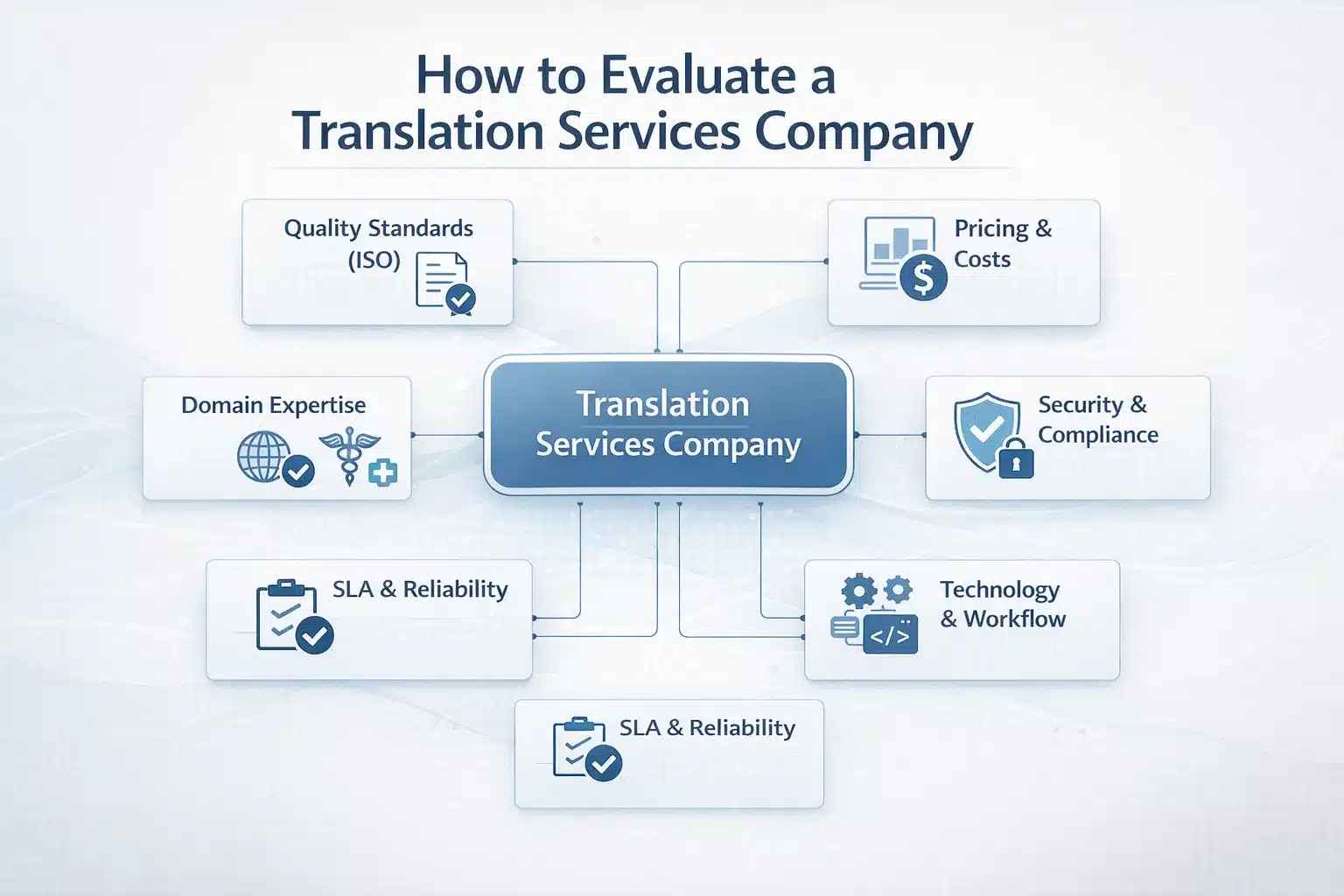
What to Look For When Evaluating Any Translation Website: Six Quality Criteria for Business Users
Before choosing a translation website for business use, evaluate it against six practical criteria that determine whether the output is suitable for your content.
First is translation accuracy. Professional services typically guarantee around 99% accuracy with multi-stage QA, while AI-only tools usually deliver about 90–95% accuracy on simple text.
Second is language coverage. Google Translate and Microsoft Translator support over 100 languages, while DeepL focuses on about 29 languages with higher quality for European pairs. Professional providers can support virtually any language pair.
Third is domain expertise. Legal, medical, and technical content requires translators who understand specialised terminology and industry conventions.
Fourth is security and confidentiality. Business documents require NDA coverage, encrypted file transfer, and controlled data handling. Free tools generally process text on public cloud systems without contractual privacy guarantees.
Fifth is terminology consistency. Professional workflows use glossaries and translation memory to ensure the same term is translated consistently across documents.
Sixth is integration and workflow support. For ongoing translation, the platform should integrate with CMS systems, APIs, or product databases. Manual copy-paste translation workflows quickly become inefficient and error-prone at scale.
10 Best Translation Websites in 2026: Ranked by Use Case
No single translation website is the best for every use case. The platforms below are ranked based on what they are best used for — and the potential B2B risks if they are used for content beyond that purpose.
Translation Website Comparison
| Rank | Platform | Type | Languages | Free tier | Paid pricing | Best for | B2B risk if misapplied |
| 1 | Circle Translations | Professional agency | 100+ language pairs | Quote-based | Per word/project | All professional B2B content: legal, medical, marketing, technical, certified | N/A — professional standard |
| 2 | DeepL Translator | Free MT + Pro | 29 | 500K chars/month | $5.49+/month | European-language MT with strong fluency | Not suitable unreviewed for client-facing content |
| 3 | Google Translate | Free MT + API | 135+ | Free browser tool | API: $20/1M chars | Quick reference across many languages | Accuracy and confidentiality risks |
| 4 | Microsoft Translator | Free MT + Azure API | 100+ | Free browser tool | $10/1M chars | Azure and Microsoft ecosystem integration | Same limitations as other MT tools |
| 5 | Yandex Translate | Free MT | 100+ | Free | — | CIS languages and Russian translation | Data privacy concerns |
| 6 | Smartling | TMS + MTPE platform | 150+ | None | Enterprise pricing | Enterprise translation workflows | Platform, not a translation provider |
| 7 | Lokalise | TMS + localization | 100+ | Free developer tier | From $120/month | Software localization teams | Requires external translators |
| 8 | Smartcat | AI + human platform | 50+ | Free tier | Pay-per-word | Hybrid AI + freelancer workflows | Quality varies by reviewer |
| 9 | DeepL Pro + MTPE | MT API + human review | 29 | None | Pro plan + editing cost | European-language MT workflows | Requires a separate editing process |
| 10 | Circle Translations MTPE | MTPE service | 100+ language pairs | Quote-based | Per word/audio-min | Improving machine translation output | None — professional review layer |
Circle Translations: Professional Human Translation and MTPE for All B2B Content Types
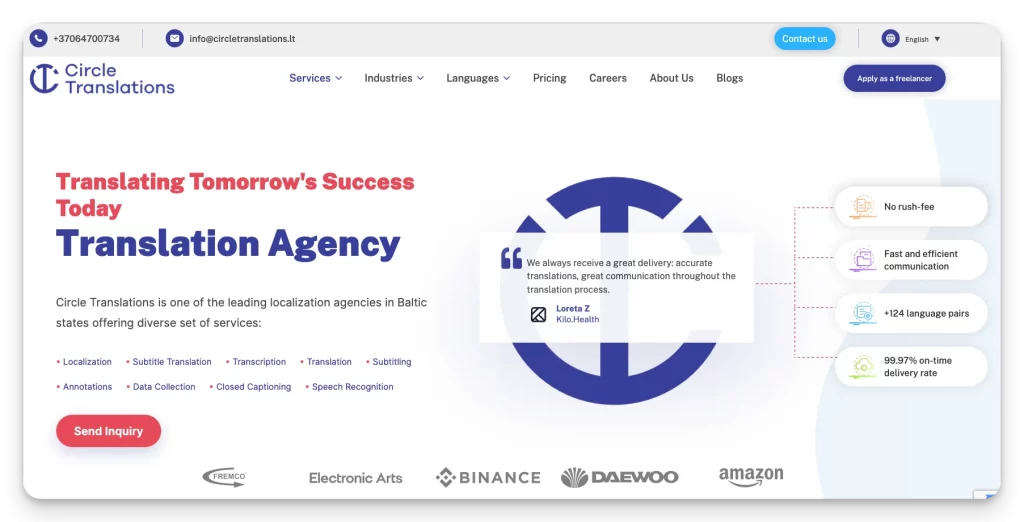
Circle Translations represents the professional benchmark for business translation. The service combines human translation, machine translation post-editing (MTPE), certified translation, and specialist domain translation across more than 100 language pairs.
Unlike free tools, Circle Translations provides 99%+ accuracy supported by a two-stage quality assurance process. Projects are handled by qualified translators with subject-matter expertise in legal, medical, technical, and marketing content. Terminology glossaries ensure consistent translation of brand names, technical vocabulary, and product terminology.
The service also preserves full document formatting (DOCX, PDF, PPTX, XLSX) and supports certified translations required for legal or official submissions.
Standard turnaround is typically 24–72 hours, with rush options available. All projects operate under NDA coverage and encrypted file transfer, with HIPAA-compliant workflows available for medical content.
DeepL Translator: The Accuracy Benchmark for European Languages — and What the Free Version Cannot Do
DeepL Translator is widely considered the most accurate free machine translation tool for European languages. Independent evaluations consistently show higher fluency scores than Google Translate for language pairs such as English–German, English–French, English–Spanish, and English–Italian.
The free version allows browser-based translation and limited document uploads, supporting 29 languages. The paid DeepL Pro plan removes character limits, enables glossary creation, and provides API access for application integration.
DeepL typically achieves BLEU scores above 40 for European language pairs, meaning output is relatively fluent and understandable. However, DeepL still produces unreviewed machine translation.
For business documents, this means missing brand tone, inconsistent terminology, and no quality certification. For professional workflows, DeepL is best used as a starting draft that is post-edited by a human linguist.
Google Translate: Widest Language Coverage, Most-Used Free Translator, and Its Business Risks
Google Translate is the most widely used translation website globally, supporting more than 135 languages. It processes billions of translation requests daily and is commonly used for quick comprehension tasks.
Businesses often rely on it for reading foreign emails, translating web pages in Chrome, or testing multilingual interfaces during development. For casual translation, such as English to Spanish quick reference, Google Translate is fast and convenient.
However, it introduces several risks when used for business content. Machine output may contain register errors (formal vs informal language), regional vocabulary mistakes, and inconsistent terminology across documents.
Additionally, text submitted to the free Google Translate interface is processed on Google servers without an NDA or dedicated data processing agreement.
The browser tool should therefore be used only for internal reference, not for client-facing or confidential content.
Microsoft Translator, Yandex Translate, and Other Free Online Translators: Niches, Strengths, and Limitations
Several additional translation websites serve specific niches.
Microsoft Translator (Bing Translator) supports more than 100 languages and integrates closely with Microsoft products such as Word, PowerPoint, Teams, and Edge. The Azure Translator API offers 2 million free characters per month, making it attractive for developers building multilingual applications.
Yandex Translate is particularly strong for Russian and other CIS languages such as Ukrainian, Kazakh, and Armenian. However, data processing occurs on Yandex’s infrastructure, which raises data sovereignty and GDPR concerns for many European and US businesses.
Papago, developed by Naver, performs especially well for East Asian language pairs, including Korean, Japanese, and Chinese. Its Korean translation quality often surpasses other free tools.
Despite their strengths, all these tools share the same limitation: they generate machine output without human review, which makes them unsuitable for client-facing business content.
Smartling, Lokalise, and Smartcat: Translation Platforms vs Translation Services — What the Difference Means for B2B Buyers
Smartling, Lokalise, Phrase, and Smartcat are translation management platforms (TMS) rather than translation services. Their role is to manage the workflow of translation projects rather than perform the translation themselves.
These platforms provide tools for project management, translation memory, glossary enforcement, and CMS integrations with systems such as WordPress, Shopify, and Contentful. They can also connect to machine translation engines like DeepL or Google Cloud Translation.
However, most platforms do not employ translators directly. Businesses must supply their own linguists or work with an external translation agency.
For organisations managing large multilingual content pipelines, a TMS platform becomes an essential infrastructure layer.
For companies that simply need high-quality translations delivered without managing a platform, working directly with a professional translation agency remains the simpler and more reliable approach.
When Free Translation Websites Are Not Enough: A B2B Risk Framework by Content Type
The most expensive translation mistake businesses make is using free machine translation for content that requires professional accuracy. The table below shows when free translation tools are acceptable and when professional translation or MTPE is required.
Translation Risk Matrix
| Content type | Free MT tool acceptable? | Risk if used | Required approach |
| Internal emails and memos (understanding-only) | Yes | Minimal — private, not published | Free MT acceptable for comprehension |
| Product descriptions for e-commerce | No | Brand credibility damage, lower conversion | MTPE or professional translation |
| Legal contracts and NDAs | No | Legal liability, unenforceable clauses | Certified professional translation |
| Marketing copy and campaigns | No | Brand voice loss, cultural misinterpretation | Transcreation or professional translation |
| Customer-facing support articles | Limited — with MTPE | Customer confusion, increased support cost | MTPE minimum |
| Medical or pharmaceutical documentation | No | Patient safety risk, regulatory non-compliance | Specialist medical translation |
| Financial prospectuses or filings | No | Regulatory liability, compliance failure | Certified specialist translation |
| Website content (public-facing) | No | SEO damage, brand trust impact | MTPE or professional translation |
| Internal training materials | Limited — low risk | Reduced learning clarity | MTPE recommended |
| HR documents and policies | No | Employment law compliance risk | Legal translation |
| Technical manuals and specifications | No | User error, safety risks | Technical specialist translation |
| Certified translation submissions | No — MT not accepted | Official rejection of documents | Certified human translation only |
Legal, Certified, and Regulated Content: Why Free Translation Websites Cannot Be Used and What the Correct Solution Is
Legal, certified, and regulated content categories have requirements that free translation websites cannot meet, regardless of improvements in machine translation quality.
First, official institutions require certified translations, translations accompanied by a signed declaration from a qualified translator confirming accuracy and completeness. Courts, immigration authorities, universities, and government agencies require this certification. Free translation websites cannot provide a legally valid certification.
Second, legal contracts contain jurisdiction-specific terminology. Machine translation may produce false equivalents or mistranslate legal obligations, creating situations where two language versions of a contract express different legal meanings. This can lead to disputes or invalid agreements.
Third, regulated industries require traceable translation workflows. Pharmaceutical documentation, medical device labels, and financial disclosures must meet strict regulatory standards. Machine translation provides no audit trail or accountability.
Finally, translating confidential documents using a free translation website processes the content on external cloud servers. Without a data processing agreement or NDA, this may violate GDPR or internal confidentiality policies.
Marketing, Brand, and Website Content: Accuracy Is Not Enough — Why Fluency and Cultural Fit Require Human Translators
Marketing translation fails differently from legal translation. The issue is not always a factual error. It is a loss of persuasive impact and brand voice.
Machine translation converts words and grammar but does not capture tone, cultural nuance, or emotional messaging. A marketing headline that relies on wordplay or idioms in English may become literal and awkward when translated automatically.
Typical failure patterns include incorrectly translated idioms, brand slogans being translated when they should remain unchanged, and shifts in tone from professional to overly formal or casual. Cultural references also frequently fail because the target audience may not share the same cultural context.
Website translation adds additional complexity. Blog articles, landing pages, and product pages require SEO localisation, including target-language keyword research, culturally adapted calls to action, and consistent brand voice across the site. Free translation tools address none of these requirements.
For marketing and brand content, the correct solution is often transcreation, rewriting the content in the target language to achieve the same persuasive effect rather than translating it word-for-word.
BLEU Scores and Accuracy Benchmarks: How the Best Translation Websites Actually Compare on Quality
Translation quality comparisons often rely on BLEU scores, a standard metric used to evaluate machine translation output against a reference human translation.
BLEU Score Reference
| BLEU score range | Interpretation |
| Below 10 | Very poor — unusable for business purposes |
| 10–19 | Basic meaning understandable — internal reference only |
| 20–29 | Comprehensible but error-prone — requires heavy editing |
| 30–40 | Good translation quality — usable for low-stakes content with editing |
| 40–50 | High quality — post-editing can produce publication-ready output |
| 50+ | Approaching human translation quality |
In real-world benchmarks for English-to-German translation, DeepL typically scores around 43–46 BLEU, Google Translate around 37–41, and Microsoft Translator around 35–39. These scores indicate high-quality machine output, but still not publication-ready without editing.
BLEU also has limitations. It measures similarity to a reference translation rather than true semantic accuracy. A perfectly valid paraphrase can receive a low BLEU score even if the meaning is correct.
The practical implication is clear: even the best machine translation engines produce draft-level output. Adding human post-editing to high-quality MT output is what converts it into professional-grade translation suitable for business publication.
How to Translate a Website Professionally: Options, Architecture, and When to Use Each Approach
Translating a website is more complex than translating a document. It requires ongoing content workflows, CMS integration, SEO localisation, and structural decisions about how multilingual pages are served, not just converting text from one language to another.
Three Website Translation Architectures: Subdomain, Subdirectory, and Translation Proxy — Pros, Cons, and SEO Impact
Before translating a website, businesses must decide how translated pages will be structured. This architectural choice affects SEO performance, maintenance complexity, and long-term scalability.
The subdirectory model (example.com/fr/, example.com/de/) is generally the best option for SEO. Translated pages remain part of the main domain, allowing domain authority and backlinks to benefit all language versions. Each language page exists as a separate URL within the same CMS, and hreflang tags link the language versions correctly for search engines.
The subdomain model (fr.example.com, de.example.com) separates each language into its own subdomain. While easier to manage in some multi-site setups, search engines may treat subdomains as separate sites. This means domain authority and link signals may not transfer as effectively.
The translation proxy model (used by tools such as Weglot or Smartling GDN) sits between the website and the user. A proxy layer serves translated pages without modifying the original CMS. This allows quick deployment but introduces SEO complexity. Server-side proxies can be indexed, while JavaScript-rendered translation layers often cannot.
Regardless of architecture, hreflang implementation in the page head is mandatory. Without it, search engines may show the wrong language page to users or fail to index translated versions correctly.
CMS Integration for Website Translation: WordPress, Contentful, Webflow, and Shopify Options
For websites with ongoing updates, integrating translation directly into the content management system (CMS) removes the need for manual export-translate-import workflows.
In WordPress, plugins such as WPML and Polylang allow each page or post to exist in multiple language versions. WPML is the most widely used option and supports machine translation engines for first drafts while allowing professional translators to review and approve content before publication.
For headless or modern CMS platforms, localisation capabilities are built into the platform architecture. Contentful supports language locales directly in the content model, while Webflow Localization enables multi-language content management inside the Webflow dashboard. Shopify’s Shopify Markets and Translate & Adapt tools support product catalogue translation and multilingual storefronts.
Regardless of the CMS, three technical checks are essential after translation deployment:
- Hreflang tags must be correctly implemented in every language page.
- Translated pages must appear in Google Search Console indexing reports.
- Translated content must be stored server-side, not generated only through client-side JavaScript.
If these conditions are not met, translated pages will not perform in multilingual SEO results.
Free Website Translation Tools (Google Translate Widget, Weglot Free, GTRANSLATE): What They Produce and Why They Fail for Business
Many website owners add automatic translation tools because they appear simple and free. However, these tools create machine-translated output visible directly to visitors, often with serious quality and SEO limitations.
The Google Translate website widget automatically translates pages when users select a language. While easy to install, the translated content exists only as dynamically generated JavaScript. Because these pages do not have their own URLs, search engines cannot index them. As a result, the translated content generates no multilingual SEO traffic.
Tools such as Weglot Free also rely on automatic machine translation. The free tier allows only about 2,000 translated words per month, which is insufficient for most business websites with multiple pages or blog content. Paid tiers improve functionality by serving translated pages on indexable URLs.
The core limitation remains the same: free translation tools produce unreviewed machine translation, visible to customers and inconsistent with brand tone. They also lack terminology control and localisation adjustments.
For any public-facing business website operating in multiple languages, the minimum viable approach is professional translation or MTPE combined with proper hreflang implementation and server-side multilingual pages.
Free vs Professional Translation Websites: A Direct Comparison for Business Decision-Making
The choice between free translation tools and professional translation is not primarily about price. It is about accuracy, business risk, and whether the translated content is safe to publish or send to clients.
| Dimension | Free Translation Websites | Professional Translation (Circle Translations) |
| Accuracy | 90–95% for clear general text | 99%+ human-reviewed accuracy |
| Terminology consistency | No — translations vary by session | Yes — glossary enforced across all content |
| Human review | No | Yes — two-stage QA standard |
| Confidentiality | No NDA; processed on public cloud infrastructure | NDA coverage, encrypted file transfer, and HIPAA available |
| Brand voice | Literal translation; tone often lost | Preserved by native-speaking translators |
| Certified translation | Not available | Available with a signed certification |
| Legal/medical content | Not suitable | Supported by specialist translators |
| Language coverage | 29–135 languages, depending on the engine | 100+ language pairs via linguist network |
| File format handling | Limited document support | Full format preservation (DOCX, PDF, PPTX, XLSX) |
| SEO localisation | Not included | Target-language keyword localisation available |
| Turnaround | Instant automated output | 24–72 hours standard; rush available |
| Cost | Free | Per word or project |
| Best use case | Personal reference or internal understanding | All client-facing, legal, regulated, and brand content |
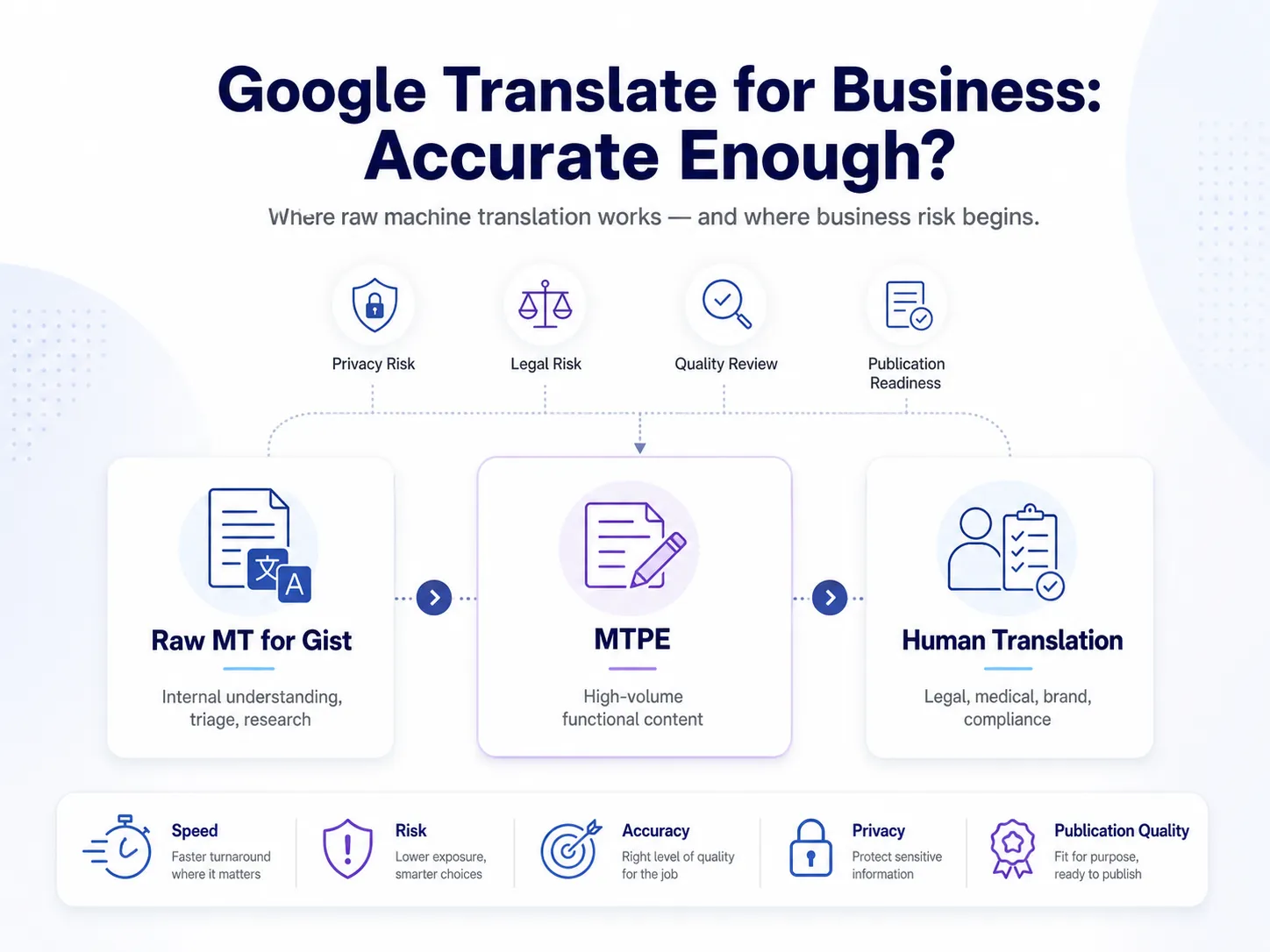
MT Post-Editing as the Middle Ground: Getting Machine Translation Quality to Professional Standard at Lower Cost
Between free translation tools and full human translation, many organisations use machine translation post-editing (MTPE). In this model, a high-quality machine translation engine produces the first draft, and a professional linguist edits it to publication standard.
A typical workflow begins with a machine translation engine such as DeepL for European language pairs or Google Cloud Translation or Azure Translator for broader language coverage. The machine-generated draft is then reviewed by a professional translator who corrects errors, adjusts tone, and ensures terminology accuracy.
The edited translation is stored in a translation memory (TM) so future projects can reuse approved segments. Over time, this reduces cost and improves consistency. A glossary is also created to standardise product names, technical terms, and brand language.
Typical cost comparison:
• Free MT: $0 but not publishable
• Light MTPE: about $7–$12 per 1,000 words
• Full MTPE: about $12–$18 per 1,000 words
• Full human translation: about $20–$30 per 1,000 words
MTPE works best for large content volumes, internal documentation, product catalogues, help centres, and multilingual websites where cost efficiency matters but professional quality is still required.
Online Translation Platforms vs Translation Agencies: Which Model Fits Your Business?
Businesses comparing translation platforms and translation agencies often encounter two very different models.
A translation agency is appropriate when organisations want translation delivered as a service. The client sends content and receives professionally translated output with quality assurance and domain expertise included. This model works best for legal, medical, marketing, or certified translations and for companies with irregular or moderate translation volume.
A translation management platform (TMS) such as Smartling, Lokalise, or Phrase is software that manages translation workflows. It is typically used by companies with dedicated localisation teams and high annual translation volumes.
The platform manages content extraction, translation memory, and workflow automation, but translators must still be sourced separately.
Many growing organisations adopt a hybrid model: a TMS platform manages the workflow, while a professional translation agency provides the human translators and MTPE review layer. This approach combines workflow automation with reliable translation quality.
From Free Tool Output to Publication-Ready Translation — Circle Translations Adds the Quality Layer
Free translation websites help you understand foreign-language content quickly. But anything you publish, send to clients, submit to regulators, or use to represent your brand requires professionally reviewed translation.
Circle Translations provides the quality layer businesses need:
✓ Human translation — 99%+ accuracy with two-stage QA and specialist translators for legal, medical, technical, and marketing content
✓ MTPE — upgrade DeepL, Google, or Azure MT output into publication-ready translations at 30–50% lower cost than full human translation
✓ Website translation — SEO-localised, hreflang-ready content compatible with major CMS platforms
✓ Certified translation — accepted for immigration, courts, universities, and regulatory submissions
✓ 100+ language pairs with specialist linguists across all major global markets
✓ Confidential handling — NDA coverage and encrypted file transfer
✓ Blog and long-form content translation with cultural and tone adaptation
✓ Rush delivery available — priority turnaround for urgent business content
Tell us your content type, language pair, and volume — we’ll recommend the most efficient translation workflow.
When Free Tools Aren’t Enough, We Are
Circle Translations delivers human-quality translation for businesses that need accuracy, consistency, and confidentiality — not just a quick paste into a free website.
Frequently Asked Questions – Best Translation Websites
What is the best English-to-Spanish translation website?
For free English–Spanish translation, DeepL is usually the most accurate and natural-sounding option. However, for business content like website copy or marketing material, machine translation alone is not sufficient. Proper Spanish translation requires correct tú/usted usage, regional vocabulary, and terminology consistency, which typically requires human review or MT post-editing.
Is there a free professional translation website?
No. Professional translation requires a qualified human translator, so it cannot be free. Tools like Google Translate, DeepL Free, and Microsoft Translator produce machine translation only. If content requires accuracy, certification, or brand consistency, it requires a paid professional translation service.
What is the best way to translate a website?
The best approach is to store translated pages in your CMS, use subdirectories (example.com/fr/) for SEO, and implement hreflang tags. Content should be translated using professional translation or MTPE, not automatic widgets. SEO elements such as titles and keywords should also be localized, not simply translated.
Which is more accurate — DeepL or Google Translate?
For most European language pairs, DeepL is generally more accurate and produces more fluent output than Google Translate. However, Google Translate supports more languages (135+). For business content, both tools should be treated as first-draft machine translation that requires human review.
Can I use Google Translate for my business website?
Using Google Translate directly on a business website is not recommended. Machine translation errors can affect credibility, and the Google Translate widget creates content that search engines do not index. Professional translation or MTPE with a proper multilingual SEO setup is the preferred approach.
What is the difference between online translation and professional translation?
Online translation uses AI models to automatically translate text. Professional translation involves human translators who review context, terminology, and tone. As a result, professional translation delivers higher accuracy, consistency, and legal reliability, while machine translation is mainly for quick comprehension.
Are translation websites safe for confidential business documents?
Free translation websites are generally not safe for confidential content. Text entered into these tools is processed on external servers without an NDA or data agreement. For sensitive documents, businesses should use a professional translation provider with encrypted transfer and confidentiality protections.
What translation website is best for translating documents (PDF, Word)?
DeepL Free supports limited DOCX, PPTX, and PDF translation, and Google Translate also allows document uploads. However, complex formatting often breaks, and the output remains machine translation. For business documents, professional services deliver human-reviewed translations with formatting preserved.
How much does professional website translation cost compared to free tools?
Free tools cost nothing but typically produce 90–95% accuracy and no SEO localization. Professional translation costs about $20–$30 per 1,000 words, while MTPE costs around $12–$18 per 1,000 words. The trade-off is free but unreviewed output vs publishable professional quality.