
If you are a localization manager, a legal operations director, or a business owner, you likely see a large portion of your budget going toward translation every year. In fast-moving industries, whether you are handling multilingual contracts, filing complex international patents, or launching a new app, the amount of text can be overwhelming.
The biggest problem many companies face is “re-translation costs.” This is a fancy way of saying you are paying to translate the same sentence or paragraph over and over again because the work wasn’t saved properly the first time. It is a massive waste of money that happens because of messy workflows, using too many different vendors, or simply not knowing that your past translations have value.
Translation shouldn’t be a one-time chore; it should be about building translation assets. These assets, like translation memories and word lists, are the secret to stopping the “pay twice” cycle. When you manage them well, you protect your brand and lower your costs significantly. In fact, looking at legal translation costs shows that the highest price often comes from not having your past work saved and ready to reuse.
This guide will show you exactly how to build, maintain, and protect these assets so your team can stop wasting money and start growing faster in the global market.
What counts as a “translation asset” in a modern localization program?
In the translation world, an “asset” is any tool or file that helps a linguist work faster and better. Many people think the only thing they “own” at the end of a project is the final translated document (like a PDF or a Word file). In reality, the technical data created during the translation process is much more valuable.
The main types of translation assets are:
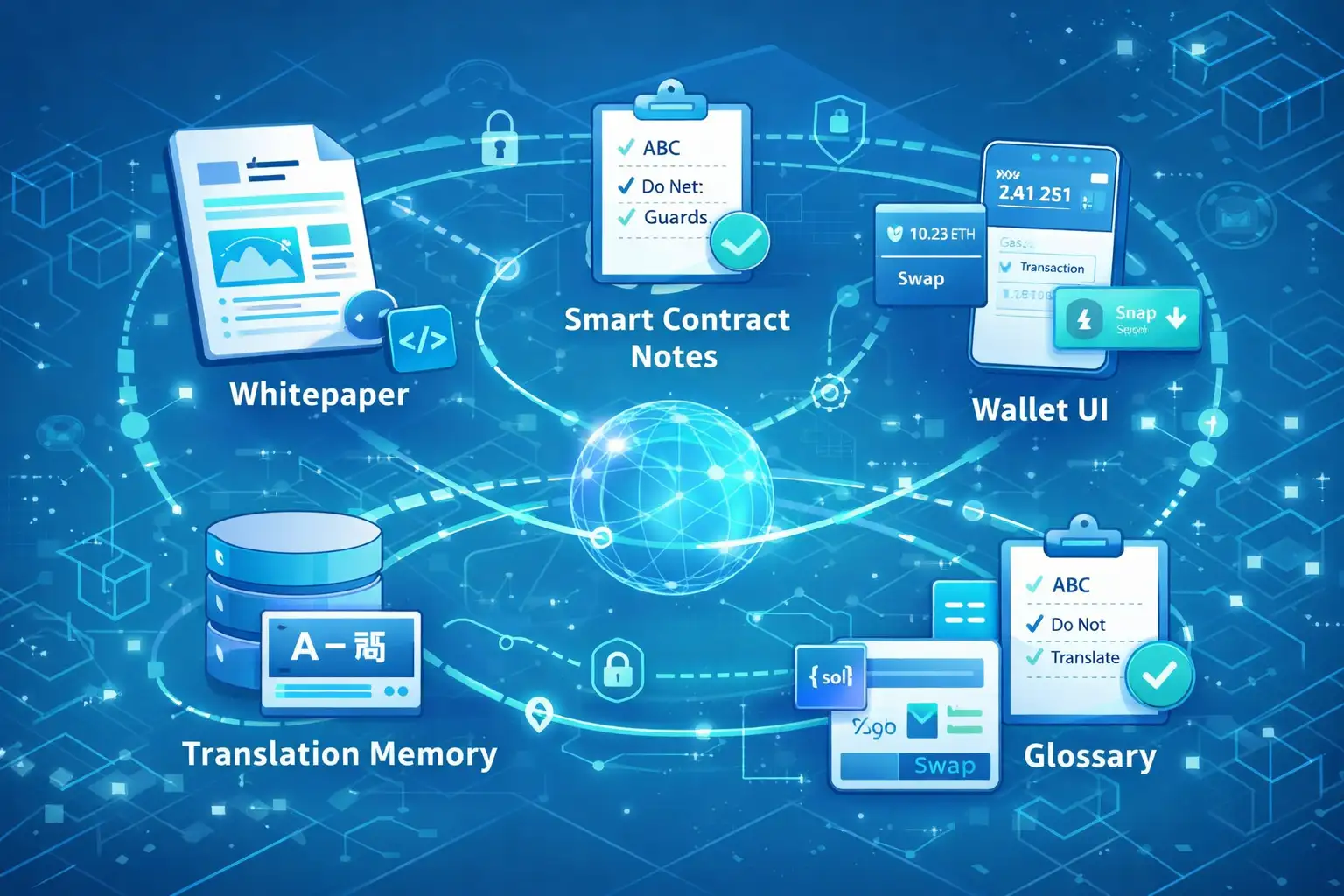
- Translation Memory (TM): Think of this as a “memory bank” for your brand. It saves every sentence you’ve ever translated in pairs (Source Language + Target Language). This is the foundation of software localization best practices.
- Termbases and Glossaries: This is a centralized “dictionary” for your company. It includes product names, technical terms, and “do-not-translate” words.
- Style Guides: This is your brand’s personality manual. It tells the translator how to sound (e.g., “be helpful and friendly” or “be formal and academic”) and how to handle dates, currencies, and measurements.
- Localization Kits (LocKits): These are packages that include the original “editable” files (like Figma or InDesign), fonts, and specific instructions. This is a big part of app localization best practices.
- Bilingual Reference Files: These are past versions of files (like XLIFF or PO files) that show how you’ve handled similar content in the past.
- Project Metadata: Notes from Subject Matter Experts (SMEs) and quality scores that help future translators.
By keeping these assets in good shape, you make sure your message stays the same in every country, and you save a massive amount of time on future projects.
Why do translation memories and glossaries save you money?
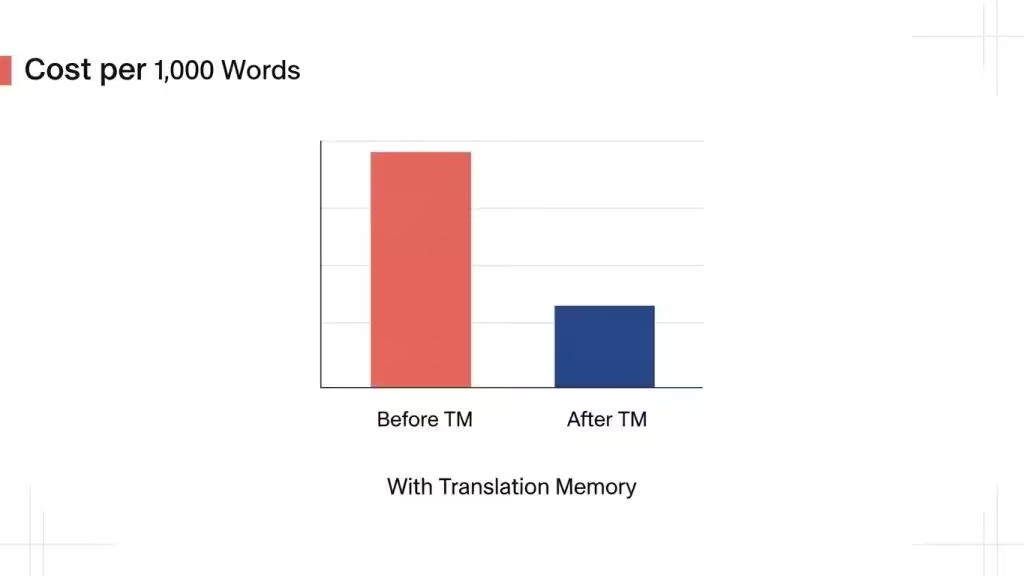
A Translation Memory (TM) is the most powerful tool for cutting costs. When a translator starts a new project, their professional software (called a CAT tool) automatically scans your TM to see if you have translated that exact sentence, or even a similar one, before.
Using a TM allows you to reuse past work so you don’t pay full price for “repetitions” or “fuzzy matches.” Industry data shows that for content with high repetition, like manuals or legal contracts, TMs can cut your costs by 30% to 50%. This is a major factor in figuring out a fair website translation cost.
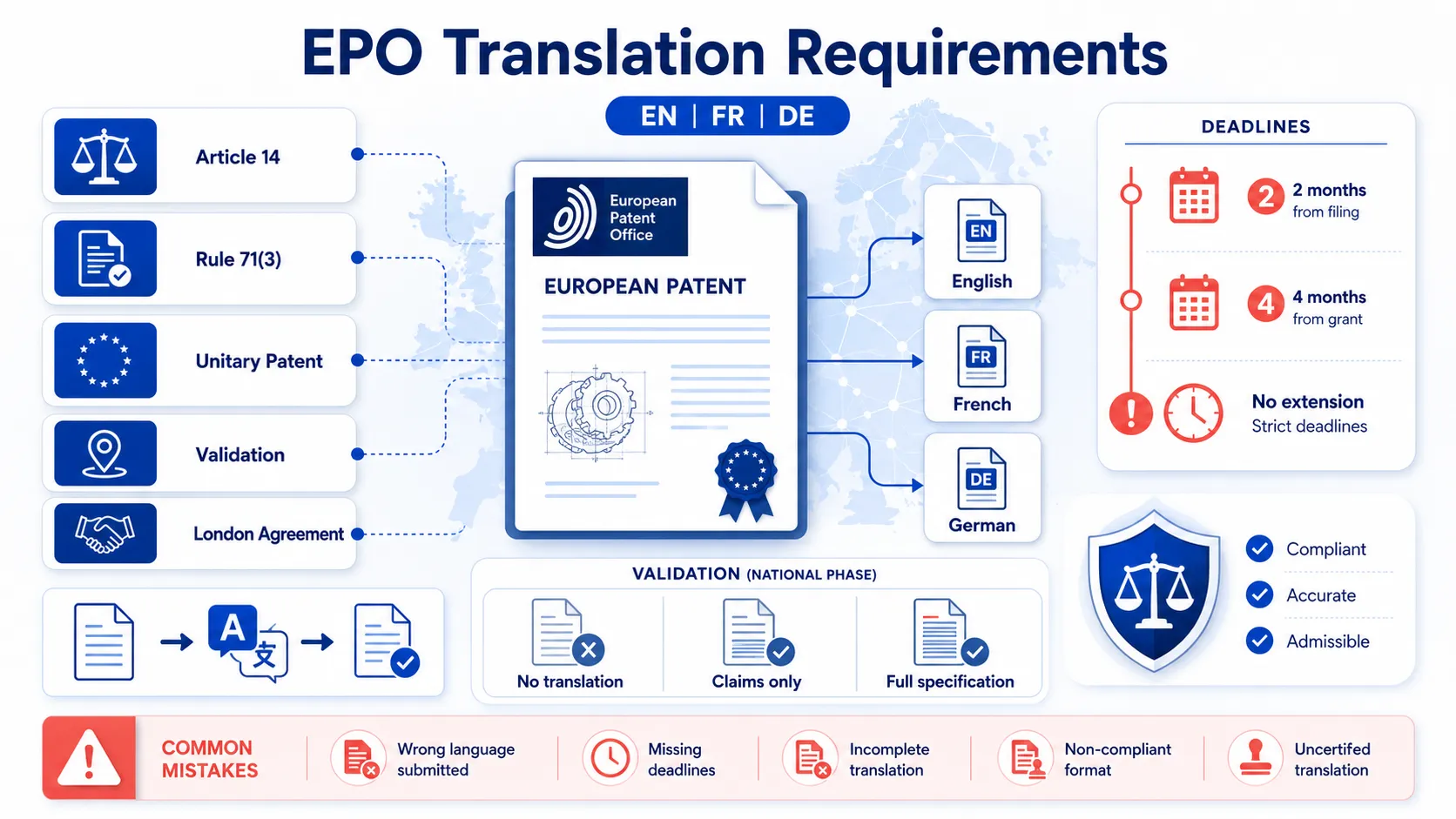
Glossaries save money by preventing expensive mistakes and rework. Imagine a technical term being translated differently in two different chapters of a patent application. This could lead to a legal rejection that costs thousands to fix.
In specialized fields, medical translation services cost stays high because of the need for perfect accuracy; a glossary ensures you don’t have to pay for “re-translations” caused by terminology errors.
How do style guides and layout files reduce re-translation and rework?
Sometimes you pay extra because of “subjective” changes. This happens when your team in another country (like a branch in Italy or Japan) doesn’t like the style of the translation.
They might say, “This sounds too stiff,” or “This isn’t how we speak to our customers.”
If you didn’t give the translator a style guide, you are essentially asking them to guess your brand’s personality. When they guess wrong, you pay for a second round of edits.
A Style Guide stops this by setting the rules early on:
- Tone: Should we use “Hi” or “Dear Customer”?
- Formatting: Do we write dates as DD/MM/YY or something else?
- Capitalization: Do we capitalize every word in a title?
Clear rules help the translator get it right the first time, which is vital for website localization best practices.
What happens when you don’t maintain your assets?
If you don’t take care of these files, your translation process becomes a cycle of waste.
Here is what typically goes wrong:
- Fragmented Vendors: If you use five different agencies without a central “memory bank,” you pay five times for the same sentences.
- Ad-hoc Glossaries: Different teams using different spreadsheets for words, leading to a confusing brand voice.
- Rush Job Disasters: In a hurry, teams often skip using the memory bank, leading to mistakes and higher costs.
- Legacy Pollution: Old mistakes or outdated product names stay in your system and keep appearing in new work.
Poor management leads to the hidden costs of in-house translation that many people don’t notice. Without the right tools, internal teams often translate the same content over and over because they don’t have a centralized “memory” to help them.
How to set up your assets correctly from day one
Building your translation “memory bank” starts before you even hire a translator. If you are launching a new product or expanding into a new market, use this roadmap to keep costs under control.
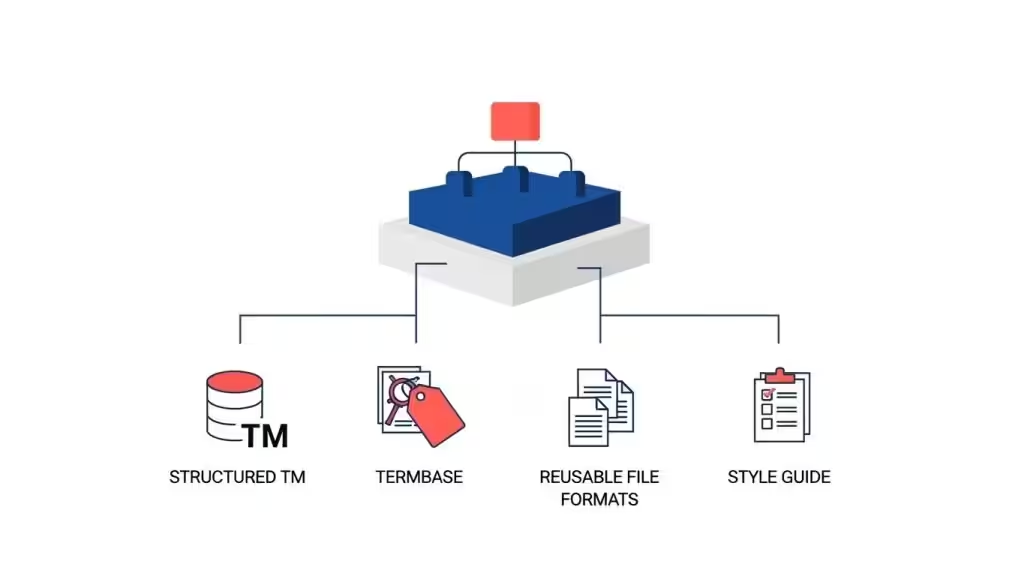
1. Structure your Translation Memory (TM) properly
Don’t put all your sentences into one giant, messy bucket. Instead, ask your provider to organize them by:
- Subject Matter: Keep your Legal sentences in a different TM than your Marketing slogans.
- Regional Variance: A Spanish translation for Mexico shouldn’t be mixed with one for Spain, as the local dialects differ significantly.
- Metadata: Make sure every sentence is tagged with a date and project name. This is a huge part of software internationalization and localization.
2. Build a “Termbase” (The Industry Dictionary)
A termbase is more than just a list of words; it’s a rulebook. It should include:
- Brand Names: To ensure “ThunderSoft” doesn’t get translated as “Lightning Program.”
- Legal Boilerplate: Standard sentences used in your multilingual contracts.
- Negative Keywords: Words the translator should never use in a specific language.
3. Choose Reusable File Formats
Some files are “dead,” meaning they are hard to edit. A PDF is a dead format. If you send a PDF to a translator, they have to manually recreate the document, which costs you money in “Desktop Publishing” fees. Always try to provide “live” formats:
- For Software: JSON, YAML, or XLIFF files.
- For Design: Figma or InDesign (.idml) files.
- For Web: HTML or XML exports.
4. Must Have in Your Translation Style Guide
To stop the endless “review and edit” cycles, your style guide should cover:
- Reading Level: Is this for a child or a scientist?
- Date and Number Formats: Is it 1,000.00 or 1.000,00?
- Examples: Provide “Approved” vs. “Rejected” phrasing to give translators a clear target.
Operational habits that stop re-translation
Once you have the right files, you need the right habits to keep them alive.
Centralize with one primary partner
If your Marketing team uses one agency and your Product team uses another, your “memory bank” is split. You are losing money because those two teams aren’t sharing their data. By centralizing with one partner, like Circle Translations, you keep all your linguistic data in one place. This is especially helpful for certified medical translations where everything must be perfectly consistent across every document.
Batch your work to avoid “Rush Fees”
Rush jobs are a budget killer. They typically cost 20% to 50% more in fees. More importantly, they often fragment the context because many translators have to work at once. By planning your releases, you save money and get better results.
Manage updates without re-translating everything
If you update a 100-page manual but only change three paragraphs, a professional workflow will identify the “change” (often called “diffing”). Your translation memory will “fill in” the 99 pages that stayed the same, and you will only be invoiced for the new work.
Clean and audit your assets
Once a year, ask your localization partner to “clean” your TM. This involves removing duplicate entries and old product names. A clean memory bank works faster and gives better matches.
The role of AI and Machine Translation
AI tools like ChatGPT and Google Translate are changing the industry, but they can be dangerous if they aren’t managed. If you feed unedited AI translations directly into your “memory bank,” you are “polluting” your assets.
The Best Practice: Use a workflow called MTPE (Machine Translation Post-Editing). In this model, an AI generates a fast draft, and a professional human linguist checks and fixes it. Only then is the “human-approved” version saved into your permanent Translation Memory. This gives you the speed of AI while protecting the long-term quality of your assets, as explained in our guide on website localization vs translation.
Governance: Who owns your translation data?
This is the most important part of this guide: You must own your assets.
Many translation agencies treat your Translation Memory as their secret sauce. If you decide to leave them, they might try to keep your TM files or charge you a high fee to get them. This is effectively “holding your data hostage.”
At Circle Translations, we believe your data belongs to you. Your contract should clearly state:
- You own 100% of the Translation Memory and Termbases.
- You can request an export of these files (in a format like .TMX) at any time for free.
- The assets must be handed over in full if the partnership ends.
Owning your assets gives you freedom. It means you can take your “memory bank” to any new vendor, and they can pick up right where the last one left off, saving you from ever paying a “re-translation cost” again. This is a core part of our philosophy in contract translation.
How to Maintain Translation Assets and Avoid Re-Translation Costs (Playbook recap)
To truly scale your business without doubling your budget, you need to transition from “buying translations” to “managing assets.” Here is your final scannable checklist:
- Build core assets early: Don’t wait until you are halfway through a project.
- Centralize your programs: Use one primary provider to manage your memories and glossaries.
- Adopt strong file formats: Move away from PDFs and use “live” resource files.
- Run regular audits: Clean your memory bank to keep it accurate.
- Plan your releases: Stop the last-minute rush jobs that bypass your assets.
- Write ownership into your contracts: Ensure you own the data you pay for.
By treating your translations as a permanent asset, you ensure that every dollar you spend today makes your work cheaper and better tomorrow. This strategy is also the secret to multilingual SEO best practices, consistency in your word choice helps you rank higher and convert more customers in every language.
Want to see how much you could be saving?
Circle Translations can do a free audit of your current translation files to see where you are paying twice. Contact us today to speak with a specialist!
FAQs — Everything You Need to Know
1. What are translation assets?
They are technical resources like Translation Memory (TM), termbases (glossaries), and style guides. They save your past work so it can be reused in future projects.
2. How much can I actually save with a Translation Memory?
For repetitive content (manuals, legal docs, software), you can save between 30% and 50% on your total translation bill.
3. Do I need to buy my own translation software?
Not usually. Most professional partners (like Circle Translations) provide the software and management as part of their service. However, you should ensure you own the data produced by that software.
4. Can AI replace a Translation Memory?
No. AI is good at guessing, but a TM is a record of what you approved. A TM ensures your brand stays consistent, whereas AI can often be inconsistent.
5. What if I’ve never saved my translations before?
It’s never too late to start. A professional agency can often “align” your past English and foreign language documents to create a new TM from scratch, helping you recover some of your lost value.
6. Who should be in charge of these assets?
Usually, a Localization Manager or a Project Lead. They work with the translation agency to make sure the “memory bank” and “word lists” are being kept clean and up to date.