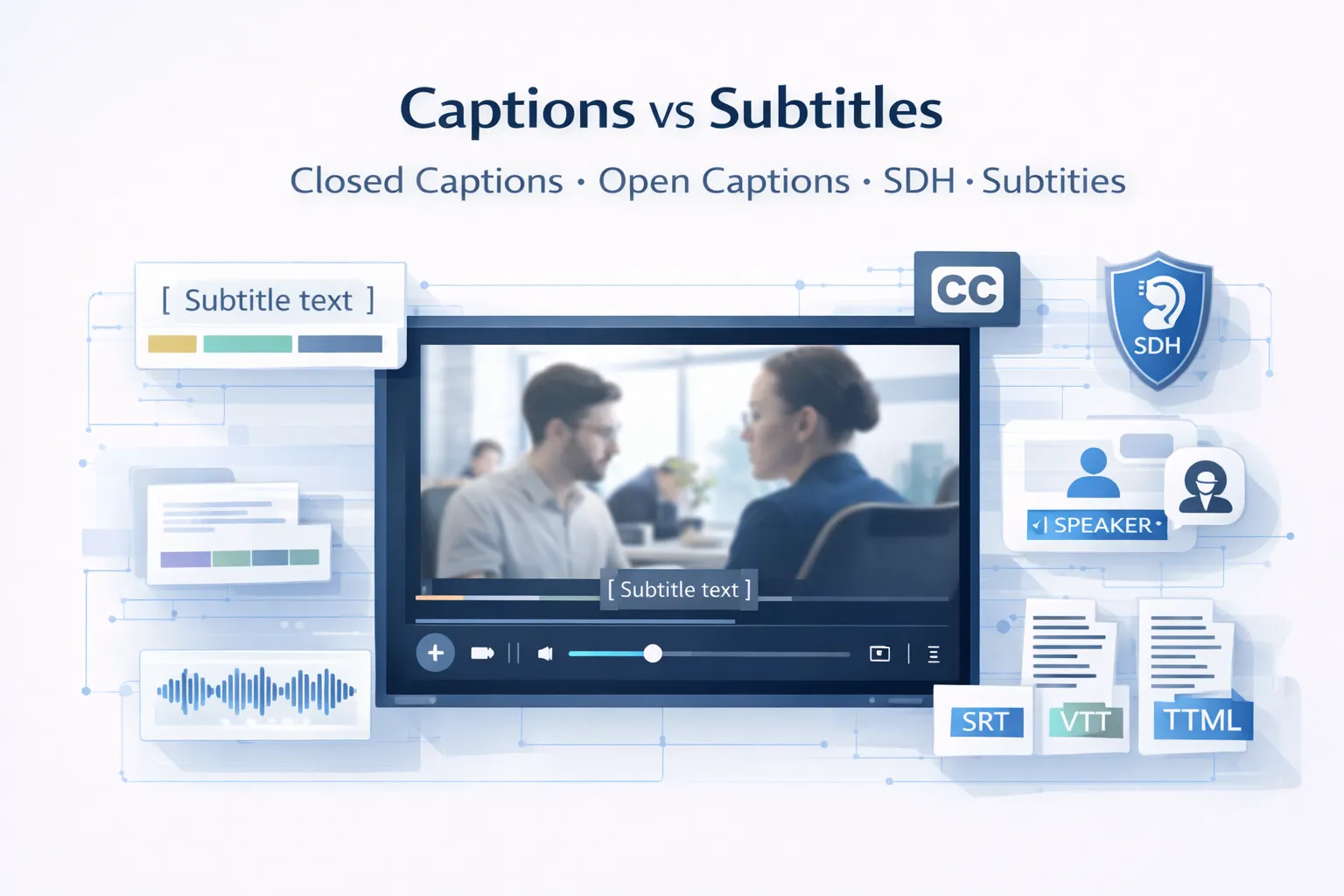
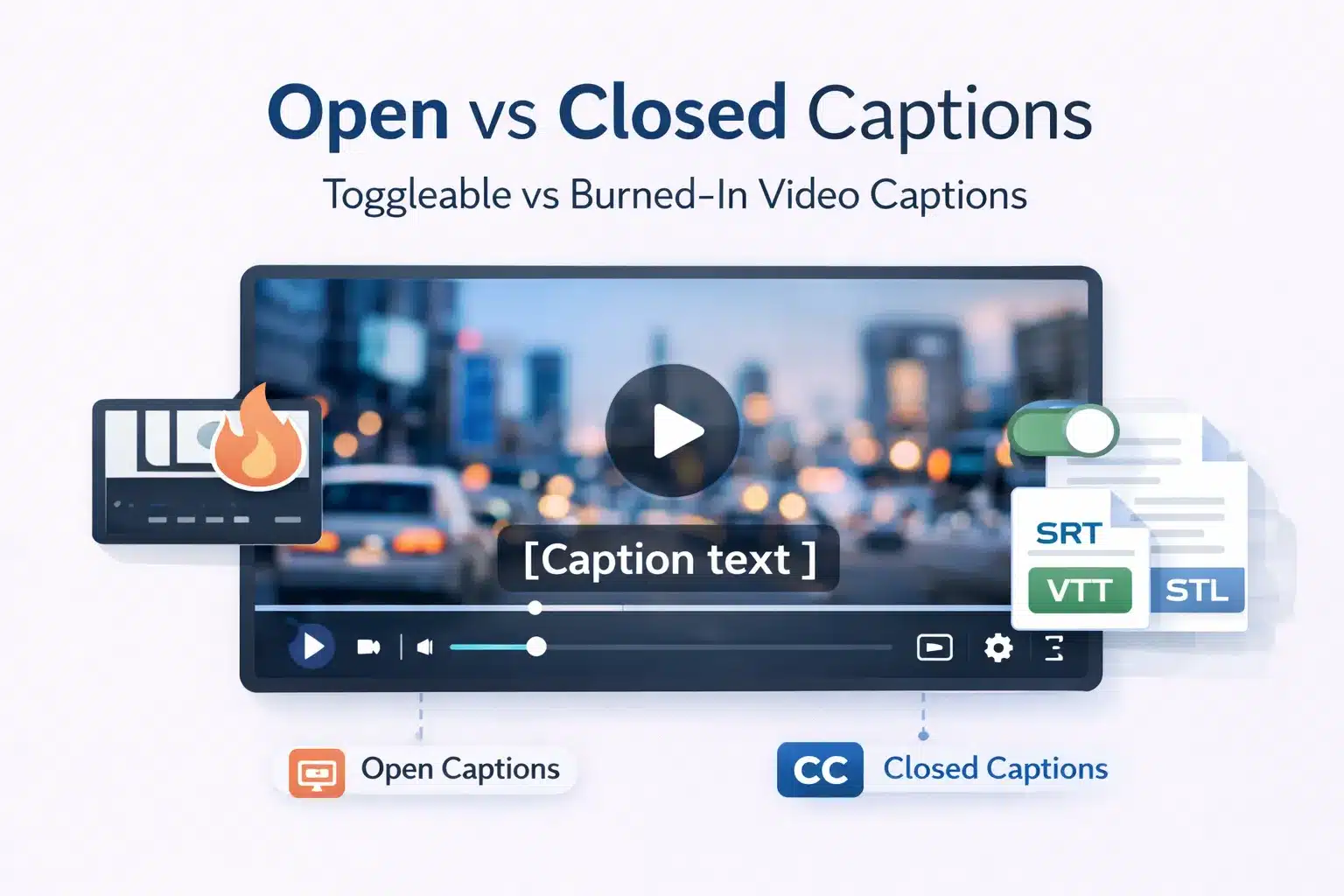
Open captions are permanently embedded into the video file and cannot be turned off. Closed captions are stored as a separate text track that viewers can toggle on or off. Open captions display identically across all devices, while closed captions can be customised by the viewer depending on the platform.
For production teams, L&D departments, and media compliance officers, choosing the correct caption format affects accessibility compliance, distribution workflows, and maintenance costs.
This guide explains the technical differences between open and closed captions, when each format should be used, how they relate to subtitles, and how captioning choices interact with ADA, WCAG 2.1, Section 508, and European Accessibility Act requirements.
What Are Open Captions and Closed Captions? Core Definitions Explained
The key distinction between open captions and closed captions is not caption quality or transcription accuracy. The difference is how captions are attached to the video and whether the viewer can control their visibility. Both formats begin with the same caption transcript and time-coded text.
Open Captions (OC): Permanently Visible, Device Independent, Hardcoded into the Video File
Open captions, also called burned-in captions, hardcoded captions, or embedded captions, are text rendered directly into the video frame during encoding or post-production. The captions become part of the visual image and cannot be separated from the video.
Open captions are permanently visible and cannot be turned off. Because the text is part of the video pixels, it displays the same way on all devices, including mobile screens, desktops, smart TVs, projectors, and digital signage. The final output is a single video file, such as MP4, MOV, or MXF, with captions embedded in the image.
Once encoded, open captions cannot be edited without re-exporting the video. Caption style, including font, size, colour, and positioning, is fixed by the producer during encoding, and viewers cannot customise how the captions appear.
Closed Captions (CC): User Togglable, Stored as a Separate Track, Customisable by the Viewer
Closed captions are stored as a separate timed text track associated with the video. The captions may exist as an external file, such as SRT, VTT, SCC, or TTML, or as an embedded data stream inside the video container. Viewers decide whether captions appear during playback.
Closed captions are normally hidden until the viewer activates them through the CC button or caption settings in the video player. The term closed refers to this hidden state until the user opens the captions.
Because captions exist as a separate file, they can be edited, corrected, translated, or replaced without modifying the video. File size impact is negligible, with most caption files under 50 KB for a 30-minute video. Closed captions also support multiple language tracks and allow accessibility customisation such as larger fonts or high-contrast colours, depending on the platform.
Open Captions vs Closed Captions: 8 Point Technical and Practical Comparison
Understanding open captions and closed captions across multiple technical and operational dimensions helps production teams choose the correct format for each distribution channel. The difference goes beyond the simple on or off toggle and affects maintenance, scalability, and accessibility compliance.
| Dimension | Open Captions (OC) | Closed Captions (CC) |
| Visibility | Always visible and cannot be turned off | Hidden by default and activated through the CC toggle |
| Storage | Embedded directly in the video file | Separate caption file, such as SRT, VTT, SCC, or TTML, or embedded caption track |
| Device compatibility | Works on any screen or player without caption support | Requires a player that supports caption tracks |
| Viewer customisation | None. Caption style is fixed during encoding | The platform may allow font size, colour, and display adjustments |
| File size impact | Increases the video file size | Negligible file size. Caption files are typically under 50KB |
| Editability after release | Requires re-encoding the video to make corrections | The caption file can be edited without changing the video |
| Multi-language support | Only one caption language per video file | Multiple caption languages can be added as selectable tracks |
| Compliance use | Suitable for live events, cinema screenings, and signage | Preferred for web, streaming, broadcast, and WCAG accessibility compliance |
How Open and Closed Captions Handle Sound Effects, Speaker Identification, and Non-Speech Audio
Captions are not limited to spoken dialogue. Accessibility standards require captions to represent meaningful non-speech audio so viewers can understand the full context of the content.
Caption files should include sound effects such as [door slams], [phone rings], or [music playing]. Speaker identification is also required when multiple speakers appear on screen or when narration occurs off-screen. Environmental sounds such as [crowd noise], [sirens], or [thunder] may also be included when they affect meaning.
In open captions, these elements are styled and positioned by the producer when the captions are burned into the video. Closed captions include the same information in the caption file, though formatting such as italics or colour coding may display differently depending on the video player. SDH tracks commonly follow established conventions for these elements.
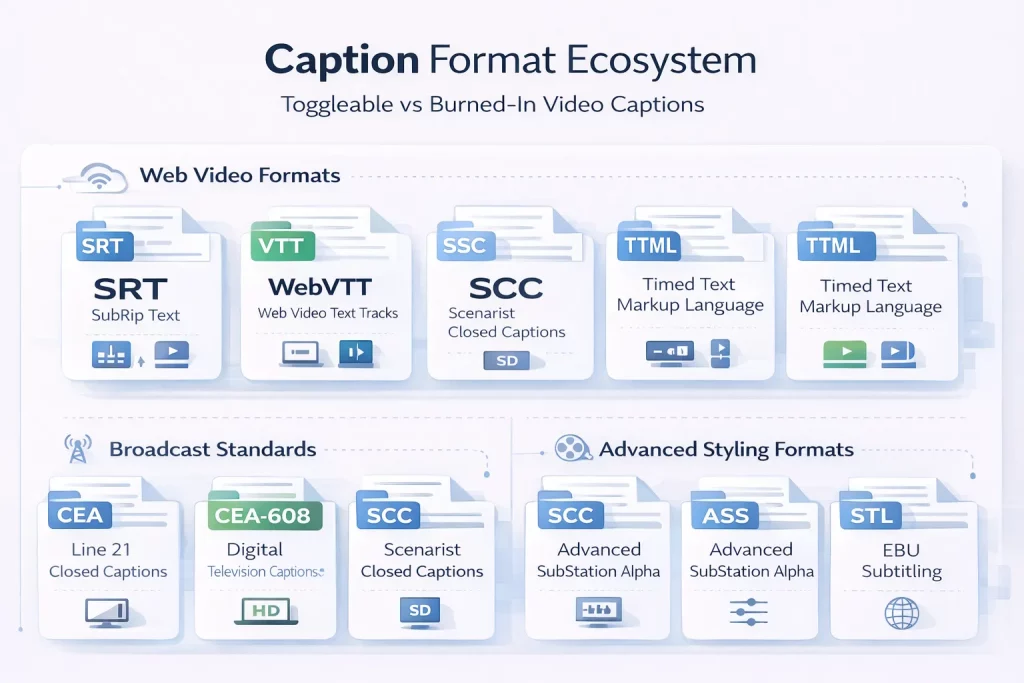
Caption File Formats: SRT, VTT, SCC, TTML, CEA 608, and CEA 708 Explained for Production Teams
Closed captions are delivered using several file formats, depending on the platform or broadcast standard. Production teams must confirm format requirements before commissioning caption production.
| Format | Full name | Used for | Key characteristics |
| SRT | SubRip Text | Web video, social media, and most streaming platforms | Simple text format with timing and caption text |
| VTT | WebVTT (Web Video Text Tracks) | HTML5 video players, YouTube | Supports basic styling and positioning |
| SCC | Scenarist Closed Captions | Broadcast television in the US | CEA 608 compliant broadcast format |
| TTML / IMSC | Timed Text Markup Language | Netflix, Amazon Prime Video delivery | XML based format with advanced styling |
| CEA 608 | Line 21 Closed Captions | Legacy analogue broadcast | Original US broadcast caption standard |
| CEA 708 | Digital Television Closed Captioning | Digital broadcast and HD content | Supports user customisation and multiple caption services |
| ASS / SSA | Advanced SubStation Alpha | Animation and advanced subtitle styling | Allows precise positioning and styling |
| STL | EBU Subtitling | European broadcast environments | Standard defined by the European Broadcasting Union |
Platform requirements vary. YouTube accepts SRT and VTT files, Netflix typically requires TTML following its internal specification, Amazon Prime Video also uses TTML, and US broadcast submissions require SCC or CEA-compliant formats. Corporate LMS platforms such as Moodle, Cornerstone, and Workday Learning usually support SRT or VTT caption files.
When to Use Open Captions vs Closed Captions: Use Case Decision Guide by Context
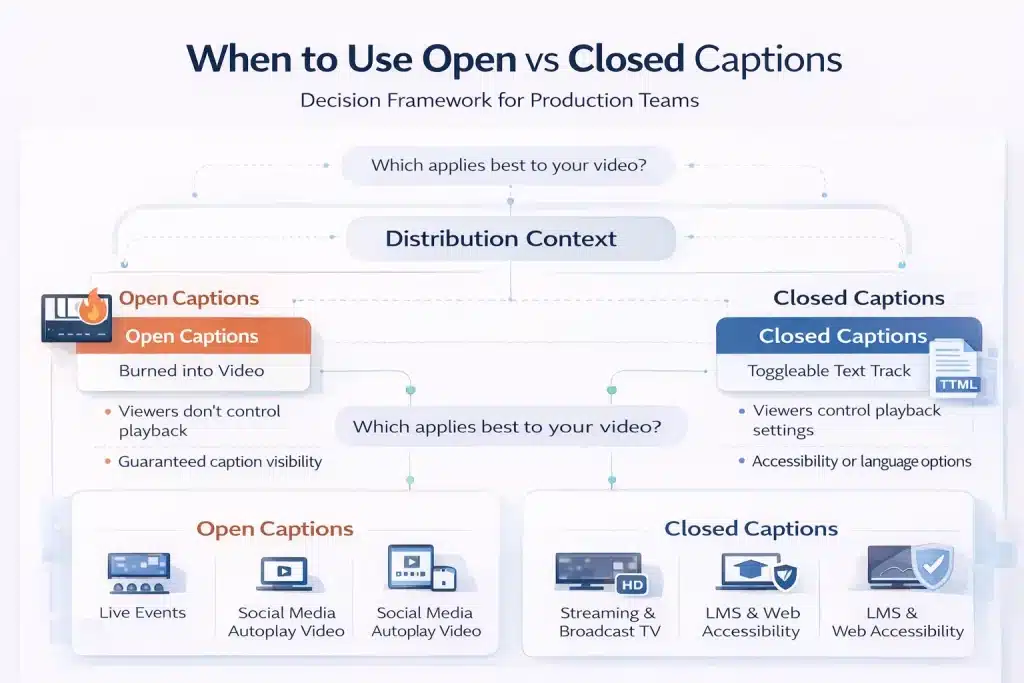
Neither open captions nor closed captions is universally better. The correct format depends on how the video will be distributed, whether viewers can control playback settings, and what accessibility or compliance requirements apply.
Open Captions: Best Contexts — Live Events, Digital Signage, Social Media, and Open Caption Cinema Screenings
Open captions are most appropriate when viewers cannot control caption settings or when caption visibility must be guaranteed. Because the captions are embedded directly in the video image, every viewer sees them regardless of device or player compatibility.
Common use cases include live conferences and events where video is projected on large screens without a player interface. Digital signage environments such as retail displays, airports, museums, and lobby screens also rely on open captions because videos typically autoplay without controls.
Social media video is another common case, since platforms such as LinkedIn, Instagram, and Facebook autoplay videos without sound. Open captions ensure the message is readable during silent playback.
Open caption screenings in cinemas are another example. The captions are burned into the projected film image and visible to all viewers in the theatre.
Closed Captions: Best Contexts — Streaming, Broadcast TV, eLearning, Corporate Video, and Web Content
Closed captions are the standard format for most digital video distribution because they support viewer control, accessibility customization, and multiple language tracks.
Streaming platforms such as Netflix, Amazon Prime Video, Disney+, and Hulu use closed captions so viewers can enable captions and adjust their appearance. Broadcast television in the United States also requires closed captions under the CVAA, typically delivered in CEA-608 or CEA-708 formats.
Corporate training and eLearning videos hosted on LMS platforms such as Moodle, Cornerstone, or Workday Learning should also use closed captions.
They support accessibility compliance under WCAG and Section 508 and allow a single video to include multiple caption languages. Corporate video platforms like Vimeo Enterprise, Kaltura, Brightcove, and Panopto also rely on closed caption file uploads rather than burned captions.
Open Captions for eLearning and Training Video: When Guaranteed Visibility Outweighs Viewer Control
Although closed captions are the default for eLearning, some training environments benefit from open captions. Legacy SCORM packages or older LMS platforms may not reliably load external caption files, making burned-in captions the more dependable solution.
Open captions are also useful when training videos are distributed offline via download or USB, where playback may occur in basic media players that do not load caption files.
Some organisations also choose open captions to maintain strict visual style consistency across training materials. Short microlearning clips shared in collaboration tools such as Slack or Teams often use open captions as well, since these platforms frequently autoplay video without sound.
How to Produce Open Captions from a Closed Caption File: Step-by-Step Encoding Process
Open captions and closed captions use the same underlying caption transcript. If a timed caption file already exists, open captions can be produced from that file without repeating the transcription process.
Step 1. Create or obtain a caption file. The process begins with a synchronised caption file such as SRT or VTT containing dialogue, speaker identification, and sound effect descriptions.
Step 2. Define caption styling. Choose the font, size, colour, and position. Most caption workflows use a sans serif font and place captions in the lower third of the frame with a semi-transparent background for readability.
Step 3. Burn captions into the video. Import the caption file into a video editing or encoding tool such as Adobe Premiere Pro, DaVinci Resolve, Final Cut Pro, or FFmpeg and export the video with captions embedded in the image.
Step 4. Perform quality checks. Verify that captions appear at correct times, remain inside safe screen margins, and remain readable against all background visuals.
Step 5. Export the final video file. The output is typically an MP4, MOV, or MXF file containing the permanently embedded captions ready for distribution.
Captions vs Subtitles: How Open and Closed Captions Differ from Translation Subtitles
Captions and subtitles are closely related but serve different purposes. Understanding the distinction helps content teams decide whether they need accessibility captions, translated subtitles, or both for their video content.
The Functional Difference: Captions Serve Deaf and Hard-of-Hearing Viewers; Subtitles Serve Language Audiences
The key difference between captions and subtitles is the audience they are designed to support.
Captions are created for viewers who cannot hear the audio. They include all meaningful audio information in the video, not just dialogue. This means captions transcribe spoken words and also describe non-speech audio such as sound effects, music cues, and speaker identification.
Subtitles, by contrast, are designed for viewers who can hear the audio but do not understand the language being spoken. They usually translate dialogue only and typically omit sound effects unless they are essential to the story.
In practice, there is some overlap. A subtitle file can technically function as a caption file, but it will usually lack the accessibility elements required by WCAG standards.
Some platforms use SDH (Subtitles for the Deaf and Hard of Hearing), which combines translation with accessibility elements such as speaker labels and sound descriptions.
For multilingual corporate video or training content, organisations often need both: captions in the source language for accessibility compliance and translated subtitle tracks for international audiences.
Two Types of Captions and Two Types of Subtitles: The Full Classification Breakdown
Captions and subtitles each exist in two main formats, depending on how the text is attached to the video.
Captions are either open captions or closed captions. Open captions are burned directly into the video image and always remain visible. Closed captions are stored as a separate track that viewers can enable or disable through the video player.
Subtitles also exist in two forms. Hard subtitles are permanently embedded into the video frame, similar to open captions but used for translation purposes. Soft subtitles are delivered as a separate subtitle file that the viewer can toggle on or off.
SDH subtitles represent a hybrid category. They translate dialogue into another language while also including accessibility information such as sound effects and speaker identification.
Streaming platforms commonly use SDH to serve both accessibility and language audiences with a single subtitle track.
Captions, Subtitles, and Transcripts: How These Three Accessibility Assets Work Together in B2B Content
Captions, subtitles, and transcripts are related accessibility assets that usually originate from the same source transcription.
Captions display synchronised text during video playback and allow viewers who cannot hear the audio to follow the content. Subtitles also appear synchronised with the video, but focus on translating the spoken language for viewers who speak a different language.
Transcripts are different. They are a full-text version of the audio without timecodes. Transcripts are useful for reading, reference, accessibility support for screen readers, and search engine indexing.
The typical production workflow begins with a transcript of the audio. Timecodes are then added to create a caption file, such as SRT or VTT. That caption file can be translated into other languages to produce subtitle tracks, and the same file can be used to generate open captions by burning the text directly into the video.
Accessibility Compliance and Captions: ADA, WCAG 2.1, Section 508, CVAA, and European Accessibility Act Requirements
Captioning is not just a usability feature for most organisations. It is a legal accessibility requirement in many jurisdictions. The exact requirement depends on where the content is published, who the audience is, and which regulatory framework applies.
ADA, Section 508, and CVAA: US Captioning Compliance Requirements by Content Type
In the United States, captioning obligations mainly fall under three regulatory frameworks: the ADA, Section 508, and the CVAA.
The Americans with Disabilities Act (ADA) Title III applies to businesses and organisations offering services to the public. Courts have increasingly treated websites and online video as places of public accommodation, meaning public-facing video content must be accessible.
While the ADA does not mandate a specific caption format, captions must make the content accessible. In practice, closed captions are the standard approach for web video because they align with WCAG accessibility principles.
Section 508 of the Rehabilitation Act applies to federal agencies and organisations receiving federal funding. It requires electronic and information technology, including video content, to meet WCAG accessibility standards. For video, this means captions must comply with WCAG Level AA criteria for prerecorded and live media.
The 21st Century Communications and Video Accessibility Act (CVAA) governs broadcast and online video distribution. It requires that videos previously aired on television must include closed captions when distributed online. These captions must follow broadcast standards such as CEA-608 or CEA-708 and are enforced by the FCC.
A new ADA Title II rule taking effect in April 2026 will also require state and local government websites and apps to meet WCAG 2.1 Level AA standards, significantly expanding captioning obligations for public sector organisations.
WCAG 2.1 Captioning Success Criteria: What Level AA Compliance Requires for Recorded and Live Video
WCAG 2.1, developed by the World Wide Web Consortium (W3C), is the global standard referenced by many accessibility laws. It defines several criteria that directly affect video captioning.
Success Criterion 1.2.2 (Captions – Prerecorded) requires captions for all prerecorded audio in synchronised video. This applies to marketing videos, webinars, product demonstrations, and training materials published online.
Success Criterion 1.2.4 (Captions – Live) requires captions for live audio in synchronised media, such as live streams or virtual events. These captions are typically delivered through CART services or live automated speech recognition tools.
Another related requirement, 1.2.3 (Audio Description or Media Alternative), requires a transcript or audio description for prerecorded video content.
WCAG also sets quality expectations. Captions must be accurate, synchronised with the audio, complete, and properly formatted with speaker identification and relevant sound descriptions. Auto-generated captions from platforms like YouTube or Zoom usually require human review to meet these standards.
European Accessibility Act (EAA) 2025 and Global Captioning Standards: What B2B Teams Operating Internationally Need to Know
For organisations operating internationally, captioning compliance often involves multiple regulatory frameworks.
The European Accessibility Act (EAA), which took effect on June 28, 2025, requires digital services sold to EU consumers to meet WCAG 2.1 Level AA standards. This includes websites, mobile applications, and video content. Companies publishing video content for EU audiences must therefore provide accessible captions that meet WCAG criteria.
In the United Kingdom, accessibility obligations fall under the Equality Act 2010. While the UK has not adopted the EAA, the law still requires organisations to make reasonable adjustments for disabled users, which courts increasingly interpret as including accessible online video.
Canada’s Accessible Canada Act (ACA) also promotes WCAG-aligned accessibility requirements for federally regulated organisations. Provincial laws such as Ontario’s Accessibility for Ontarians with Disabilities Act (AODA) apply WCAG Level AA requirements to many private sector organisations.
Other jurisdictions, including Australia under the Disability Discrimination Act (DDA), similarly recommend WCAG compliance for digital content.
For multinational organisations, the practical takeaway is straightforward: closed captions that meet WCAG 2.1 Level AA standards generally satisfy accessibility expectations across the US, EU, UK, and other major regulatory environments.
Why B2B Audiences and Younger Viewers Increasingly Watch Video with Captions On — and What This Means for Production
Captioning started as an accessibility solution. Today, it is also a viewing preference for many audiences. This shift affects how B2B organisations produce, distribute, and optimise video content.
Caption Viewing Behaviour Across Audiences: Accessibility, Language, Noise Environment, and Personal Preference
Caption usage now extends far beyond the deaf and hard-of-hearing community. Multiple audience groups rely on captions for different reasons.
For viewers with hearing loss, estimated at around 15% of adults globally, captions are essential for understanding audio content. Non-native speakers also rely on captions to follow fast dialogue, unfamiliar accents, or technical terminology.
Captions are equally useful in silent environments. Many people watch videos in offices, public transport, or shared spaces where audio is muted. Platforms such as LinkedIn report that a large share of video content is viewed without sound.
Cognitive accessibility also plays a role. Captions help viewers with dyslexia, ADHD, or auditory processing differences by presenting information in both audio and text formats simultaneously.
Younger audiences increasingly treat captions as a default viewing option. Surveys suggest that between 50% and 80% of Gen Z viewers regularly watch videos with captions on, even when they do not have hearing difficulties.
For B2B organisations producing onboarding, training, or internal communication videos, this behaviour directly affects comprehension and engagement.
The practical implication is simple: captions are no longer optional add-ons. Including closed captions in all video content improves accessibility and usability for the widest possible audience.
SEO and Indexability Benefits of Closed Captions: How Caption Files Help Search Engines Find Your Video Content
Closed caption files also provide a measurable SEO advantage.
When a caption file such as SRT or VTT is uploaded to platforms like YouTube or Vimeo, or embedded in HTML5 video using the <track> element, the caption text becomes indexable content. Search engines analyse that text to understand the topic of the video, which helps the content appear for relevant search queries.
Open captions do not provide this benefit. Because the text is burned into the video image, search engines cannot read it. Without a caption file or transcript, the spoken content of the video is effectively invisible to search engines.
For best results, upload a human-reviewed caption file alongside every video and include a full transcript on the page where the video appears. This gives search engines additional text signals and improves the chances that both the video and the page rank for relevant keywords.
Commission Captions and Subtitles Built for Accessibility Compliance and Global Reach
Whether your content needs closed captions for WCAG or ADA compliance, open captions for social media or live events, SDH tracks for accessibility, or translated subtitles for global audiences, Circle Translations delivers captioning and subtitling with professional, human-reviewed accuracy.
Every captioning and subtitling engagement includes:
✓ Human reviewed captions that meet WCAG 1.2.2 accuracy standards
✓ Delivery in all major caption formats, including SRT, VTT, SCC (CEA 608), TTML, and CEA 708
✓ Sound effects, speaker identification, and non-speech audio descriptions included as standard
✓ Open caption video encoding output (MP4 or M4V) generated from your caption file
✓ Translated subtitle tracks in more than 100 languages without re-transcription
✓ SDH (Subtitles for the Deaf and Hard of Hearing) formatting for streaming and international distribution
✓ Batch pricing for large eLearning libraries, training content, and media archives
Request a captioning and subtitling quote → View subtitle translation services →
Frequently Asked Questions – Open Captioning vs Closed Captioning
Can open captions be turned off by the viewer?
No. Open captions are permanently embedded (burned into) the video image and cannot be turned off. Every viewer sees them regardless of device, player, or settings. This makes open captions useful in environments where viewers cannot control playback, such as social media autoplay, conference screens, digital signage, or cinema open-caption screenings.
Why is “CC” called closed captions — what does “closed” mean?
“Closed” refers to captions being hidden by default and only displayed when the viewer activates them. Users enable them using the CC button in a video player or device settings. The term originated in analogue broadcast television in the 1970s, when caption data was encoded in the signal and displayed only if a caption decoder was turned on.
Do closed captions increase a video file’s size?
No. Closed captions are stored separately from the video as a small text file, such as SRT, VTT, or SCC. These files are extremely small — typically under 50KB for a 30-minute video — so they add virtually no storage or bandwidth cost. Open captions increase file size because the caption text becomes part of the video frame itself.
Are auto-generated captions from YouTube or Zoom compliant with WCAG 2.1?
Not on their own. WCAG 2.1 requires captions to be accurate, synchronised, complete, and properly formatted. Automatic captions generated by AI typically reach about 80–90% accuracy, leaving too many errors for accessibility compliance. For ADA, Section 508, or EAA requirements, auto-captions must be reviewed and corrected by a human editor before publication.
What is the difference between SDH subtitles and closed captions?
Closed captions usually transcribe audio in the same language as the video and include accessibility elements such as sound effects and speaker identification. SDH (Subtitles for the Deaf and Hard of Hearing) combines translation with those accessibility elements. They translate dialogue into another language while still describing sound effects and speakers, making them suitable for international streaming audiences.
Can I use the same caption file for closed captions and translated subtitles?
A caption file is typically the source file used to create subtitles. The process is: produce a caption file in the original language (SRT or VTT), then translate the text while preserving the same timecodes. The translated file becomes the subtitle track. Accessibility elements such as sound effects may be removed for standard subtitles or retained when producing SDH subtitles.
What are the differences between open and closed captions in a movie theater?
Open caption screenings display captions directly on the cinema screen as part of the projected film, so everyone in the audience sees them. Closed caption screenings use assistive devices such as CaptiView displays or caption glasses that show captions only to the viewer who requests them. Cinemas schedule open caption showings separately to accommodate both preferences.
Does adding captions to video help with SEO rankings?
Yes, when captions are provided as a text file. Closed caption files, such as SRT or VTT, allow search engines to index the spoken content of the video. Platforms like YouTube and Google use this text to understand the video’s subject matter and match it to relevant queries. Open captions embedded in the video image cannot be indexed because they are pixel data.
Are open captions or closed captions better for corporate eLearning content?
Closed captions are usually the preferred format for eLearning because they meet WCAG accessibility requirements, allow learners to customise display settings, and support multiple language tracks in a single video. Open captions may be useful in specific cases, such as legacy SCORM environments, offline training distribution, or short training clips shared on collaboration platforms where silent autoplay is common.