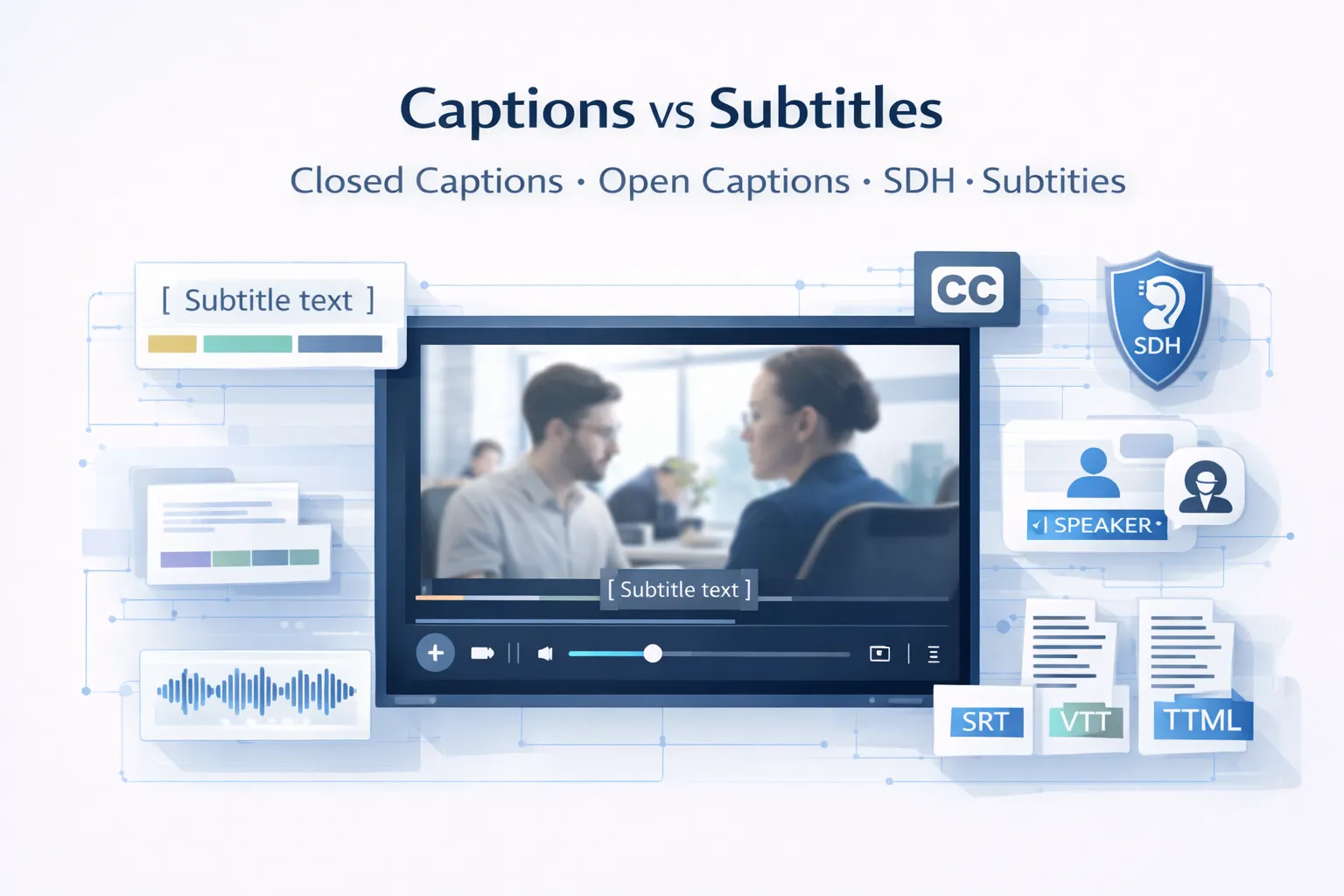
Captions and subtitles are both on-screen text formats used in video, but they serve different audiences and purposes. Subtitles translate dialogue for viewers who can hear the audio but do not understand the language.
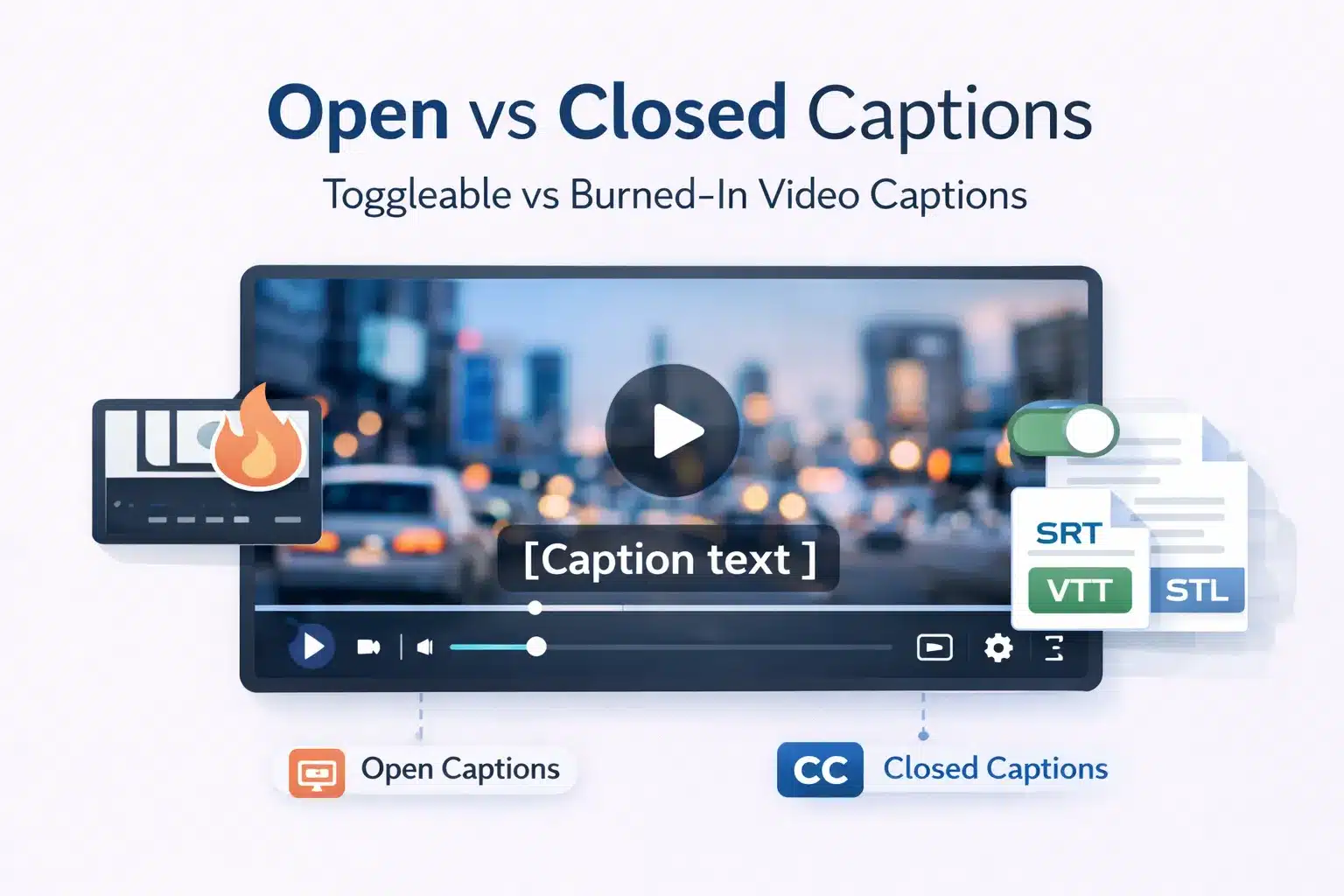
Captions transcribe all audio content, including dialogue, sound effects, music cues, and speaker identification, for viewers who cannot hear the audio. Closed captions can be turned on or off, while open captions are permanently embedded in the video.
The terms captions and subtitles are often used interchangeably by video platforms, editing software, and content teams. In practice,
they are technically different formats and sometimes legally different under accessibility standards such as WCAG 2.1, ADA requirements in the United States, and the European Accessibility Act. Ordering subtitles when closed captions are required can result in a non-compliant deliverable even if the translation itself is correct.
This guide explains the main types of timed text used in video production, including subtitles, closed captions, open captions, SDH, and intralingual subtitles. It also compares file formats such as SRT and VTT and provides a decision framework to help content teams choose the correct format for accessibility, localisation, and platform delivery.
What Are Subtitles? Definition, Purpose, and the Two Types You Need to Know
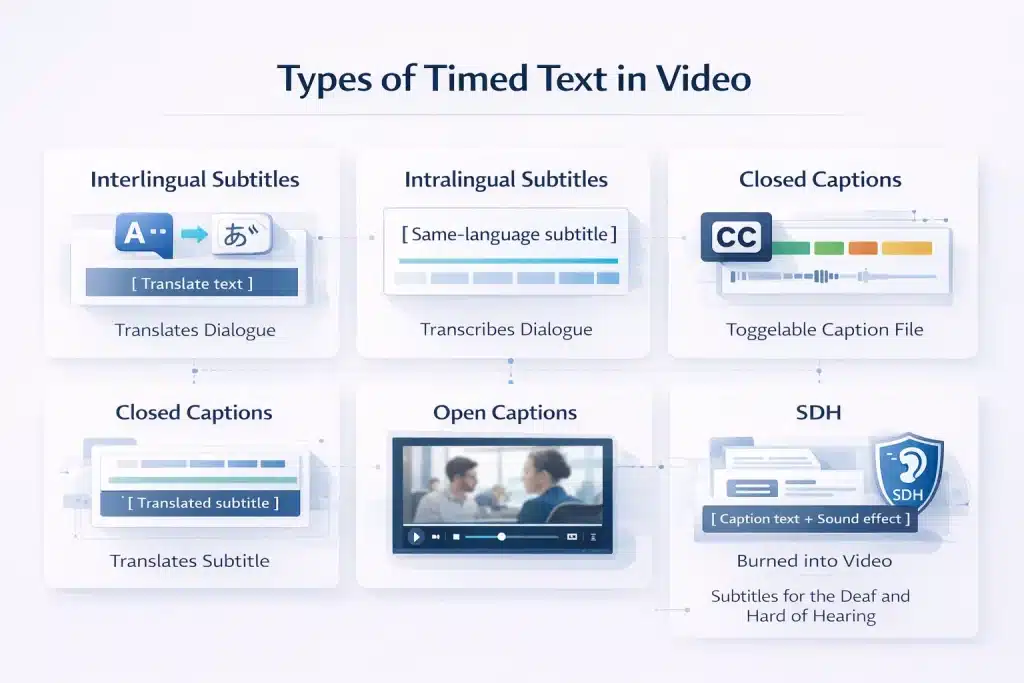
Subtitles are timed text overlays that translate spoken dialogue in a video. They assume the viewer can hear the audio but does not understand the language being spoken. Subtitles provide language access, while captions provide accessibility for viewers who cannot hear the audio.
Interlingual Subtitles: Translating Dialogue Across Languages for Global Audiences
Interlingual subtitles translate spoken dialogue from one language into another. This is the most common form of subtitling used in film, streaming platforms, corporate video, and eLearning.
The translator receives the final video or transcript and translates the dialogue into the target language. The text is condensed to meet reading speed limits, usually around 12 to 17 characters per second, and line length limits of about 35 to 42 characters.
A spotter then adds time codes so each subtitle appears in sync with the video. The final file is delivered in formats such as SRT, VTT, or DFXP.
Interlingual subtitles include dialogue only. They do not include sound effects, music cues, speaker identification, or other non-speech audio. Because of this, they are not designed for deaf or hard-of-hearing viewers.
Common use cases include foreign language films and TV, streaming platform localisation, corporate videos for international teams, eLearning courses translated for global learners, documentaries, and YouTube content for international audiences.
Intralingual Subtitles: Same Language Transcription and Where It Fits in Content Strategy
Intralingual subtitles display dialogue in the same language as the audio. They are not a translation service but a timed transcription of spoken dialogue.
They are widely used for videos watched without sound, especially on social media, where silent autoplay is common. They also help viewers follow content with fast speakers, strong accents, or technical terminology.
Intralingual subtitle files can also be reused as transcripts for blog posts, summaries, show notes, or training materials. Platforms such as YouTube index subtitle text, which can improve search visibility.
Although intralingual subtitles look similar to captions on screen, they contain dialogue only. Closed captions also include speaker identification, sound effects, and music cues. For accessibility compliance under WCAG 2.1 AA or ADA requirements, captions are required.
SDH — Subtitles for Deaf and Hard of Hearing: When the Name Says Subtitles but the Function Is Captions
SDH, or Subtitles for the Deaf and Hard of Hearing, is an accessibility subtitle format used on physical media and some streaming platforms such as Netflix and Amazon Prime. Despite the name, SDH functions like closed captions.
SDH includes dialogue, speaker identification, and meaningful non-speech audio cues such as sound effects and music. This allows deaf and hard-of-hearing viewers to understand both the dialogue and the audio context.
The format exists because some distribution systems store subtitles and captions differently. DVDs and Blu-ray discs use image-based subtitle formats such as VobSub or PGS instead of text-based caption files.
In practice, request SDH for Blu-ray, DVD, or certain OTT platform specifications. Request standard closed captions for broadcast television, web video, and accessibility compliance on platforms such as YouTube, Vimeo, or LMS systems.
What Are Captions? Closed Captions, Open Captions, and the Accessibility Function They Serve
Captions transcribe all audio content in a video, not just dialogue. They include sound effects, music cues, and speaker identification so viewers who cannot hear the audio can understand the full context.
Unlike subtitles, captions are designed for accessibility rather than language translation.
Closed Captions (CC): How They Work, Technical Standards, and Why They Are Toggleable
Closed captions (CC) are text-based caption files that viewers can turn on or off. This toggle function is why they are called “closed.” They were introduced for broadcast television in the United States and later mandated under accessibility laws such as the Americans with Disabilities Act.
Closed captions include dialogue and meaningful non-speech audio, so viewers who cannot hear the audio receive the same information as hearing viewers.
Typical caption elements include dialogue, speaker identification, sound effects, music cues, background audio, and tone indicators such as whispering or shouting.
Closed captions are delivered using several technical standards depending on the platform.
| Standard | Use case | Notes |
| CEA-608 | Legacy analogue broadcast TV | White text on a black box, limited styling |
| CEA-708 | Digital broadcast TV | Supports styling, positioning, and multiple caption streams |
| WebVTT | Web video and HTML5 players | Supports positioning and styling for online video |
| SRT | General online video | Widely supported but limited styling |
Always specify the delivery platform before commissioning captions. Broadcast television requires CEA-608 or CEA-708, while most web platforms use SRT or WebVTT.
Open Captions vs Closed Captions: When Burned-In Text Is the Right Choice
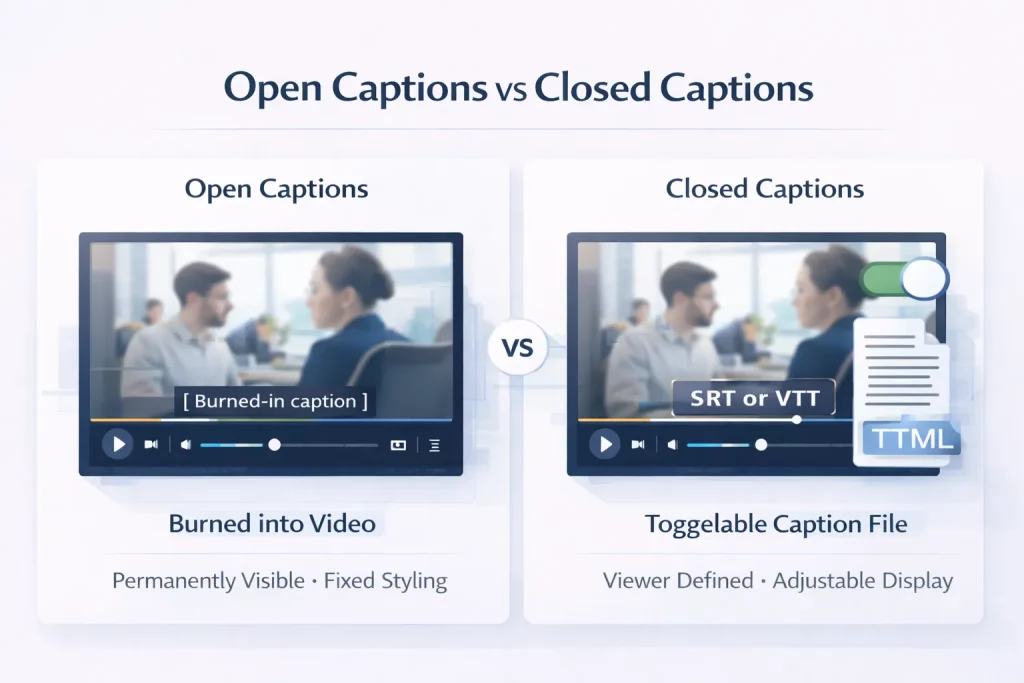
Open captions are captions permanently embedded in the video frame. They cannot be turned off by the viewer. Closed captions are delivered as a separate file that viewers can toggle on or off.
| Feature | Open Captions | Closed Captions |
| Viewer toggleable | No — always visible | Yes — viewer choice |
| Styling control | Creator defined (font, size, colour, position) | Platform or viewer defined |
| Production workflow | Rendered into video during export | Separate SRT or VTT file |
| Best use cases | Social media, events, theatres | Streaming platforms, broadcast, LMS |
| File format | Embedded in video | SRT, VTT, DFXP, CEA-608, CEA-708 |
| Accessibility compliance | Meets WCAG if complete | Meets WCAG and allows viewer customisation |
| Editing | Requires video re-render | Edit caption file only |
Open captions are common on social media because videos autoplay without sound. Burning captions into the video ensures viewers can read the dialogue immediately without enabling captions manually.
For accessibility compliance on websites and learning platforms, closed captions are usually preferred because viewers can customise caption display, such as font size, colour, and contrast.
Read out the detailed comparison of closed captions vs open captions.
Caption Quality Standards: Verbatim vs Edited Captions
Caption quality depends on the use case. The two main approaches are verbatim captions and edited captions.
| Caption type | Description | Typical use cases |
| Verbatim captions | Transcribe every spoken word, including filler words and repetitions | Legal proceedings, regulatory submissions |
| Edited captions | Remove filler words and improve readability while preserving meaning | Broadcast, streaming platforms, accessibility compliance |
Reading speed is also an important captioning standard.
| Guideline | Reading speed | Context |
| BBC subtitling guideline | 160–180 words per minute | Broadcast content |
| Netflix standard | ~17 characters per second | Streaming platforms |
| Corporate / eLearning | 150–160 words per minute | Corporate training and learning content |
Accessibility standards such as WCAG 2.1 require captions to be accurate, synchronised with the audio, and complete. All dialogue and meaningful non-speech audio must be included.
Captions vs Subtitles: A Direct Comparison Across Every Dimension That Matters
For most content teams, the real question is not the definition but the practical choice. Which format should be ordered for a specific project, platform, or audience?
The comparison below shows the differences across audience, purpose, content, formats, compliance, and cost.
| Dimension | Subtitles (interlingual) | Closed Captions | Open Captions | SDH |
| Primary audience | Hearing viewers who do not understand the source language | Deaf and hard-of-hearing viewers | Deaf and hearing viewers in silent autoplay environments | Deaf and hard-of-hearing viewers on physical or OTT media |
| Primary purpose | Language translation | Accessibility | Social media and venue accessibility | Accessibility for physical media and OTT |
| Includes dialogue | Yes | Yes | Yes | Yes |
| Includes sound effects | No | Yes | Yes | Yes |
| Includes music cues | No | Yes | Yes | Yes |
| Includes speaker identification | Usually no | Yes | Yes | Yes |
| Toggleable by the viewer | Platform dependent | Yes | No, burned into video | Platform dependent |
| Typical file format | SRT, VTT, DFXP | SRT, VTT, CEA-608, CEA-708 | Embedded in video | VTT, SRT, PGS (Blu-ray) |
| Compliance use | Language access | ADA, WCAG, Section 508, EAA | WCAG if complete | ADA and WCAG for physical or OTT delivery |
| Typical cost driver | Per word translation | Per-minute captioning | Per minute plus render time | Per minute plus SDH cues |
The Audience Distinction: Who Subtitles Are For vs Who Captions Are For
The core difference between subtitles and captions is the audience they are designed for.
Subtitles assume the viewer can hear the audio but does not understand the language being spoken. They translate dialogue so the viewer can follow the content. Sound effects, music, and other audio cues are normally excluded because the viewer can already hear them.
Captions assume the viewer cannot hear the audio or is watching without sound. They replace the entire audio layer with text, including dialogue, speaker identification, sound effects, and music descriptions.
Confusion arises because terminology differs across regions and platforms. In the UK, the term subtitles is often used for accessibility captions. Some platforms also mix terminology.
For example, YouTube labels caption uploads as subtitles, while Netflix labels accessibility tracks as SDH. Many hearing viewers also use captions for clarity or convenience. Netflix reported that about 40 percent of viewers watch with captions enabled.
A simple rule helps avoid mistakes. If the video is in the same language as the audience, use closed captions. If the audience speaks a different language, use subtitles. If both needs exist, provide both.
UK vs US Terminology: Why Subtitles in Britain Often Mean Captions
A major source of confusion comes from regional terminology differences.
In the United States, subtitles and captions are separate concepts. Subtitles refer to translated dialogue for foreign language content. Closed captions refer to accessibility text that includes dialogue plus non-speech audio. Accessibility regulations such as ADA and Section 508 specifically require captions.
In the United Kingdom and Australia, the term subtitles is often used for both functions. For example, the BBC labels its accessibility text as subtitles even when it includes sound effect descriptions. Ofcom broadcast regulations require subtitles that are functionally equivalent to US closed captions.
For organisations commissioning captioning work, the key is to specify the content of the deliverable rather than relying on the label. If accessibility is required, confirm that the file includes speaker identification and non-speech audio cues.
File Format Guide: SRT vs VTT vs CEA-608 vs CEA-708
Caption and subtitle delivery formats vary depending on platform and distribution channel. The most common formats are SRT and VTT for online video, while broadcast and physical media use different standards.
SRT is the most widely supported format. It is a simple text file with time codes and subtitle blocks and works across most online video platforms.
WebVTT is the HTML5 standard for web video and allows additional styling such as positioning or colour. XML-based formats such as DFXP or TTML are used in some enterprise media workflows. Broadcast television uses CEA-608 or CEA-708 standards, while Blu-ray and DVD use image-based subtitle formats.
| Platform | Required or preferred format | Notes |
| YouTube | SRT or VTT | Both supported, VTT allows styling |
| Vimeo | SRT or VTT | Both formats supported |
| Netflix | TTML or VTT | Must follow Netflix timed text specifications |
| Amazon Prime Video | DFXP or TTML | Platform-specific specification |
| SRT | SRT only | |
| LMS platforms (Moodle, Docebo) | VTT | HTML5 standard preferred |
| iOS / Apple TV | VTT | Used for HLS streaming |
| Broadcast US | CEA-608 or CEA-708 | Broadcast caption standard |
| Blu-ray | PGS | Image-based subtitle format |
| DVD | VobSub | Image-based subtitle format |
Captions for Compliance: ADA Title II, WCAG 2.1, Section 508, and the European Accessibility Act (EAA)
Captioning for accessibility is a legal requirement for many organisations publishing video content. Several regulatory frameworks govern when captions are required and what technical standards they must meet. Producing accurate text alone is not enough. If captions do not meet the required standards, the video may still be non-compliant.
| Standard | Scope | Caption requirement | Deadline/status | Technical reference |
| ADA Title II | US state and local government entities | Captions are required for all videos with audio | April 2026–2027 implementation | WCAG 2.1 AA |
| Section 508 | US federal agencies and federally funded programmes | Captions required for all pre-recorded videos with audio | Already in force | WCAG 2.0 AA |
| WCAG 2.1 AA | Global web accessibility standard | Captions required for prerecorded and live video | Adopted by many laws worldwide | WCAG technical standard |
| European Accessibility Act | Businesses operating in the EU | Captions required for digital services, including video | June 28, 2025 | EN 301 549 referencing WCAG 2.1 AA |
ADA Title II and Section 508: What US Organisations Must Caption and By When
In April 2024, the US Department of Justice issued updated ADA Title II regulations covering digital accessibility. These rules require state and local government entities to ensure web content and mobile applications meet WCAG 2.1 Level AA standards. For video, this means captions are required for both prerecorded and live audio content.
Pre-recorded videos must include closed captions that are accurate, synchronised with the audio, and complete. Live video events must provide captions through live captioning or CART services.
The compliance timeline depends on the organisation’s size. Entities serving populations above 50,000 must comply by April 2026, while smaller organisations must comply by April 2027.
Section 508 applies to US federal agencies and federally funded programmes. It requires captions on all prerecorded audio or video content created or distributed by federal organisations.
The regulation references WCAG 2.0 Level AA, but the practical captioning requirements remain the same.
Failure to comply with accessibility laws can lead to enforcement actions, legal complaints, and financial penalties.
WCAG 2.1 AA: The Technical Caption Standard That Governs Web Video Globally
WCAG 2.1 Level AA is the technical accessibility standard referenced by most modern accessibility laws worldwide. This includes ADA Title II in the United States, Section 508 updates, the European Accessibility Act, and accessibility regulations in the UK and other countries.
For video content, WCAG defines several caption-related requirements.
| WCAG success criterion | Requirement |
| SC 1.2.2 Captions (Prerecorded) | All prerecorded videos with audio must include synchronised captions |
| SC 1.2.4 Captions (Live) | Live video with audio must include real-time captions |
| SC 1.2.3 Audio Description | Alternative for visual-only content |
To meet WCAG standards, captions must follow several quality requirements.
| Requirement | Explanation |
| Accurate | Captions must reflect spoken words and meaningful audio |
| Synchronised | Caption timing must match the audio track |
| Complete | All dialogue and meaningful sound must be included |
| Accessible | Text must be readable and correctly positioned |
Closed captions are the format typically used to meet these requirements. Dialogue-only subtitles or transcripts do not meet WCAG caption requirements.
The European Accessibility Act (EAA): What Changes for EU Businesses Publishing Video
The European Accessibility Act came into force on June 28, 2025. It requires businesses operating in the European Union to ensure digital services are accessible, including video distributed through websites, applications, and digital platforms.
The regulation references EN 301 549, which incorporates WCAG 2.1 Level AA as the technical accessibility standard.
For video content, this means captions are required for prerecorded and live audio content. The rules apply to companies offering digital services to EU consumers, including e-commerce platforms, streaming services, software platforms, and e-learning providers.
| Requirement area | EAA rule |
| Scope | Digital services offered to EU consumers |
| Video requirement | Captions for prerecorded and live video |
| Technical standard | EN 301 549 referencing WCAG 2.1 AA |
| Enforcement | National accessibility authorities |
| Effective date | June 28, 2025 |
For organisations distributing video globally, the practical rule is simple. If your audience includes US or EU users, videos must include closed captions that meet WCAG 2.1 AA requirements. Subtitles alone do not satisfy accessibility compliance.
Which One Do You Actually Need? A Decision Framework for Content Teams, Agencies, and Course Creators
The choice between captions and subtitles depends on three factors: the language your audience speaks, whether accessibility compliance applies, and where the video will be published. The matrix below helps content teams choose the correct format quickly.
| Scenario | What you need | Format | Notes |
| English video → English audience (compliance required) | Closed captions (CC) with SDH elements | SRT or VTT | WCAG 2.1 AA, ADA, Section 508 |
| English video → English audience (social media) | Open captions | Burned into video | Pre-burn before upload |
| English video → French audience | Interlingual subtitles (French) | SRT or VTT | Translation required |
| English video → French audience + accessibility | Subtitles (French) + CC (English) | Two separate files | Covers language and accessibility |
| Foreign film → English audience | Interlingual subtitles (English) | SRT or VTT | SDH optional |
| eLearning course → global learners | Subtitles per language + CC in source language | Multiple SRT/VTT files | One file per language |
| Blu-ray or DVD release | SDH | PGS or VobSub | Physical media formats |
| Netflix original | SDH or timed text to Netflix spec | TTML | Must follow Netflix template |
| Live webinar or event (US compliance) | Real-time captions (CART) | Caption stream | WCAG 2.1 SC 1.2.4 |
| Corporate training video (US or EU) | CC (English) + subtitles per language | SRT or VTT | Compliance plus language access |
For eLearning and Corporate Video: Why You Almost Always Need Both Captions and Subtitles
For most corporate and eLearning video projects, the answer is both captions and subtitles. They solve two different problems.
Closed captions provide accessibility for deaf and hard-of-hearing viewers and are required for WCAG 2.1 AA compliance under regulations such as ADA Title II, Section 508, and the European Accessibility Act. They should exist in the source language for every video.
Interlingual subtitles provide language access. They are required when learners or employees speak a different language from the source audio.
These cannot be combined. A translated subtitle file contains dialogue only. It does not include sound effects, music cues, or speaker identification. A complete solution includes one closed caption track in the source language and one subtitle file for each target language.
For Social Media and Marketing Video: Open vs Closed Captions and the Silent Autoplay Reality
Most social media video is watched without sound. Platforms autoplay video silently, and many viewers never enable audio. This makes captions essential even when accessibility compliance is not the primary goal.
Open captions are commonly used for social media because they appear automatically without user interaction. They also allow full control over styling, branding, and placement.
Closed captions still play an important role. Platforms like YouTube and LinkedIn support SRT caption files, which improve accessibility and allow viewers to toggle captions on or off.
A common approach is to produce one caption file, then use it in two ways.
| Output | Use case |
| Closed captions (SRT or VTT) | Platform upload and accessibility |
| Open captions (burned into video) | Social media distribution |
This ensures accessibility while maintaining visual control for social media content.
For Film and Entertainment Distribution: SDH, Territory Requirements, and Platform Specifications
Film distribution requires careful planning because caption and subtitle requirements vary by territory and platform.
Different countries require different accessibility standards, and major streaming platforms use their own timed text specifications.
| Territory | Typical requirement |
| United States theatrical or OTT | English closed captions plus subtitle tracks |
| United Kingdom broadcast | Subtitles meeting Ofcom accessibility standards |
| EU streaming platforms | Source language captions plus local language subtitles |
| International co-productions | Territory-specific caption requirements |
Platform specifications also vary.
| Platform | Required format |
| Netflix | Netflix Timed Text (TTML) |
| Amazon Prime Video | DFXP or TTML |
| Apple TV+ | WebVTT |
| Disney+ | TTML |
| Blu-ray | PGS subtitle format |
Before commissioning captioning or subtitle work, confirm the platform specification with the distributor. Standard SRT files are widely supported online, but they are not accepted for all professional distribution environments.
Commission Subtitles, Closed Captions, or SDH — Professional Quality in 120+ Languages
Circle Translations delivers professional subtitle translation, closed captioning, SDH, and open captioning for film, eLearning, corporate video, and social media content in more than 120 languages.
Every captioning and subtitling project includes
✓ Interlingual subtitles in any target language delivered in SRT, VTT, DFXP, or burned-in formats
✓ Closed captions with speaker identification and non-speech audio cues compliant with WCAG 2.1 AA
✓ SDH formatting for OTT platforms and physical media delivery
✓ Spotting template workflow for multi-language projects to reduce cost
✓ Platform-ready files for YouTube, Vimeo, LMS platforms, Netflix, broadcast, and Blu-ray
✓ NDA and GDPR data processing agreement signed before file transfer
✓ QA checks for reading speed, character limits, and timing accuracy
Submit your video for a free, itemised subtitle or captioning quote.
Get a Free Subtitling or Captioning Quote → View Our Subtitle Translation Services →
Captions vs Subtitles — Frequently Asked Questions
Is closed captioning the same as subtitles?
No. Subtitles translate spoken dialogue for viewers who can hear the audio but do not understand the language. Closed captions transcribe all meaningful audio, including dialogue, sound effects, music cues, and speaker identification, for viewers who cannot hear the audio. For accessibility compliance, closed captions are required. Subtitles alone are not sufficient.
Is closed captioning the same as subtitles?
No. Subtitles translate spoken dialogue for viewers who can hear the audio but do not understand the language. Closed captions transcribe all meaningful audio, including dialogue, sound effects, music cues, and speaker identification, for viewers who cannot hear the audio. For accessibility compliance, closed captions are required. Subtitles alone are not sufficient.
Why do some platforms show CC and subtitles as the same option?
Most video platforms use the same timed text system for both captions and subtitles, so they appear in the same menu. The difference is in the content of the file. Subtitle files contain dialogue only. Closed caption files also include sound effects, music cues, and speaker identification.
What is the most common subtitle format — SRT or VTT?
SRT is the most widely supported subtitle format for online video. It works on YouTube, Vimeo, LinkedIn, most LMS platforms, and many media players. VTT is the HTML5 standard and supports styling options, but SRT remains the safest default when broad compatibility is required.
What is the difference between transcription, captions, and subtitles?
Transcription converts spoken audio into written text without timing. Captions are timed text overlays that include dialogue and meaningful audio for accessibility. Subtitles are timed text overlays that translate dialogue for viewers who do not understand the spoken language.
Why do many hearing viewers watch videos with captions on?
Many hearing viewers use captions to improve comprehension. Captions help with fast speech, strong accents, and technical terminology. They are also useful when watching a video in noisy environments or with the sound muted.
What does it cost to add captions or subtitles to a video professionally?
Professional captioning usually costs about €3 to €8 per finished minute of video. Subtitle translation typically costs about €5 to €12 per minute per language for common language pairs. SDH formatting may add a small additional cost because it includes extra sound cues.
Is it illegal not to have captions on video content?
In some cases, yes. Laws such as ADA Title II in the US and the European Accessibility Act require captions for certain video content. These regulations typically reference WCAG accessibility standards, which require captions for video with audio.
What is a person who writes subtitles or captions professionally called?
A professional who creates subtitles is usually called a subtitler or subtitle translator. A professional who creates captions is called a captioner. In the media localisation industry, both roles are often described as audiovisual translators or timed text specialists.
Can AI automatically generate accurate subtitles and captions?
AI speech recognition can generate basic captions quickly, but errors are common. Proper names, technical terms, accents, and overlapping speech often require correction. For accessibility compliance, captions generated by AI must be reviewed and edited by a human.