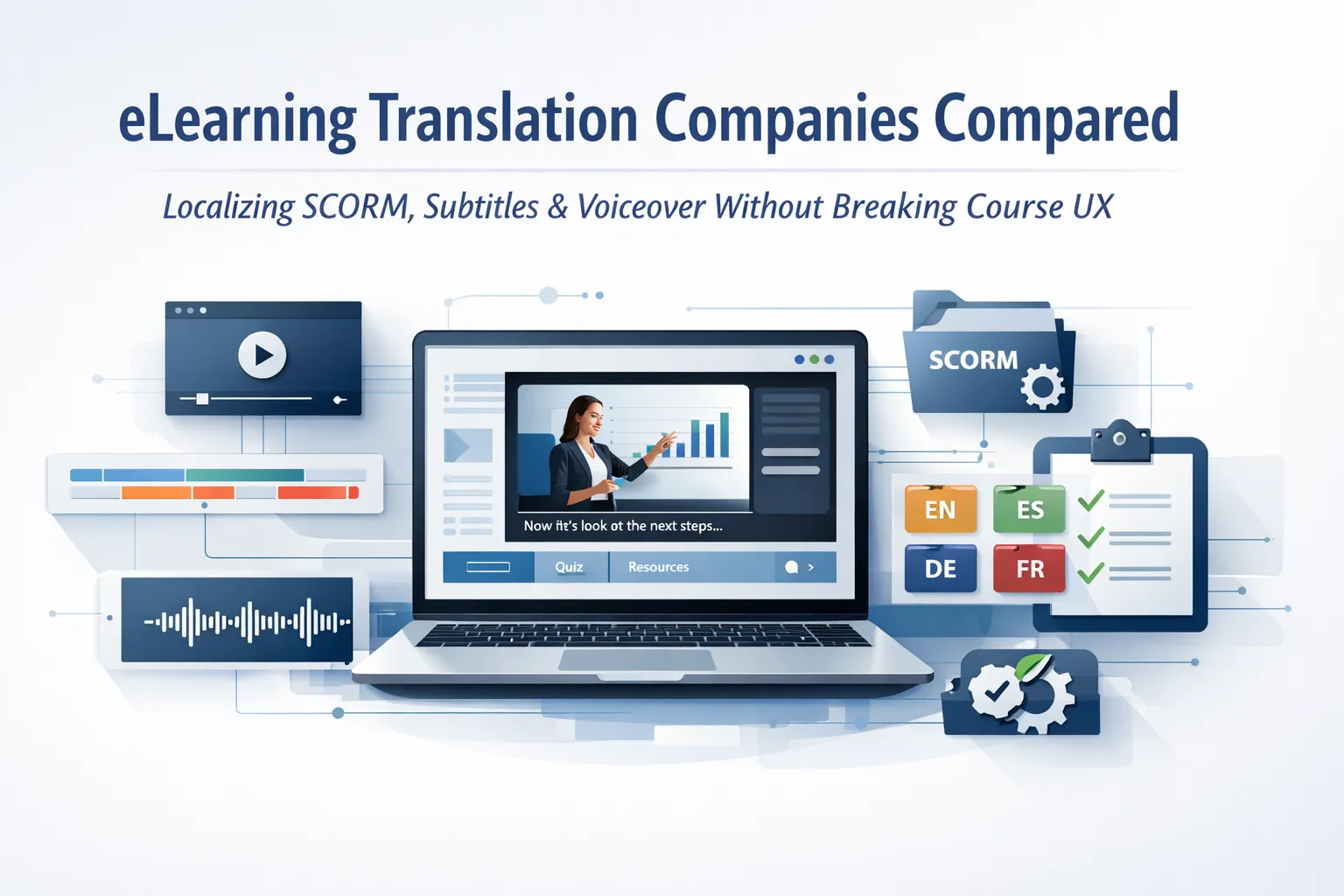
eLearning translation converts online training courses into other languages while preserving SCORM/xAPI tracking, voiceover timing, subtitle synchronisation, interactive elements, and LMS functionality. A qualified eLearning translation company ensures the translated course runs correctly in the LMS and maintains the same learner experience as the original.
Many L&D teams only discover the complexity of eLearning localization after delivery issues appear — SCORM completion triggers fail, narration falls out of sync with animations, or translated text overflows interface layouts.
This guide compares 7 eLearning translation companies, explains the workflow for SCORM, subtitles, and voiceover localization, and provides a clear framework for evaluating vendors before launching a multilingual training programme.
eLearning Translation vs localization: Why the Difference Determines Vendor Choice
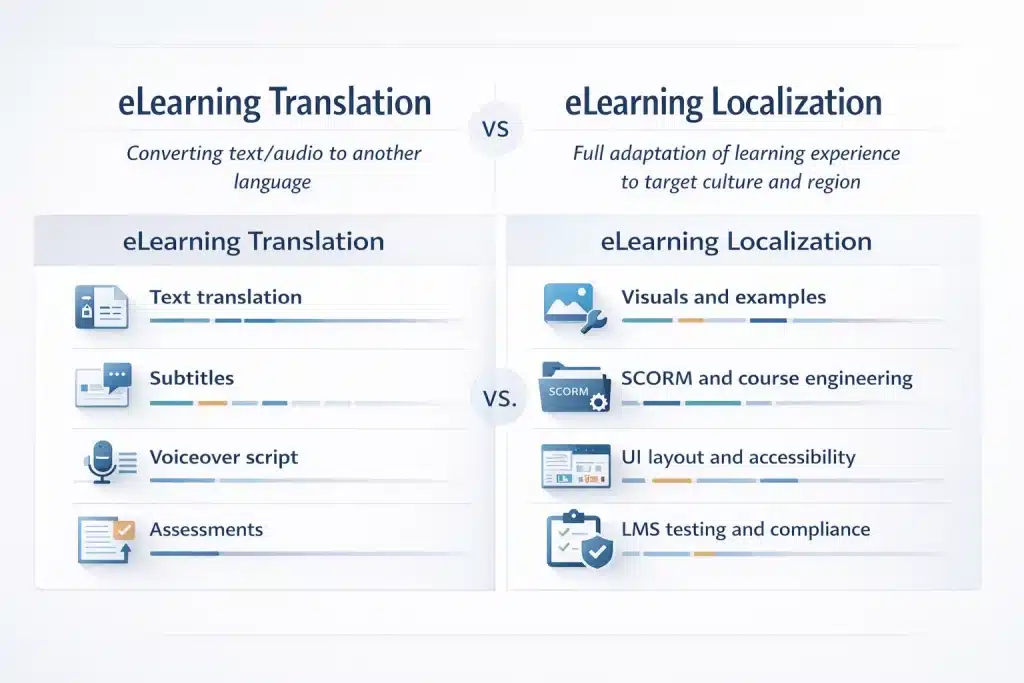
Buyers often use translation and localization interchangeably. That confusion creates scope gaps, under-budgeted projects, and courses that translate the text but fail the learner experience. The distinction determines which vendor capability you need and what your RFQ must specify before starting a multilingual eLearning rollout.
As Bert Esselink (2000) explains in A Practical Guide to Localization, “localizationinvolves more than translation; it includes adapting products or content to the linguistic, cultural, and technical requirements of a target market,” highlighting that localization addresses broader user experience and contextual adaptation beyond simply translating words.
| Dimension | eLearning Translation | eLearning localization |
| Definition | Converting text/audio to another language | Full adaptation of learning experience to target culture and region |
| Scope | Text, voiceover script, subtitles, quiz questions | All translation scope + visuals, examples, date/measurement formats, cultural references, UI layout |
| Cultural adaptation | Minimal — linguistic accuracy only | Full — includes replacing culturally inappropriate examples, imagery, gestures, idioms |
| Technical scope | SCORM text replacement + audio | SCORM engineering + multimedia + DTP + LMS testing + accessibility |
| Best for | Tight timelines, lower-stakes internal content | Customer-facing, compliance, regulated, or complex multilingual programmes |
| Cost | Lower | Higher — reflects additional cultural and engineering work |
| Risk if underspecified | Technically accurate but culturally wrong | N/A — localization covers both |
What eLearning Translation Actually Covers: Text, Audio, Assessments, and SCORM Files

eLearning translation includes multiple coordinated deliverables that must all work correctly for the translated course to function in an LMS. The text layer includes course scripts, slide copy, navigation labels such as Next, Back, Submit, glossary terms, alt text, and assessment questions with feedback messages. The audio layer includes translated voiceover scripts and recordings with timing adjustments for animations.
The subtitle layer includes SRT or VTT files synchronised to the localised narration rather than the original audio. The assessment layer covers quizzes, branching scenarios, and scoring messages.
The technical layer preserves SCORM structure, metadata, triggers, completion logic, and LMS reporting strings. Cultural adaptation, visual replacement, and layout redesign for language expansion require additional localization scope.
Specify each deliverable explicitly in the RFQ. Generic requests such as “translate the course” frequently create scope gaps and costly rework.
When Full localization Is Required: Compliance Training, Cultural Visuals, and Regulated Industries
Some eLearning programmes require full localization because translation alone creates compliance or usability risks. Compliance training must reference the correct jurisdictional standards—OSHA in the United States, HSE in the UK, or regional equivalents. Using the wrong regulatory reference invalidates the course. Cultural visuals also require adaptation when imagery, gestures, colours, or workplace scenarios carry different meanings across regions.
As Keiran J. Dunne (2006) explains in Perspectives on Localization, “localizationadapts products or content not only linguistically but also culturally and technically to ensure they function appropriately in the target environment,” highlighting that effective localization must address regulatory context and cultural expectations in addition to language.
A thumbs-up symbol acceptable in North America can be offensive in parts of the Middle East. Highly regulated industries such as medical devices, pharmaceuticals, and aviation require localization because visual examples and terminology must align with regulatory documentation.
Decision rule for L&D buyers: if the course will be viewed by regulators, customers, or external learners, choose localization rather than translation-only.
SCORM, xAPI, and Authoring Tool Compatibility: The Technical Requirements That Break Most Translations
Most failures in eLearning translation projects occur at the technical layer rather than the linguistic layer. Text can pass linguistic QA but still break SCORM tracking, desynchronise animations, or fail LMS import. Understanding authoring tool compatibility, SCORM packaging, and LMS testing requirements before selecting a vendor prevents the most expensive form of rework.
How to Translate SCORM Files: The Technical Workflow from Extraction to Repackaging
Translating SCORM courses requires a structured engineering workflow rather than simple text replacement.
Step 1: Extract
Export translatable content from the authoring tool, such as Articulate Storyline, Rise 360, Adobe Captivate, or Lectora. Professional workflows use XLIFF export where available; some tools require XML or proprietary extraction. Extraction must include UI labels, triggers, variables, quiz strings, and navigation text — not only slide copy.
Step 2: Translate
Translate the extracted XLIFF or XML in CAT tools using translation memory (TM) and terminology glossaries. Linguists with subject-matter expertise review terminology for regulated domains such as compliance, finance, or healthcare. All tags and formatting markers must remain intact because tag errors prevent correct reassembly.
Step 3: Rebuild
Reimport the translated files into the original authoring tool while preserving interactions, branching logic, trigger events, and scoring variables. For SCORM 2004, confirm that completion states map correctly because some tool versions distinguish between completed and satisfied/passed conditions.
Step 4: Package
Publish the translated module using the same SCORM version as the source course. Switching from SCORM 1.2 to SCORM 2004 during translation alters the package structure and LMS reporting logic. For xAPI (Tin Can) modules, verify that the Activity ID and registration settings remain intact.
Step 5: Test
Run full functional QA inside the target LMS. Verify that triggers fire correctly, audio synchronises with animations, completion and scoring report correctly, translated strings display properly, and accessibility standards remain intact.
Buyer note: Vendors that skip LMS testing often deliver courses that pass review but fail during deployment. Specify LMS testing as a mandatory contract deliverable, not an optional add-on.
Articulate Storyline and Rise 360 Translation: Specific Requirements and Common Failure Points
Articulate Storyline 360 and Rise 360 are the most widely used enterprise authoring tools, but each has translation-specific requirements.
Storyline supports XLIFF 1.2 export, although not every CAT tool parses it cleanly. Slide layers must be extracted separately from base slides because layer text is often missed during generic extraction.
Variables and trigger labels also contain learner-visible strings that must be included in the translation scope.
Language expansion presents another risk: European languages frequently expand 20–35% compared with English, requiring manual layout adjustments in fixed Storyline text boxes. For right-to-left languages such as Arabic or Hebrew, Storyline templates typically require full RTL layout rebuilds.
Rise 360 exports clean XLIFF files, making extraction straightforward. Its block-based layout tolerates language expansion better than fixed layouts. However, embedded videos still require separate subtitle workflows, and quiz blocks require translation of feedback and result page text.
A common failure in both tools occurs when teams record voiceover before translation. The translated narration often differs in length, which breaks animation timing. Correct workflow: translate the script first, record voiceover second, and adjust animation timing afterward.
Adobe Captivate, Lectora, and iSpring Translation: Format-Specific Considerations
Beyond Articulate, several authoring tools appear frequently in enterprise training environments.
Adobe Captivate uses XML-based translation exports, although some newer versions support XLIFF. Responsive Fluid Box projects require testing across multiple screen breakpoints because translated text that fits desktop layouts can overflow on tablets. Captivate simulations also include screen-recorded elements where interface text is baked into images, requiring separate graphic localization.
Lectora offers strong XLIFF support and generally produces clean translation exports. However, it frequently uses variables for personalised content, so variable display strings must be included in the translation scope.
iSpring, built on PowerPoint, requires translation of the PPT source plus iSpring interface overlays. Audio replacement follows the same record-after-translation workflow used in Storyline projects.
General rule: request specific compatibility confirmation for your exact authoring tool version and export format before contracting a vendor. A generic claim that a provider “supports all tools” is insufficient.
LMS Compatibility Testing After Translation: What to Validate Before Handing Off to Learners
LMS testing is the final quality gate between a translated course and the learner. A SCORM package that appears correct during desktop review can fail after upload due to tracking, display, or accessibility errors.
Common issues include completion triggers not firing, truncated text caused by language expansion, and broken tab order for screen readers.
LMS Compatibility Testing Checklist
- ✓ Course launches and navigates correctly in the target LMS
- ✓ Completion status reports correctly (completed or passed)
- ✓ Score reports correctly to the LMS gradebook
- ✓ Audio synchronises with animations and triggers
- ✓ All interface strings appear in the target language
- ✓ No text truncation or overflow across slides or screens
- ✓ Branching logic follows correct decision paths
- ✓ RTL display works for languages such as Arabic, Hebrew, and Farsi
- ✓ Accessibility features function (captions, alt text, keyboard navigation)
- ✓ Responsive courses work correctly on mobile and tablet devices
Common LMS environments used in enterprise testing include Moodle, Docebo, SAP SuccessFactors, TalentLMS, Cornerstone, 360Learning, Litmos, and Absorb LMS. Confirm which platform the vendor will test against before starting the localization workflow.
Subtitles and Voiceover for eLearning: The Multimedia localization Layer That Determines Learner Engagement
Text translation covers the written layer of a course, but audio and video drive most learner engagement in modern eLearning modules. Studies of digital learning behaviour consistently show that 60–70% of engagement occurs through narration and video content.
This multimedia layer requires a specialised localization workflow. Poor subtitle timing, unnatural narration, or mismatched voice tone reduces comprehension and lowers course completion rates, even when the written translation is linguistically accurate.
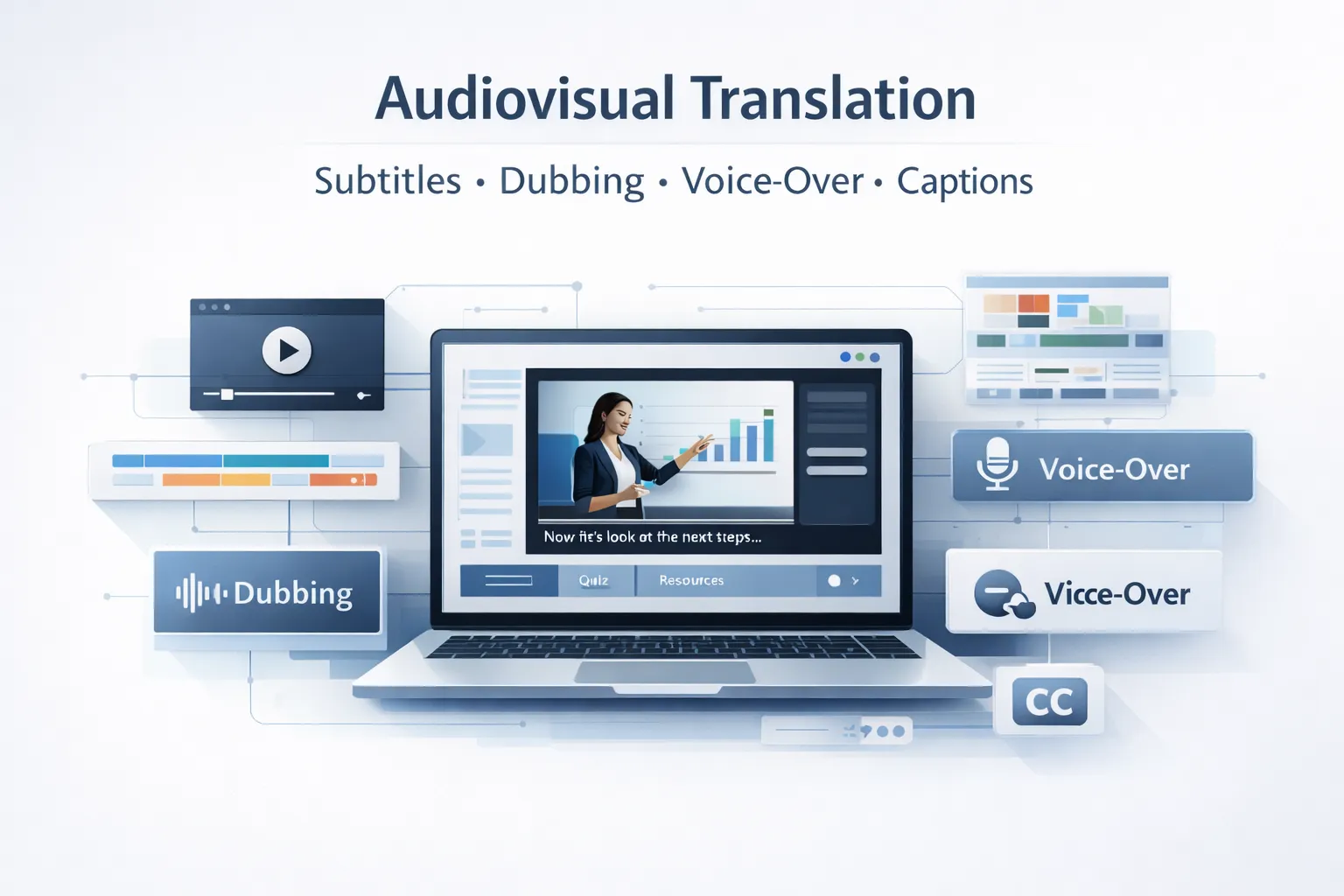
eLearning Subtitle Translation: SRT, VTT, Timing Sync, and Accessibility Compliance
Subtitle translation in eLearning follows stricter technical constraints than film subtitles because captions must align with course narration, on-screen text, and accessibility requirements.
Common subtitle formats include SRT (SubRip), which works across nearly all LMS platforms; VTT (WebVTT), commonly used for HTML5-based courses; and DFXP/TTML, which appears in some enterprise learning platforms and broadcast-derived training content.
Buyers must also specify whether captions are closed captions (toggleable) or open subtitles (burned into video).
The correct workflow begins by translating the narration script, followed by recording the localised voiceover. Subtitles are then timed to the localised narration rather than the original audio. Each subtitle line typically stays within 42 characters per line to ensure readability.
For accessibility compliance with Section 508 and WCAG 2.1 AA, captions must synchronise within ±2 seconds, identify speakers when multiple voices appear, and describe relevant non-speech sounds.
eLearning Voiceover: Human vs AI Voices, Tone Matching, and Script-to-Audio Timing Workflow

Voiceover quality strongly influences learner engagement because narration guides pacing, emphasis, and comprehension throughout the course. Many localization failures occur when voice quality, dialect choice, or timing adjustments receive insufficient attention during production.
| Voice type | Quality | Engagement | Compliance fit | Cost | Turnaround |
| Human voice actor (professional, native) | Highest | Highest | Full — court/healthcare/regulatory | Highest | 3–5 days per language |
| Human voice actor (non-native with accent) | Medium | Medium | Acceptable for internal content | Medium | 3–5 days |
| AI TTS (neural, high-quality) | Good for general | Moderate | Limited — verify regulatory requirements | Lowest | Same day |
| AI voice clone (approved) | Good | Good (recognisable voice) | Emerging — legal checks required | Low | Same day |
Professional eLearning voiceover requires several production controls. The narrator’s tone must match the instructional style of the source course, whether authoritative, conversational, or supportive. Gender and dialect must be specified clearly—for example Latin American Spanish vs Castilian Spanish or Brazilian vs European Portuguese.
Translated scripts should also undergo spoken readability review, ensuring phrasing flows naturally when spoken aloud. Recording should occur only after the script is finalised, with 5–10% timing buffer added to animation timelines.
Animations triggered by audio timestamps must be re-timed after recording in each language. No authoring tool performs this automatically, so vendors must include this engineering step within the localization scope.
On-Screen Text in Videos: Extracting, Translating, and Replacing Baked-In Graphics
Text embedded directly inside video files, such as kinetic typography, animated titles, or screen-recording callouts, requires a separate localization workflow because subtitles cannot replace it. Instead, designers must access the original video project files used to create the animation.
Typical source formats include Adobe After Effects (.aep), Premiere Pro (.prproj), or Apple Motion projects. Designers extract text layers from these files, apply translations, and then re-render the video with identical fonts, animation timing, and layout. When source files are unavailable, and only a rendered MP4 exists, localization teams must mask the original text and rebuild the graphics manually.
For L&D teams, the key operational rule is simple: retain source files for every video asset created in a course. Rebuilding text overlays without source files typically costs 3–5× more than editing the original design file.
Retaining those assets significantly reduces long-term localization costs across global training programmes.
7 eLearning Translation Companies Compared: What Each Specialises In and Who They Suit
The eLearning translation market includes several types of providers: full-service multimedia localization agencies, SCORM engineering specialists, voiceover-focused studios, and general translation vendors that offer eLearning as an add-on service.
Selecting the right partner depends on your authoring tools, multimedia complexity, LMS environment, rollout scale, and budget constraints.
| Company | Speciality | Authoring tools | SCORM | Voiceover | LMS testing | Best for |
| Circle Translations | Full-service eLearning localization | Storyline, Rise, Captivate, Lectora, iSpring | Yes | Yes | Yes | End-to-end localization programmes |
| Milestone Localization | eLearning localization specialist | Articulate, Captivate, Moodle | Yes | Yes | Yes | Broad format support |
| Stepes | High-volume enterprise localization | Storyline, Rise, Captivate, Lectora | Yes | Yes | Yes | Large multilingual rollouts |
| Interpro | Authoring-tool-native localization | Storyline, Rise | Yes | Yes | Yes | Complex Storyline/Rise courses |
| SimulTrans | Multimedia localization with in-house audio | Storyline, Rise, Captivate | Yes | Yes | Yes | Voiceover-heavy courses |
| IKHYA | Multimedia localization vendor | Storyline, After Effects, Premiere | Yes | Yes | Yes | Courses with significant video/graphics |
| Morningside Group | Enterprise turnkey localization | Storyline, Lectora, Captivate | Yes | Yes | Yes | Large corporate training programmes |
Circle Translations — Full-Service eLearning localization with SCORM Engineering and Multimedia
Circle Translations is a B2B-focused translation agency providing end-to-end eLearning localization across 120+ languages. Its workflow covers the entire technical and multimedia stack required for global training programmes, including SCORM/xAPI engineering, subtitle synchronisation, voiceover production, and LMS compatibility testing.
For eLearning localization projects, the agency provides SCORM 1.2 and SCORM 2004 extraction, translation, rebuild, and LMS-tested repackaging. Supported authoring tools include Articulate Storyline 360, Rise 360, Adobe Captivate, Lectora, and iSpring.
Voiceover production uses native professional voice actors with dialect, tone, and gender matched to the source narration. Subtitle translation supports SRT and VTT formats synchronised to the localised audio.
The workflow also includes on-screen text replacement in After Effects or Premiere files, LMS testing against platforms such as Moodle, Docebo, and SAP SuccessFactors, and MQM/DQF-based linguistic QA with second-linguist review. Clients retain ownership of translation memory from the first project, enabling lower per-language costs for future course updates.
Best for: L&D teams and training providers running multi-language training programmes who need a single vendor covering text, audio, video, and SCORM engineering.
Milestone localization— eLearning Specialist with Broad Format Coverage
Milestone localizationoperates a dedicated eLearning localization practice covering multiple learning formats and LMS environments. The agency supports SCORM, AICC, xAPI, HTML5 modules, and PowerPoint-based training, and commonly works with Articulate and Adobe Captivate environments.
Their workflow includes content extraction, translation by native linguists with eLearning expertise, voiceover recording, subtitle translation, graphic localization, and LMS compatibility testing. Milestone positions its service as covering both translation and full localization, ensuring on-screen text, navigation elements, and functionality remain consistent across languages.
The company typically provides detailed project quotes following a technical scope assessment, which helps buyers align deliverables with the course architecture.
Best for: training teams that need wide authoring tool support and structured project management for multilingual course delivery.
Stepes — High-Volume eLearning Translation with Multimedia and LMS Integration
Stepes delivers enterprise-scale eLearning translation services across 100+ languages, supporting SCORM-compliant modules built in Articulate Storyline, Rise 360, Adobe Captivate, and Lectora. Their workflow includes voiceover recording with matched voice talent, subtitle synchronisation, and LMS integration testing.
The company emphasises technology-assisted workflows, including AI-supported TTS and automated localization pipelines designed to accelerate large multilingual deployments. Human linguists remain responsible for final review and terminology accuracy.
Best for: large organisations running high-volume training programmes where rapid multilingual rollout and scalable production pipelines are priorities.
Interpro Translation Solutions — Authoring Tool-Native eLearning localization
Interpro differentiates itself by localising directly inside authoring tools such as Storyline and Rise instead of relying exclusively on export-translate-reimport workflows. This approach reduces the risk of layout breakage and interaction errors during reassembly.
The agency supports SCORM 1.2 and SCORM 2004 (all editions), xAPI, AICC, and cmi5 formats. Their QA process includes linguistic review, functional testing, and visual layout validation. Interpro also supports simultaneous multi-language releases, which can accelerate global course launches.
Best for: L&D teams with complex Storyline or Rise courses where preserving design integrity during localization is a priority.
SimulTrans — Full Multimedia localization with In-House Audio Studio
SimulTrans provides eLearning localization with a strong emphasis on voiceover production and multimedia engineering. The company operates an in-house recording studio, allowing direct management of voice talent and recording quality.
Services include voiceover recording, subtitle integration, SCORM export, and LMS functional testing. Supported formats include SCORM, XLIFF, xAPI, SRT, and VTT, and the company works with production tools such as Premiere, Captivate, Storyline 360, and Rise 360.
SimulTrans reports over four decades of operations since 1984 and a 97% customer satisfaction rate.
Best for: eLearning programmes where professional voiceover quality and controlled studio production are primary priorities.
IKHYA — Specialist eLearning localization with All-Under-One-Roof Multimedia
IKHYA positions itself as an all-in-one eLearning localization provider, combining translation, audio production, and multimedia engineering within a single workflow.
Their services include native-speaker voiceover recording, subtitle synchronisation, on-screen text replacement in After Effects or Premiere, and graphic localization using Photoshop and Illustrator.
The agency often quotes a consolidated project rate rather than separate charges for translation, audio, and video work, simplifying procurement and budgeting for training teams.
Best for: organisations that prefer a single vendor responsible for all multimedia components under one contract and service-level agreement.
Morningside Group — Enterprise eLearning localization with Full Turnkey Delivery
Morningside delivers turnkey eLearning localization services, handling projects from source authoring format through to LMS-ready SCORM delivery. The company works with formats including Storyline, Lectora, Captivate, XML, and HTML5-based training modules.
Their localization teams combine linguists, DTP specialists, voiceover talent, and eLearning project managers to produce fully localised training packages ready for deployment. They also provide subject-matter expertise in technical industries such as engineering, finance, IT, and marketing.
Best for: enterprise L&D teams that require a fully managed localization workflow with a single point of accountability for delivery.
How to Evaluate an eLearning Translation Vendor: 6 Questions Every L&D Buyer Should Ask
Choosing an eLearning translation partner requires more than comparing per-word rates or company age. The right vendor proves capability within your authoring tools, SCORM version, LMS environment, and multimedia workflow. These six evaluation questions reveal technical gaps before signing a localization contract.
Can You Demonstrate SCORM Delivery in My Exact Authoring Tool Version and LMS?
This is the most important technical qualification question. A vendor that claims support for “Articulate Storyline” without confirming the specific version (Storyline 360, Storyline 3, or Storyline 2) and XLIFF compatibility is making a generic claim.
Request three things: (1) a translated file in the same format as your course, (2) confirmation that the vendor has delivered SCORM packages successfully in your LMS environment, and (3) their workflow for managing SCORM 1.2 vs SCORM 2004 packaging.
If the vendor states that the SCORM version “doesn’t matter,” treat that as a technical red flag.
Is LMS Functional Testing Included, or Is It a Chargeable Add-On?
LMS testing should be a mandatory deliverable, not an optional cost-saving item. A translated SCORM package that has not been tested in an LMS environment is incomplete and shifts risk to the client.
Ask three questions: (1) Is LMS testing included or billed separately? (2) Will testing occur inside the client’s LMS or only in a generic SCORM player? (3) What does testing cover, completion tracking, scoring logic, navigation flow, audio synchronisation, and display validation? Vendors that test only in a generic player are not performing full LMS compatibility testing.
Who Owns the Translation Memory, and How Is It Applied to Future Language Rollouts?
Translation memory (TM) ownership has a significant long-term cost impact. When a course is updated annually across multiple languages, a client-owned TM built from the first project can reduce translation costs by 30–50% by the second update cycle. If the vendor owns the TM, those savings remain with the agency.
Buyers should confirm three contract points: (1) TM ownership belongs to the client, (2) the TM can be exported if the vendor relationship changes, and (3) invoices clearly show discounted rates for TM matches rather than charging full price.
What Is Your Process for Voiceover Dialect, Tone Matching, and Audio Timing Adjustment?
Voiceover mistakes are immediately noticeable to learners and often undermine course credibility. Vendors should demonstrate a clear process covering three areas.
Dialect selection: confirm specific dialects such as Latin American vs Castilian Spanish or Brazilian vs European Portuguese and provide voice samples before recording. Tone matching: explain how voice actors receive instructions on narration style, pacing, and gender alignment with the source course.
Timing adjustment: clarify who updates animation trigger points after recording the translated narration and whether this step is included in the engineering workflow.
How Do You Handle Text Expansion and RTL Layout Without Breaking Course Design?
Language expansion affects course layout and must be addressed during localization. Many European languages expand 20–35% compared with English, while languages like German or Finnish create long compound words that exceed fixed-width UI elements.
Right-to-left languages such as Arabic, Hebrew, and Farsi also require full interface mirroring.
Buyers should ask three questions: (1) how the vendor adjusts layouts in tools like Storyline when text expands, (2) whether RTL courses are rebuilt using proper templates rather than simple text-direction changes, and (3) when expansion checks occur within the QA workflow.
What Is Your Rejection and Revision Policy If the Translated Course Fails LMS Testing?
A vendor’s revision policy reveals how confident they are in their delivery process. Professional eLearning localization vendors commit to three conditions: (1) correcting translation or technical errors at no additional cost when the issue originates from their work, (2) retesting the revised course inside the client’s LMS, and (3) defining the boundary between in-scope revisions and out-of-scope change requests.
Vendors unable to define a clear rejection policy typically shift the risk of delivery errors back to the client through additional change fees.
eLearning Translation Services Pricing: What Determines Cost for SCORM, Voice, and Subtitle Projects
eLearning translation pricing combines several production layers: text translation, voiceover recording, subtitle synchronisation, multimedia localization, and SCORM engineering. Each component uses a different pricing model.
Understanding the full cost structure prevents budget underestimation, the most common failure point in multilingual eLearning localization projects.
| Deliverable | Pricing model | Typical range | Notes |
| Text translation (TEP, standard content) | Per word | €0.11–€0.20 / word | Domain complexity drives upper range |
| Text translation (compliance/regulated) | Per word | €0.17–€0.32 / word | Regulatory terminology expertise required |
| SCORM engineering (extraction + rebuild) | Per hour | €40–€85 / hour | Depends on authoring tool complexity and interaction level |
| LMS functional testing | Per hour or flat | €45–€95 / hour or €140–€370 flat | Flat fee typically covers one LMS environment |
| Human voiceover recording | Per finished minute | €23–€70 / finished minute | Native professional speaker; dialect premiums may apply |
| AI TTS voiceover (neural) | Per minute or project | €5–€14 / minute | Faster delivery but lower engagement |
| Subtitle translation + sync | Per minute of video | €7–€23 / minute | Includes translation and timing synchronisation |
| On-screen text replacement (video DTP) | Per hour | €45–€105 / hour | Requires source files such as After Effects or Premiere |
| Graphic localization (DTP) | Per hour | €38–€75 / hour | Covers diagrams, screenshots, UI images |
| Rush surcharge | % on base | +25–60% | Standard turnaround typically 5–10 business days |
How to Estimate eLearning Translation Cost Before Issuing an RFQ
L&D teams that prepare a structured scope estimate receive faster and more accurate quotes from eLearning translation vendors. When scope is unclear, vendors add contingency buffers that inflate pricing and slow procurement.
Scope estimation checklist
- Word count: Calculate the total word count across slides, UI labels, quiz questions, feedback strings, and narration scripts. Include hidden slide layers in Storyline exports.
- Audio duration: Measure finished narration runtime in minutes per course.
- Video content: Identify the number of video minutes requiring subtitle translation or on-screen text replacement.
- Authoring tool and version: Provide the exact tool and version (for example Storyline 360 v3.72).
- Target languages: Define how many languages the course will be translated into and whether delivery must occur simultaneously.
- LMS environment: Specify the LMS platform and required SCORM version (1.2 or 2004).
- QA level: Confirm whether the workflow requires internal review, single-pass QA, or full translation–editing–proofreading (TEP).
- Voiceover requirements: Specify human or AI narration, dialect requirements, and whether subtitles replace narration.
Providing these eight data points in an RFQ typically reduces quote turnaround time by around 50% and allows buyers to compare proposals from different vendors on the same scope basis.
Multi-Language Rollout Pricing: Why 5 Languages Costs Less Per Language Than 1
Multi-language eLearning localization programmes benefit from structural cost efficiencies that single-language projects do not.
Economies of scale in multilingual rollouts
- Shared engineering: SCORM extraction, rebuild, and LMS testing are project-level costs rather than per-language costs.
- Glossary development: Terminology and style guides are created once and reused across languages.
- Translation memory growth: By the third language on the same course, TM matches already begin reducing translation cost.
- Project management efficiency: Coordinating 10 languages does not require 10× the project management effort.
| Languages | SCORM engineering | Translation (per language) | Voiceover (per language) | Estimated total |
| 1 language | €550–€830 | €550–€1,000 | €340–€1,040 | €1,440–€2,870 |
| 5 languages | €650–€950 (shared) | €500–€920 each | €320–€920 each | €4,800–€8,200 total / €960–€1,640 per language |
| 10 languages | €750–€1,050 (shared) | €460–€870 each | €300–€870 each | €8,200–€15,200 total / €820–€1,520 per language |
Negotiation insight: procurement teams should negotiate multilingual localizationas a single programme commitment, not as separate language orders. Simultaneous multi-language delivery allows vendors to consolidate engineering work and run a single QA cycle, which lowers the effective per-language cost. 🚀
Frequently Asked Questions – eLearning Translation Companies
What is eLearning content translation and how does it differ from document translation?
eLearning translation converts online training courses into another language while preserving SCORM tracking, voiceover timing, subtitles, and LMS functionality. Unlike document translation, it includes technical tasks such as SCORM/xAPI handling, multimedia localization, and LMS testing.
Which languages are most in demand for eLearning translation in B2B corporate training?
The most requested languages are Spanish, French, German, Simplified Chinese, Japanese, Brazilian Portuguese, Arabic, Korean, Italian, and Dutch. These reflect regions where multinational companies employ staff or must deliver compliance training.
Can AI or ChatGPT translate eLearning courses and subtitles reliably?
AI can assist translation but still requires human review. Machine translation with post-editing works for general content, but compliance or safety training requires professional human translation and QA.
How long does eLearning translation take for a 30-minute course?
A typical 30-minute course takes about 10–15 business days per language. The process includes translation, voiceover recording, subtitle timing, SCORM rebuild, and LMS testing.
What file formats do eLearning translation services support?
Common formats include SCORM 1.2/2004, xAPI, XLIFF, SRT, VTT, HTML5, XML, JSON, PPT/PPTX, and audio files such as MP3 or WAV. Exact support depends on the authoring tool and LMS environment.
What are the common mistakes that break course UX after translation?
Frequent issues include subtitle timing errors, untranslated UI labels, text overflow from language expansion, and skipped LMS testing. Recording voiceover before translating the script is another common failure.
Does eLearning translation include accessibility compliance (Section 508 or WCAG)?
Accessibility is only included if specified in the project scope. Typical tasks include translating alt text, adding WCAG-compliant captions, and verifying screen-reader and keyboard navigation.
What is the difference between SCORM 1.2 and SCORM 2004?
SCORM 1.2 is the older and most widely supported standard, while SCORM 2004 supports more advanced tracking and sequencing. Translated courses should always be rebuilt in the same SCORM version as the source.
Should one vendor handle both subtitles and voiceover?
Yes. Using one vendor prevents sync problems. Subtitle timing must match the final localised voiceover, which is difficult to coordinate across separate suppliers.